DF4910HD-DN | DDF4910HDV-DN-IM/-SM
www.dallmeier.com 42
On the LDAP server, the LDAP group names with the group prex myhostname would in
this case be as follows:
Group 1 (Administrator): myhostname_G4
Group 2 (User): myhostname_G2
Group 3 (Guest): myhostname_G1
However, it is absolutely necessary to also enter the used group prex on the LDAP client
(this device). For further information regarding this requirement, see below.
Note that for the following settings at least one LDAP user must be a member of group 1
(administrator).
After the LDAP settings have been made on the LDAP server, the LDAP client (this de-
vice) must be congured accordingly.
In this respect, note the following steps and descriptions:
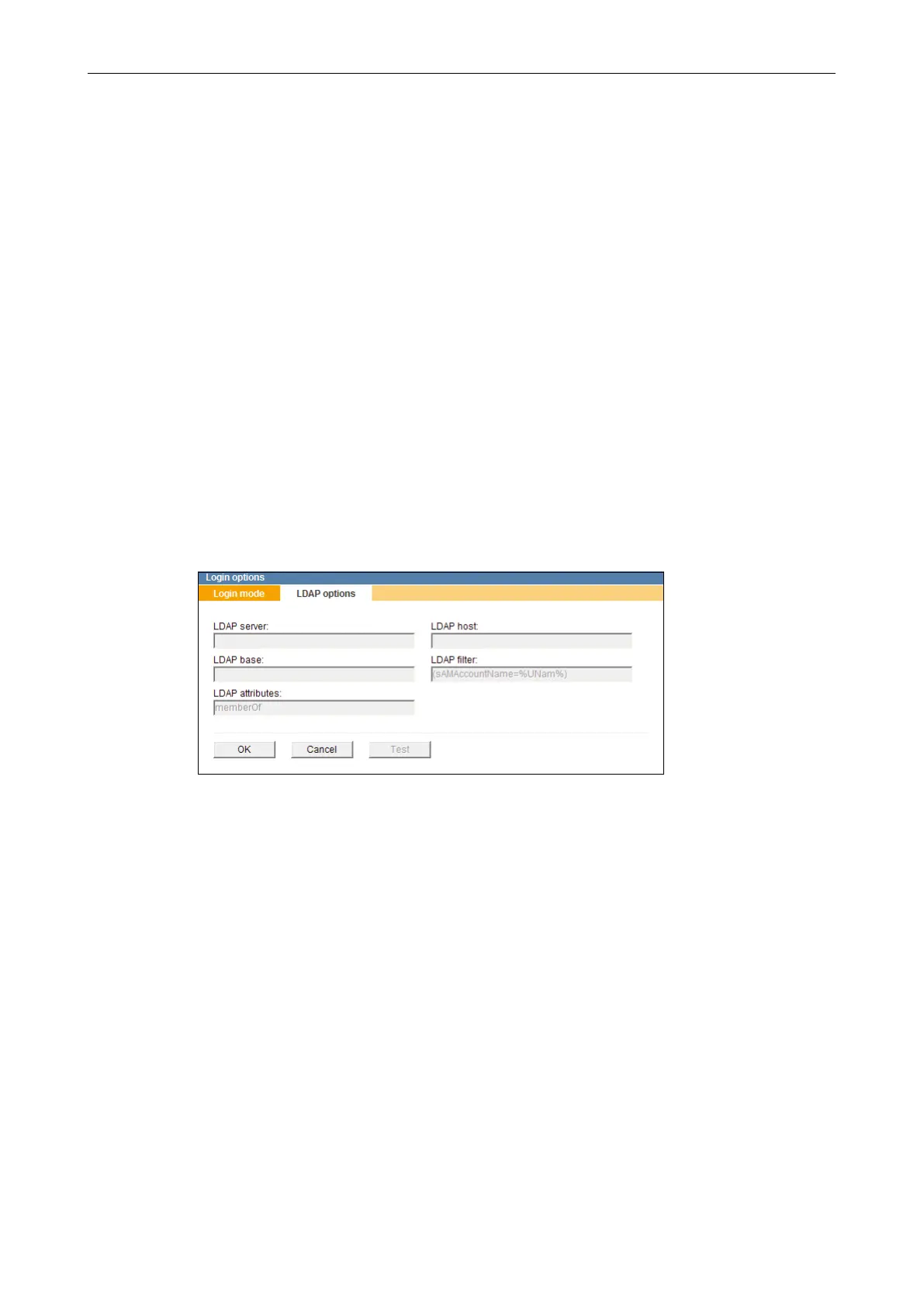
Ensure that the Login mode is set to LDAP login.
Select the LDAP options tab.
Fig. 8-10
For the correct access to the directory entries on the LDAP server, the following informa-
tion must be entered:
LDAP server: Name or IP address of the LDAP server
to which the connection is to be established
Example: ldap://servername
ldap://192.168.57.3
LDAP host: Group prex of LDAP group name
Example: myhostname
LDAP base: Base DN (Distinguished Name, search base on the LDAP server);
Object location in the LDAP directory hierarchy
Example: ou=department,dc=example,dc=com
LDAP lter: Default entry: (sAMAccountName=%UNam%)
LDAP attributes: Default entry: memberOf
Enter the relevant data to access the LDAP server.



 To Next Page