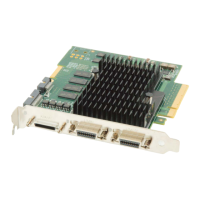
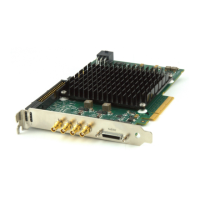
Xtium-CLHS PX8 User's Manual Overview
9
DTE: Intelligent Data Transfer Engine
The Xtium-CLHS PX8 intelligent Data Transfer Engine ensures fast image data transfers between
the board and the host computer with zero CPU usage. The DTE provides a high degree of data
integrity during continuous image acquisition in a non-real time operating system like Windows.
DTE consists of intelligent DMA units with auto-loading Scatter-Gather tables.
PCI Express x8 Gen2 Interface
The Xtium-CLHS PX8 is a universal PCI Express x8 Gen2 board, compliant with the PCI Express 2.0
specification. The Xtium-CLHS PX8 board achieves transfer rates up to 3.4Gbytes/sec. to host
memory. Note that performance can be lower depending on PC and/or programmed configuration.
The Xtium-CLHS PX8 board occupies one PCI Express x8 Gen2 expansion slot and one chassis
opening.
Important:
• To obtain the maximum transfer rate to host memory, make sure the Xtium-CLHS PX8 is in a
computer with a Gen2 slot.
• Also, the system motherboard BIOS should allow setting the PCIe maximum payload size to
256 or higher. Systems with fixed settings of 128 will limit performance for transfers to host
memory.
• The board will work in a Gen1 slot, but only with half the possible transfer performance.
• If the computer only has a PCI Express x16 slot, test directly (use the supplied diagnostic tool
)
or review the computer documentation to know if the Xtium-CLHS PX8 is supported. Computer
motherboards may possible only support x16 graphic video board products in their x16 slots.
Advanced Controls Overview
Visual Indicators
Xtium-CLHS PX8 features 3 LED indicators to facilitate system installation and setup (see Status
LEDs Functional Description). These indicators provide visual feedback on the board status and
camera status.
External Event Synchronization
Trigger inputs and strobe signals precisely synchronize image captures with external events.
Camera Link HS Communication Port
A single Sapera LT Acquisition Device provides access to the Camera Link HS camera configuration
via the board device driver. The communication port presents a seamless interface to access
GenICam camera features.
Quadrature Shaft Encoder
An important feature for web scanning applications, the Quadrature Shaft Encoder inputs allow
synchronized line captures from external web encoders (see J1- I/O Connector
). The Xtium-CLHS
PX8 provides a RS-422 input that supports a tick rate of up to 5 MHz.



 To Next Page