Xtium-CLHS PX8 User's Manual Technical Specifications
77
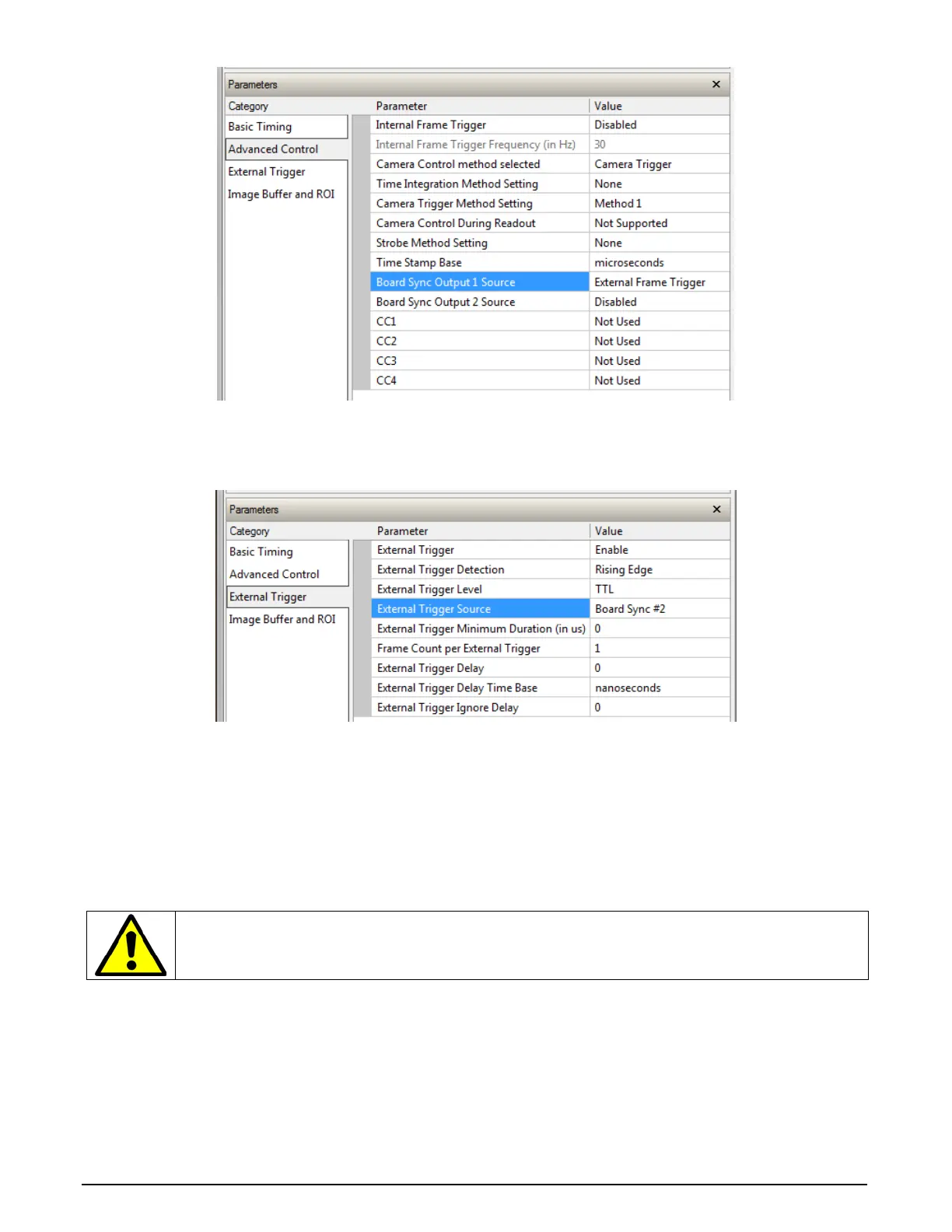
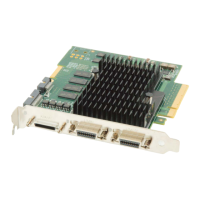
The Sync Slave Xtium board is configured to receive its trigger on the board sync signal. As
an example the following image shows the Xtium board configured for an external sync on
board sync #2.
Test Setup: Start the acquisition on all slave boards. The acquisition process is now waiting for
the control signal from the master board. Trigger master board acquisition and the acquisition
start signal is sent to each slave board.
J7: Power Connector
DC Power Details
Warning: Never remove or install any hardware component with the computer power on.
Never connect a power cable to J7 when the computer is powered on.
• Connect a computer 6-pin PCI Express power connector to J7 to supply DC power to connector
J1/J4. Older computers may need a power cable adapter (see Power Cable Assembly OR-YXCC-
PWRY00).



 To Next Page