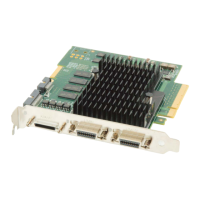
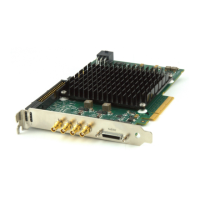
Xtium-CLHS PX8 User's Manual Contents
i
Contents
OVERVIEW 7
PRODUCT PART NUMBERS 7
ABOUT THE XTIUM-CLHS PX8 FRAME GRABBER 8
Series Key Features 8
User Programmable Configurations 8
ACUPlus: Acquisition Control Unit 8
DTE: Intelligent Data Transfer Engine 9
PCI Express x8 Gen2 Interface 9
Advanced Controls Overview 9
DEVELOPMENT SOFTWARE OVERVIEW 10
Sapera++ LT Library 10
Sapera Processing Library 10
INSTALLING XTIUM-CLHS PX8 11
WARNING! (GROUNDING INSTRUCTIONS) 11
INSTALLATION 11
Hardware Installation 11
Multi-board Data Forwarding Hardware Setup 11
Multi-board Sync & I/O Setup 11
Sapera LT Library & Xtium-CLHS PX8 Driver Installation 12
Xtium-CLHS PX8 Firmware Loader 12
Firmware Update: Automatic Mode 12
Firmware Update: Manual Mode 13
Executing the Firmware Loader from the Start Menu 13
REQUIREMENTS FOR A SILENT INSTALL 14
Silent Mode Installation 14
Creating a Response File 14
Running a Silent Mode Installation 14
Silent Mode Uninstall 15
Creating a Response File 15
Running a Silent Mode Uninstall 15
Silent Mode Installation Return Code 15
Installation Setup with CorAppLauncher.exe 15
Custom Driver Installation using install.ini 16
Creating the install.ini File 16
Run the Installation using install.ini 16
UPGRADING SAPERA OR BOARD DRIVER 17
Board Driver Upgrade Only 17
Upgrading both Sapera and Board Driver 17
DISPLAYING XTIUM-CLHS PX8 BOARD INFORMATION 18
Device Manager – Board Viewer 18
Information Field Description 18
CONFIGURING SAPERA 20
Viewing Installed Sapera Servers 20
Increasing Contiguous Memory for Sapera Resources 20
Contiguous Memory for Sapera Messaging 21
TROUBLESHOOTING PROBLEMS 22
OVERVIEW 22
PROBLEM TYPE SUMMARY 22
First Step: Check the Status LED 22
Possible Installation Problems 22



 To Next Page