Xtium-CLHS PX8 User's Manual CamExpert Quick Start
32
CamExpert Quick Start
Interfacing CLHS Cameras with CamExpert
CamExpert is the camera-interfacing tool for Teledyne DALSA frame grabber boards supported by
the Sapera library. CamExpert generates the Sapera camera configuration file (yourcamera.ccf)
based on timing and control parameters entered. For backward compatibility with previous versions
of Sapera, CamExpert also reads and writes the *.cca and *.cvi camera parameter files.
Every Sapera demo program starts with a dialog window to select a camera configuration file. Even
when using the Xtium-CLHS PX8 with common video signals, a camera file is required. Therefore,
CamExpert is typically the first Sapera application run after an installation. Obviously existing .ccf
files can be copied to any new board installations when similar cameras are used.
CamExpert Example with a Monochrome Camera
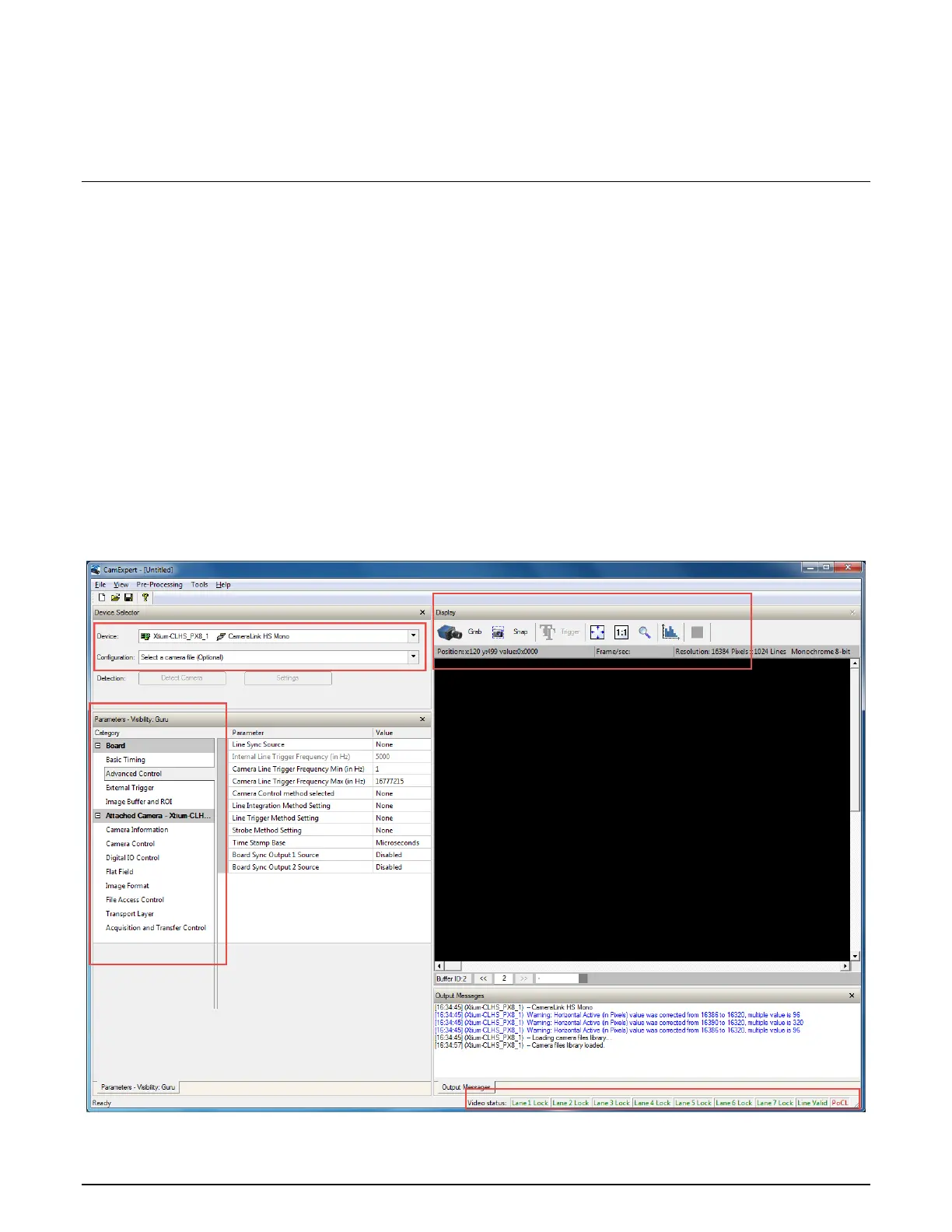
The image below shows CamExpert controlling the Xtium-CLHS PX8. As an example, the CLHS
camera has its control Lane 1 connected along with 6 additional Lanes for data.
After the camera is identified (as per the CLHS device discovery protocol), the timing parameters
are displayed and the user can test by clicking on Grab. Descriptions of the CamExpert sections
follow the image.
Figure 12: CamExpert Program



 To Next Page