Need help?
Do you have a question about the Dalsa X64 Xcelera-CL PX4 and is the answer not in the manual?
Lists part numbers for X64 Xcelera-CL PX4 boards and software.
Details about Sapera LT Library and Sapera Processing Library.
Lists available cables and optional accessories for the board.
Highlights main features like Camera Link support, FFC, Bayer decoding.
Explains how to select firmware for different modes.
Describes the acquisition controller, pixel packer, and time base generator.
Explains the data transfer engine for fast, reliable image transfers.
Details the board's compatibility with PCI Express x4 and x8 slots.
Covers visual indicators, event synchronization, and communication ports.
Introduces the X-I/O module for additional I/O signals.
Powerful library for image acquisition and control, includes CamExpert.
C++ classes for image processing and analysis.
Emphasizes static discharge procedures before hardware installation.
Steps for uninstalling and installing new Sapera or driver versions.
Procedure for installing the Sapera LT Development Library.
Guide for installing the board and its driver in Windows systems.
Explains automatic and manual firmware update processes.
General guidance for resolving installation issues.
Resolving issues with image acquisition and zero frame rate.
Guide to using CamExpert for camera configuration and parameter entry.
Demonstrates CamExpert usage with a monochrome camera.
Overview of CamExpert's features for testing and calibration.
Supported camera types and available configuration files.
Explains the different Sapera parameter file types and their usage.
A checklist for ensuring proper camera interfacing with CamExpert.
Details board support for real-time Flat Field Correction.
Steps to load the correct camera configuration file for FFC.
Process for calibrating Flat Field Correction using reference images.
Explains the three-step process in the FFC calibration window.
How to enable and use Flat Field Correction in CamExpert.
Steps for calibrating white balance for Bayer filter cameras.
How Sapera applications use Bayer filter calibration data.
Simplified block diagram of the X64 Xcelera-CL PX4 board architecture.
Explains timing signals like PCLK, LVAL, FVAL, and blanking periods.
How to select line trigger sources for linescan cameras.
Details on using shaft encoder inputs for synchronization and line capture.
How FRAME_RESET signal controls virtual frame buffer storage.
Overview of various camera trigger, reset, integration, and strobe methods.
Lists acquisition and transfer events monitored by the system.
Table detailing X64 Xcelera-CL PX4 output LUT availability.
Information on interfacing cameras with non-standard CameraLink formats.
Lists Sapera capabilities and parameters supported by the board.
Dimensions, digital video input/controls, scanning, resolution, pixel clock.
PCI Express slot requirements and supported operating systems.
Compliance with FCC and CE standards for electromagnetic interference.
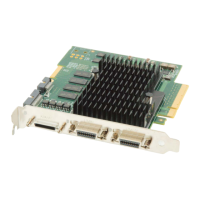
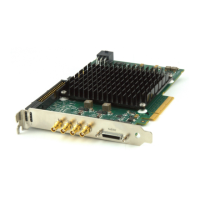
Diagram showing board layout and location of connectors and switches.
Detailed specifications for board connectors, switches, and LEDs.
Overview of Camera Link technology, data ports, and signals.
Introduction to the X-I/O module's capabilities and connections.
Step-by-step guide for installing the X-I/O module.
Information on assembling interface cables for DB37 connections.
Electrical specifications for NPN configured TTL outputs.
Electrical specifications for PNP configured TTL outputs.
Electrical specifications for the opto-coupled inputs.
Electrical details for the software configurable TTL inputs.
Using Sapera for X-I/O module configuration and control.
Guide to using the Sapera LT General I/O demo program.
Contact details for DALSA sales, including web and email addresses.
Measure of data transfer capacity.
Sapera camera file using CCA extension for camera parameters.
Software stored in nonvolatile memory on the board.
Memory area to hold a frame of image data.
Acquiring an image frame using a frame grabber.
Picture Element, a digital sample of analog video signal.
Host memory for buffers, virtually contiguous but physically scattered.
Sapera camera parameter file using CVI extension.
 General
| Brand | Dalsa |
|---|---|
| Model | X64 Xcelera-CL PX4 |
| Category | Media Converter |
| Language | English |


 To Next Page