X64 Xcelera-CL PX4 User's Manual Installing X64 Xcelera-CL PX4 • 19
Displaying X64 Xcelera-CL PX4 Board
Information
The Device Manager program also displays information about the X64 Xcelera-CL PX4 boards installed
in the system. To view board information run the program via the Windows Start Menu shortcut Start •
Programs • DALSA • X64 Xcelera-CL PX4 Device Driver • CorDeviceManager.
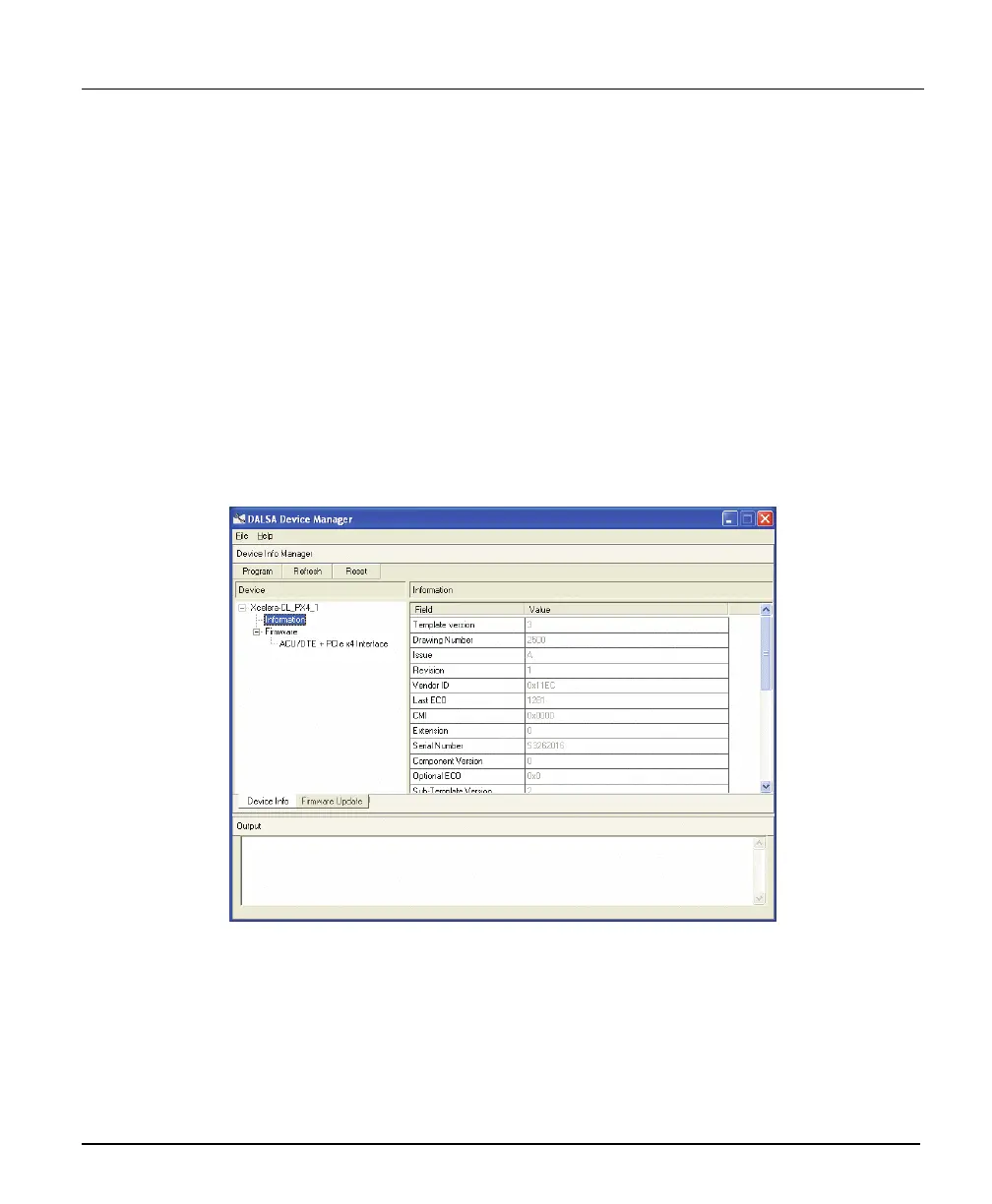
Device Manager – Board Viewer
The following screen image shows the Device Manager program with the Information/Firmware tab
active. The left window displays all X64 Xcelera-CL PX4 boards in the system and their individual
device components. The right window displays the information stored in the selected board device. This
example screen shows the X64 Xcelera-CL PX4 information contained in the EEProm component.
The X64 Xcelera-CL PX4 device manager report file (BoardInfo.txt) is generated by clicking File • Save
Device Info. This report file may be requested by DALSA Technical Support to aid in troubleshooting
installation or operational problems.



 To Next Page