Replacing the print head User Guide
42
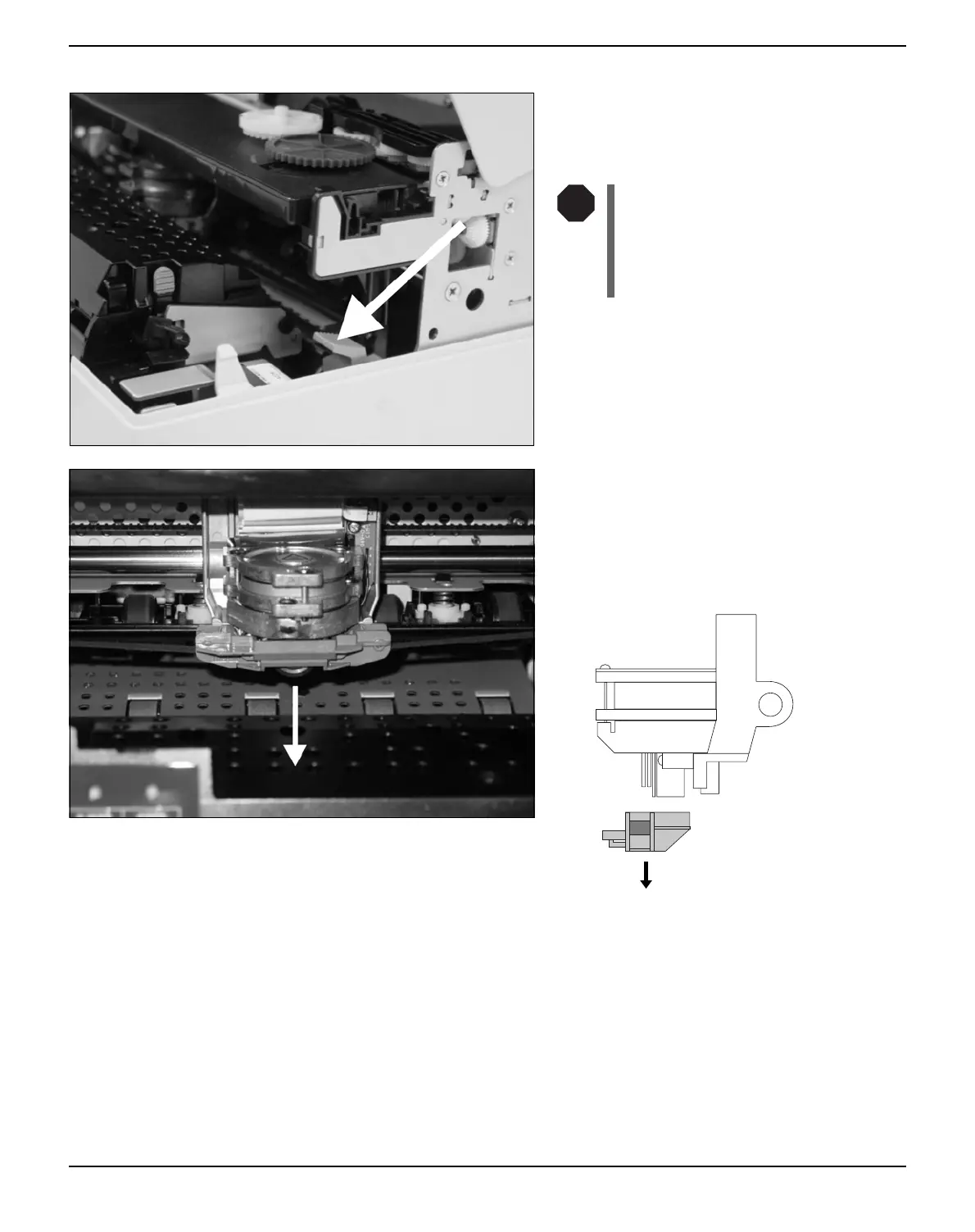
Press the green release lever for the printing
mechanism. This swings the printing mecha-
nism backwards.
If the printer has been printing
for a long time, the print head
can be hot. Wait until it has coo-
led to a temperature suitable for
handling.
Move the print head to center of the carriage
to allow enough room to remove the ribbon
guide from the print head.
Remove the colored ribbon guide from the
print head by pulling it downwards.
STOP



 To Next Page