User Guide Replacing the print head
43
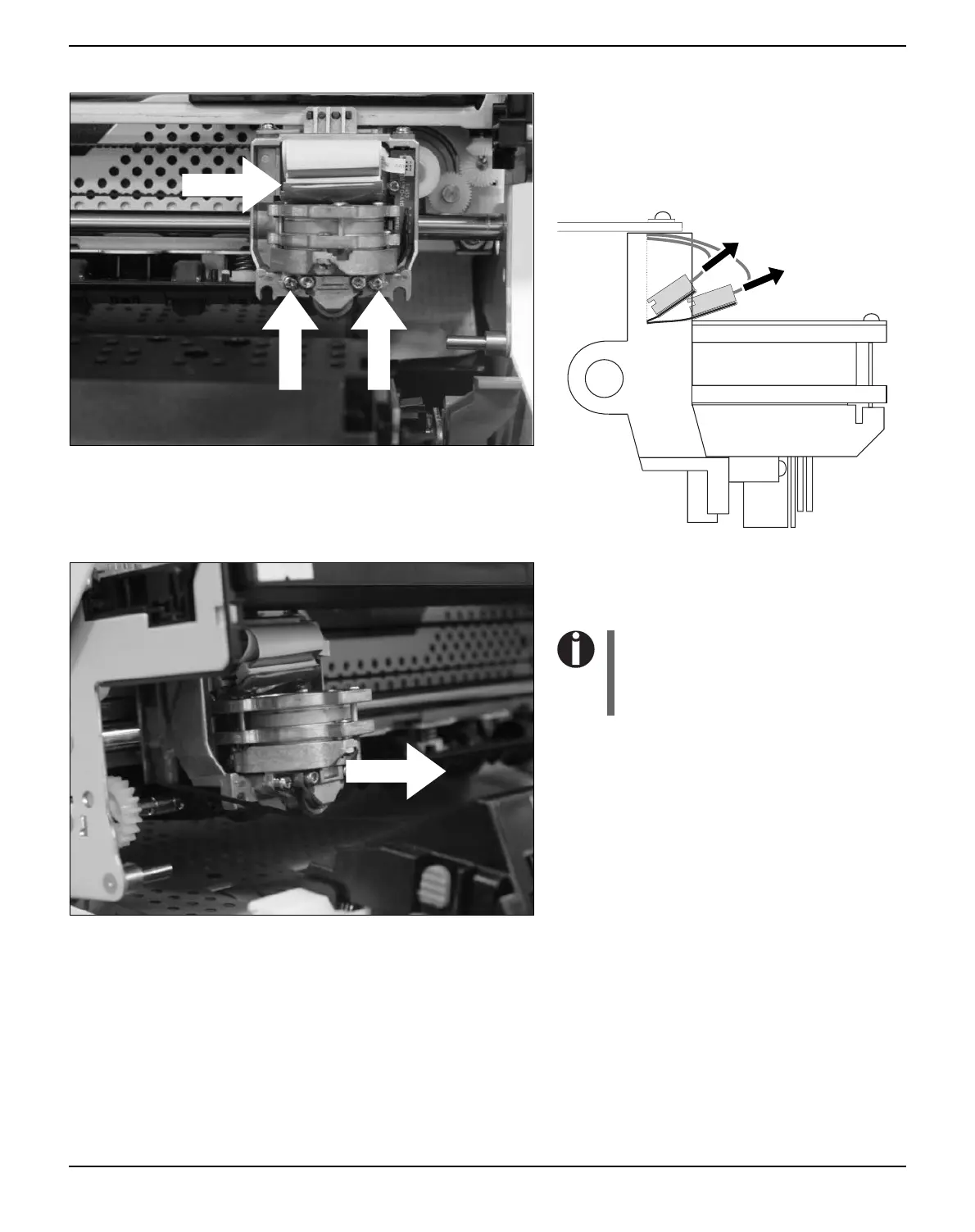
Remove the two outside located screws A
from the print head.
Disconnect the two flexible cables B from the
print head.
Now remove the print head from its mounting
by easing it forward.
Ensure proper disposal of the
print head in accordance with the
applicable national laws and
regulations.
A
B



 To Next Page