Operation ■ Running a Job on PSV7000
—44— Data I/O • 096-0461-001G
back
Removing the Probe Holder
In some cases, when using a 3D Coplanarity Inspection System you
may also need to remove and replace the probe tip holder.
Tools Required: 1.5 mm hex key.
1. Perform steps 1–5 above for removing a probe.
2. Rotate a probe so the set screw is accessible and remove the set
screw with a 1.5 mm hex key.
3. Pull the Probe Holder off the stem. Note that the stem has an
o-ring and it should stay in place.
4. Insert the appropriate holder for your application with the set
screw hole lined up with the flat on the stem. Push the holder all
the way up.
5. Install and tighten the set screw.
6. Repeat steps for other probe.
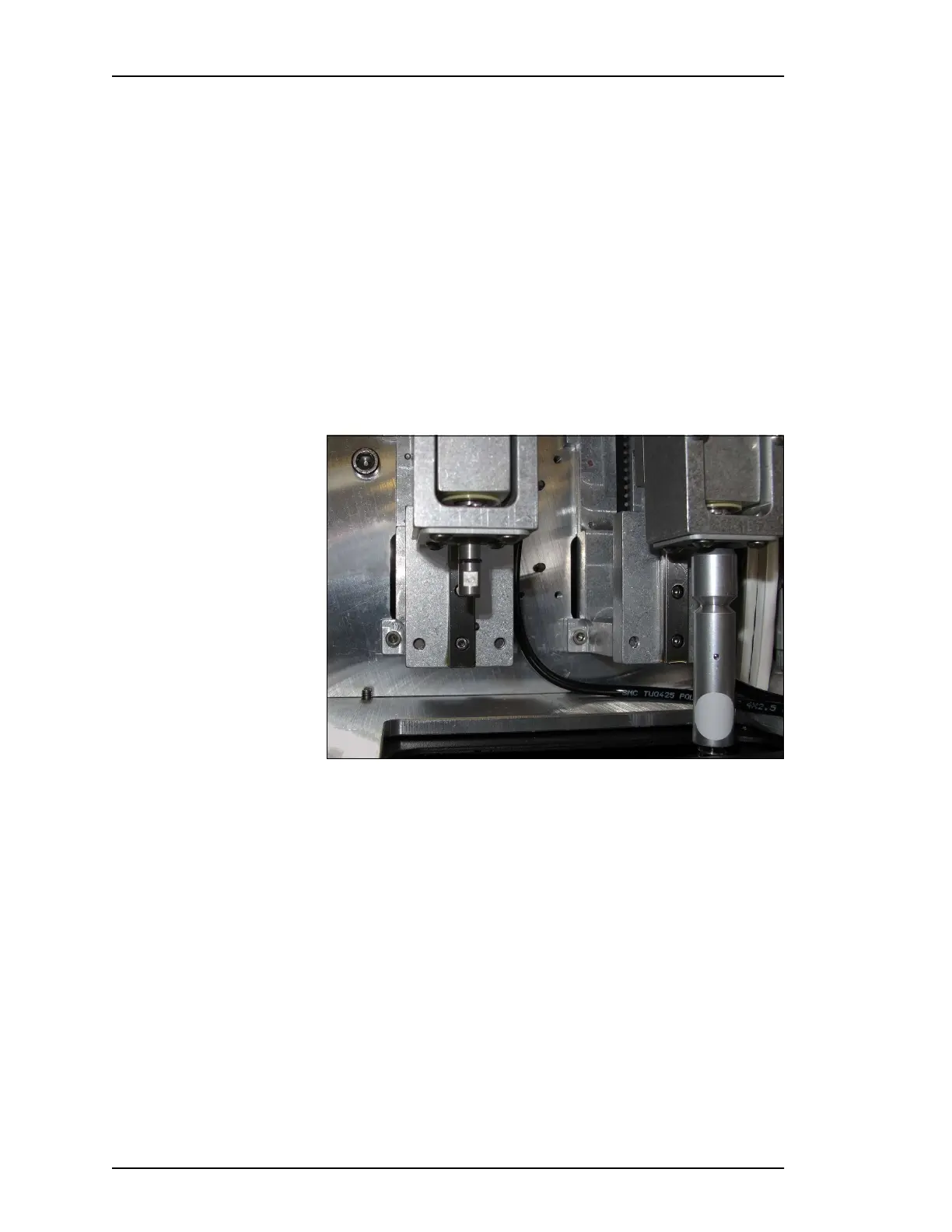
Figure 27: The Probe Holder on the left has been removed. The o-ring
and set-screw-flat is visible on the stem.
Note that the white dot on the right probe indicates that it is the latest
version of Probe Holder.



 To Next Page