ES601Plus OPERATING MANUAL
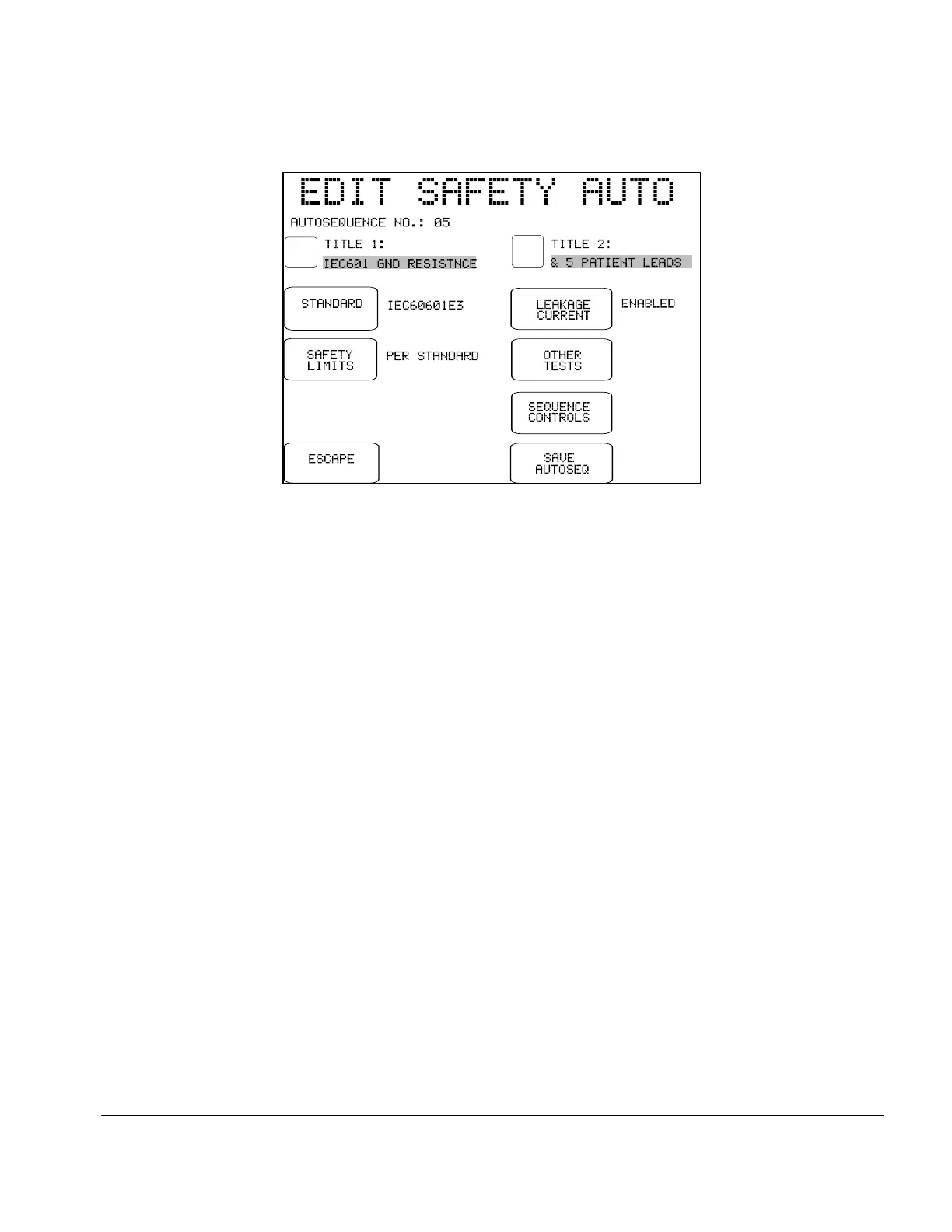
Fig u re 8 - AutoSequence editor, Main Menu.
The buttons provided on the main menu of the AutoSequence editor are:
TITLE 1 / TITLE 2:
Press to modify line #1 or line #2 of the AutoSequence title. The
QWERTY keypad will be displayed. Refer to Section 3.5 for details on
QWERTY keypad operation.
STANDARD:
Press to change the safety standard. The available standards include
IEC60601, AAMI-ES1, IEC62353, IEC61010, VDE-0751, and their
variants for battery-powered devices. This setting will affect which tests are
provided by the other buttons on the editor.
SAFETY LIMITS:
Press to choose between "PER STANDARD" and "USER-DEFINED".
User-defined safety limits allow you to set alternative protective earth and
leakage current limits to suit older equipment, manufacturer specifications,
or other special test requirements. One user-defined table of limits is
provided for each of the safety standards, and these special tables are
programmed and loaded into ES601Plus memory by means of a
corresponding module of the ES601pc software package (see Chapter 8).
User-defined safety limits are an accessory option of ES601Plus. The
SAFETY LIMITS setting will remain fixed at "PER STANDARD" if this
accessory option has not been installed in your ES601Plus.
Setup/Chapter 3 # Page 33



 To Next Page