ES601Plus OPERATING MANUAL
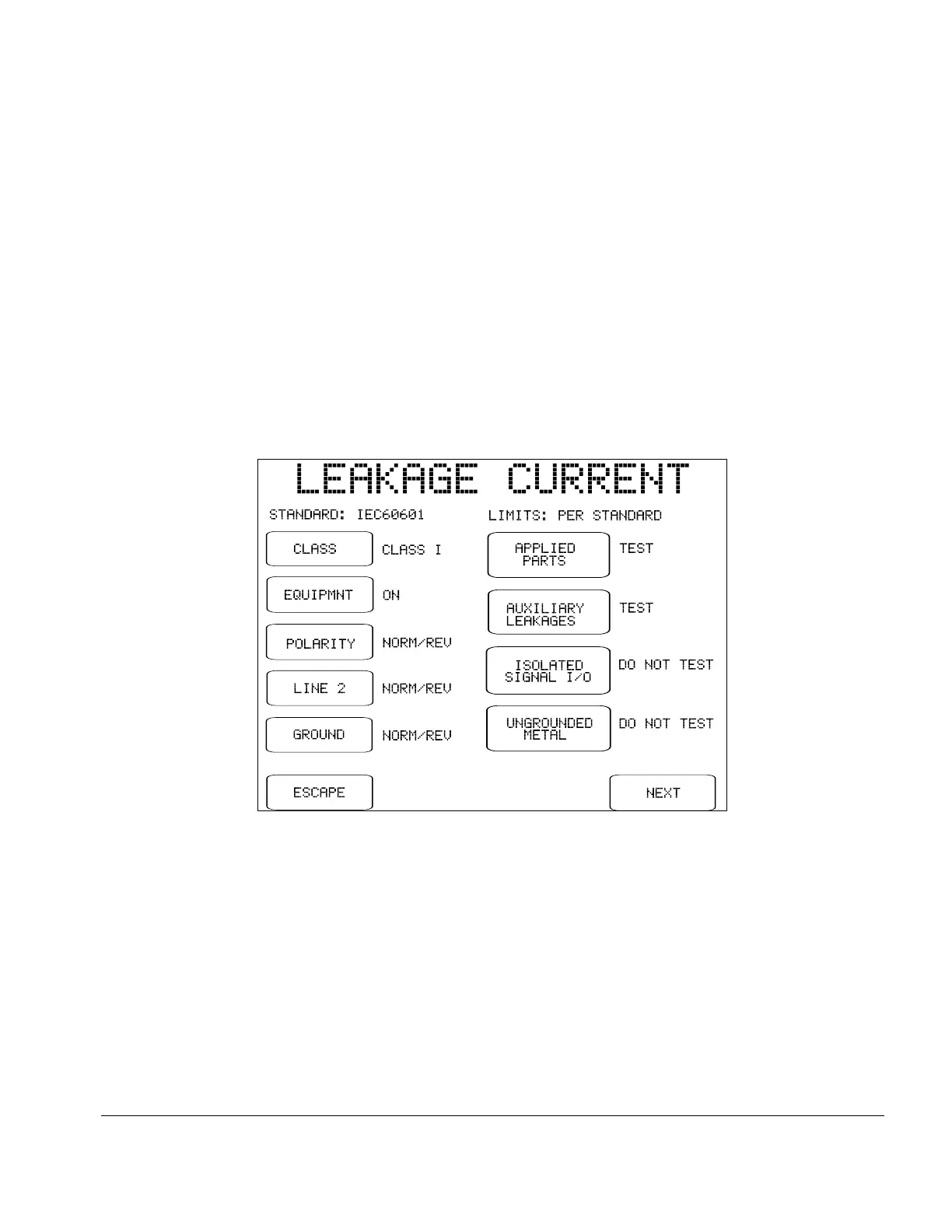
Fig u re 9 - Leakage current menu for IEC60601 standard.
LEAKAGE CURRENT:
Press to enter a menu for configuring the leakage current measurements of
the AutoSequence. The appearance of this menu and the range of settings
provided by it will depend on the safety standard chosen. The example
menu below is for the IEC60601 standard.
Settings of the leakage current menu determine which single-fault
conditions will be enabled in the AutoSequence. Additional buttons enable
or disable testing of applied parts, and enable or disable supplementary test
conditions such as mains on isolated data I/O and testing of ungrounded
metal parts. Refer to Section 5.10 for further details on the leakage test
conditions configured by the buttons on this menu.
Specific buttons provided by the leakage current menu have a common
function regardless of the safety standard. These buttons are:
ESCAPE:
Press this button to disable all leakage measurements in the
AutoSequence and return to the main menu of the
AutoSequence editor. On the main menu of the editor,
"DISABLED" will then appear to the right of the
LEAKAGE CURRENT button.
Setup/Chapter 3 # Page 34



 To Next Page