ES601Plus OPERATING MANUAL
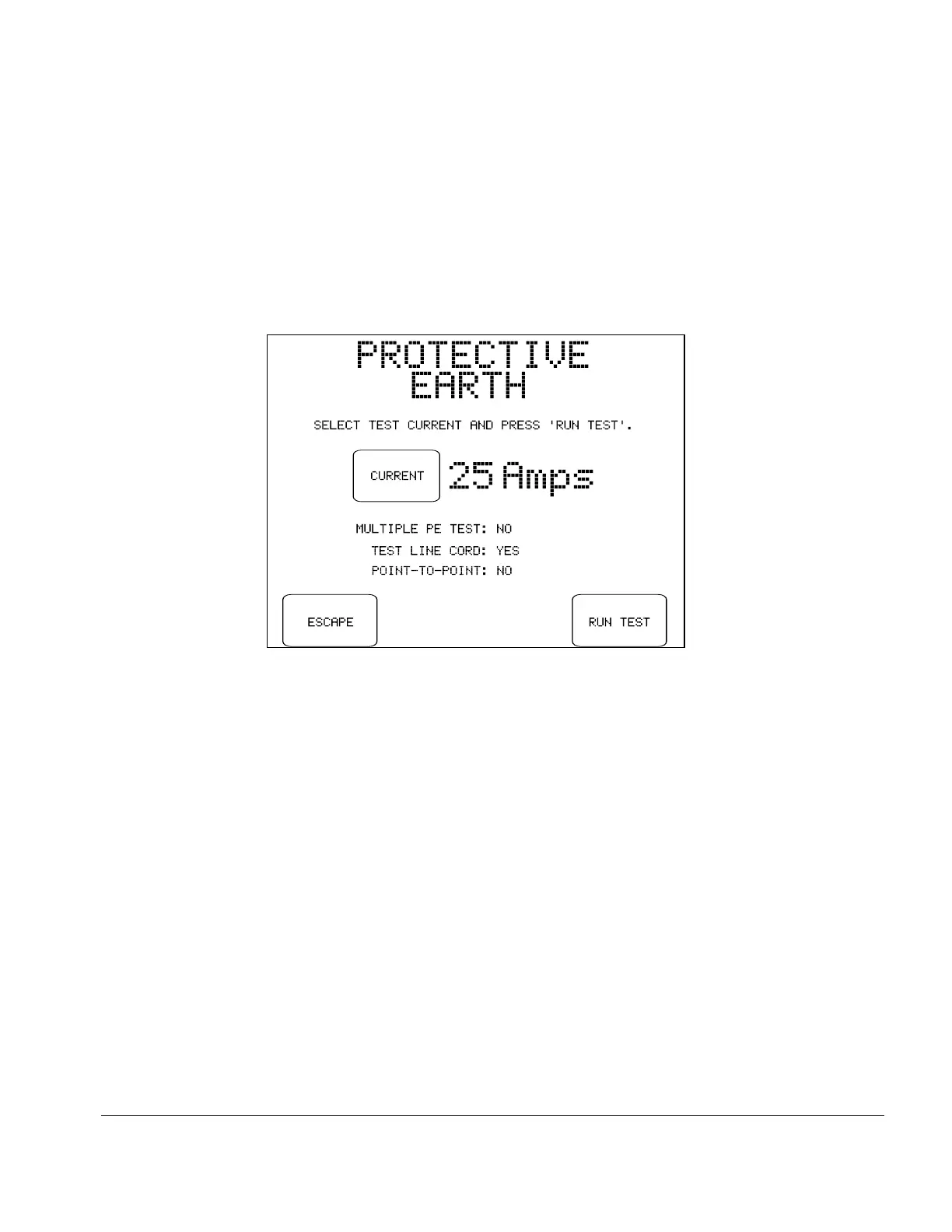
Fig u re 25 - Selection of test current (PETM option only).
NEXT:
This button on the Sequence Controls menu advances the test to the next
step. If the PETM accessory option is installed, you will first be prompted
to select the test current if the safety standard is either IEC60601 or
IEC61010. The 25 amp test cannot be selected if the PETM hardware is
not present in ES601Plus, or if the safety standard is not set to IEC60601
or IEC61010. In these cases, the 1 amp test is performed by default.
Buttons provided on the test current menu are:
CURRENT:
Selects either 1 amp DC bipolar, or 25 amp AC RMS test
current.
ESCAPE:
Aborts the test and returns to MANUAL MODE menu.
No results are saved to the Clip Record.
RUN TEST:
Initiates the test protocol represented by the Sequence
Control settings displayed on the test current menu.
If the 1 Amp test is selected, the resistance measurement will be performed using a regulated,
calibrated test current of 1.0 Amp DC. The initial measurement requires one second, after which the
first result is shown on the display. The polarity of the test current is then automatically reversed and
the measurement is repeated. The higher of the two resistance readings is then shown on the display,
along with a pass/fail indication.
Manual Testing/Chapter 5 # Page 59



 To Next Page