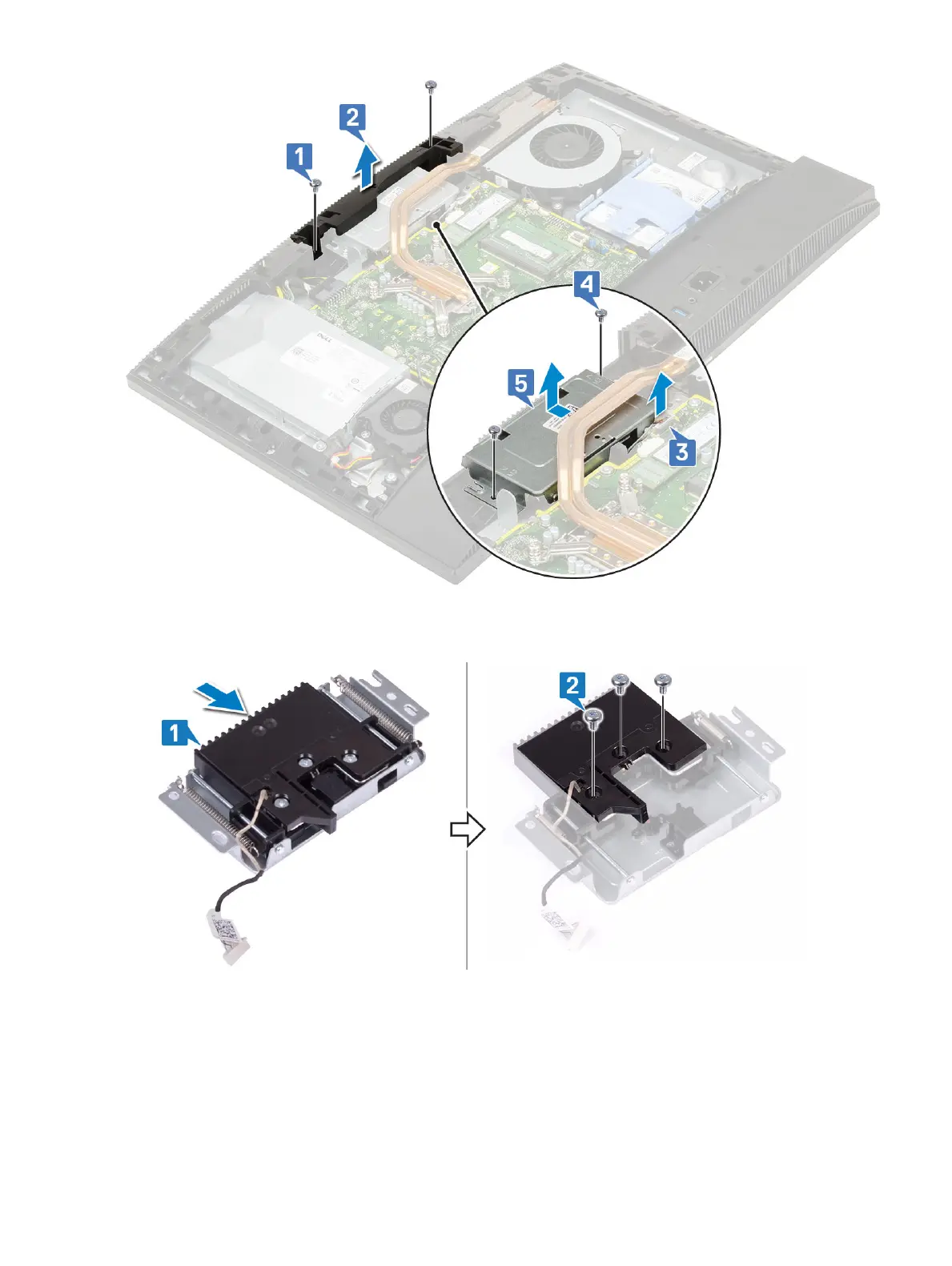
4 To remove the camera bezel:
a Press the top of the pop-up camera assembly to extend the pop-up camera [1].
b Remove the three screws (M3) that secure the bezel to the pop-up camera assembly [2].
5 To remove the pop-up camera module:
a Lift the pop-up camera bezel o the pop-up camera assembly [1].
b Remove the camera module along with the camera cable o the pop-up camera assembly [2]
42
Removing and Installing components










 To Next Page