Steps
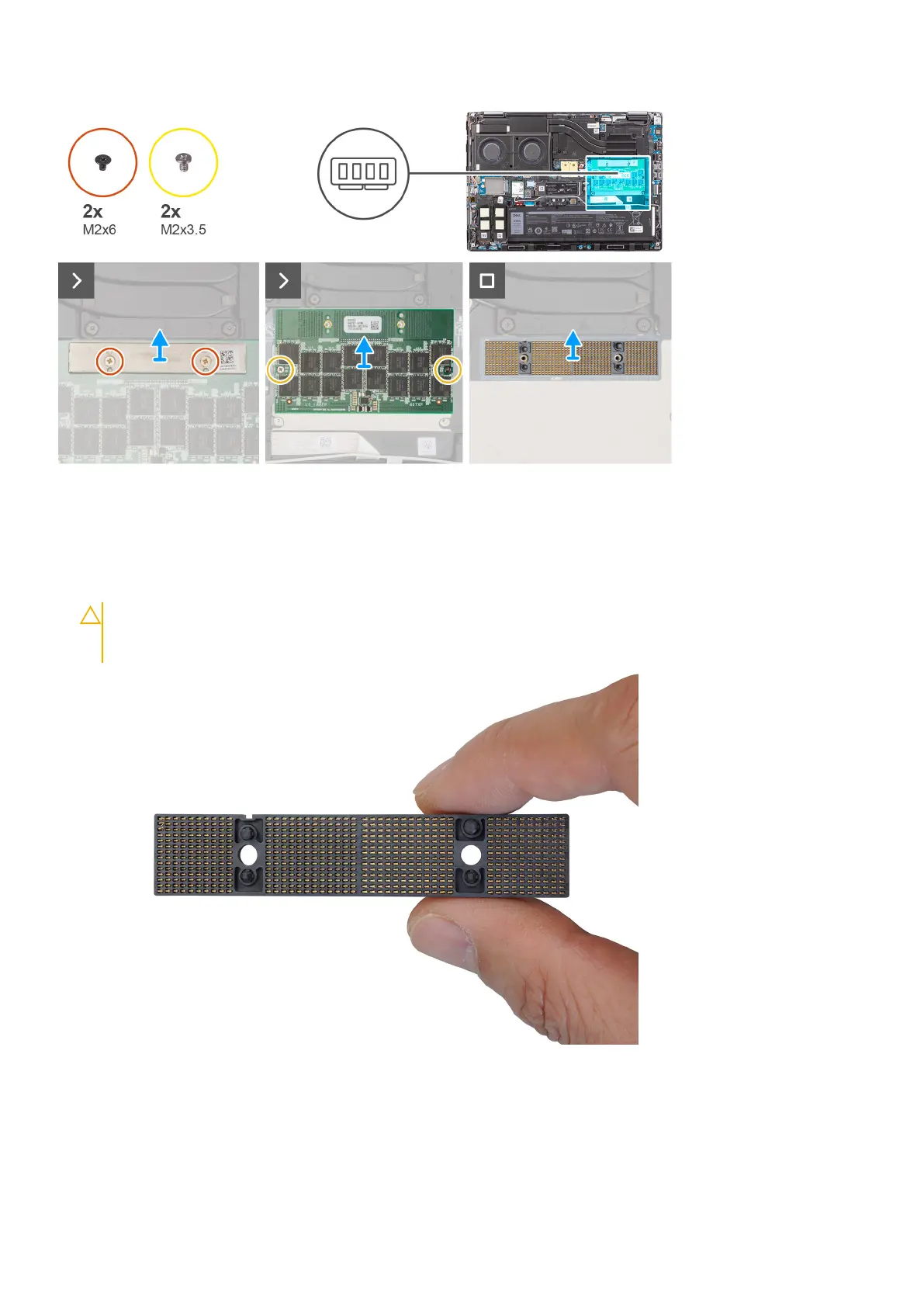
1. Remove the two (M2x6) screws that secure the memory bracket on the CAMM module.
2. Lift to remove the memory bracket.
3. Remove the two (M2x3.5) screws that secure the CAMM module to the system board.
4. Lift to remove the CAMM module and the CAMM connecter module from the system board.
CAUTION:
When handling the memory connector DO NOT touch the pins on the connector module, the pins
are fragile and any direct contact with the pins may damage them. Only hold the connector from the sides to
avoid contact with the pins.
Installing the Compression Attached Memory (CAMM) module
Prerequisites
If you are replacing a component, remove the existing component before performing the installation procedure.
28
Removing and installing components















 To Next Page