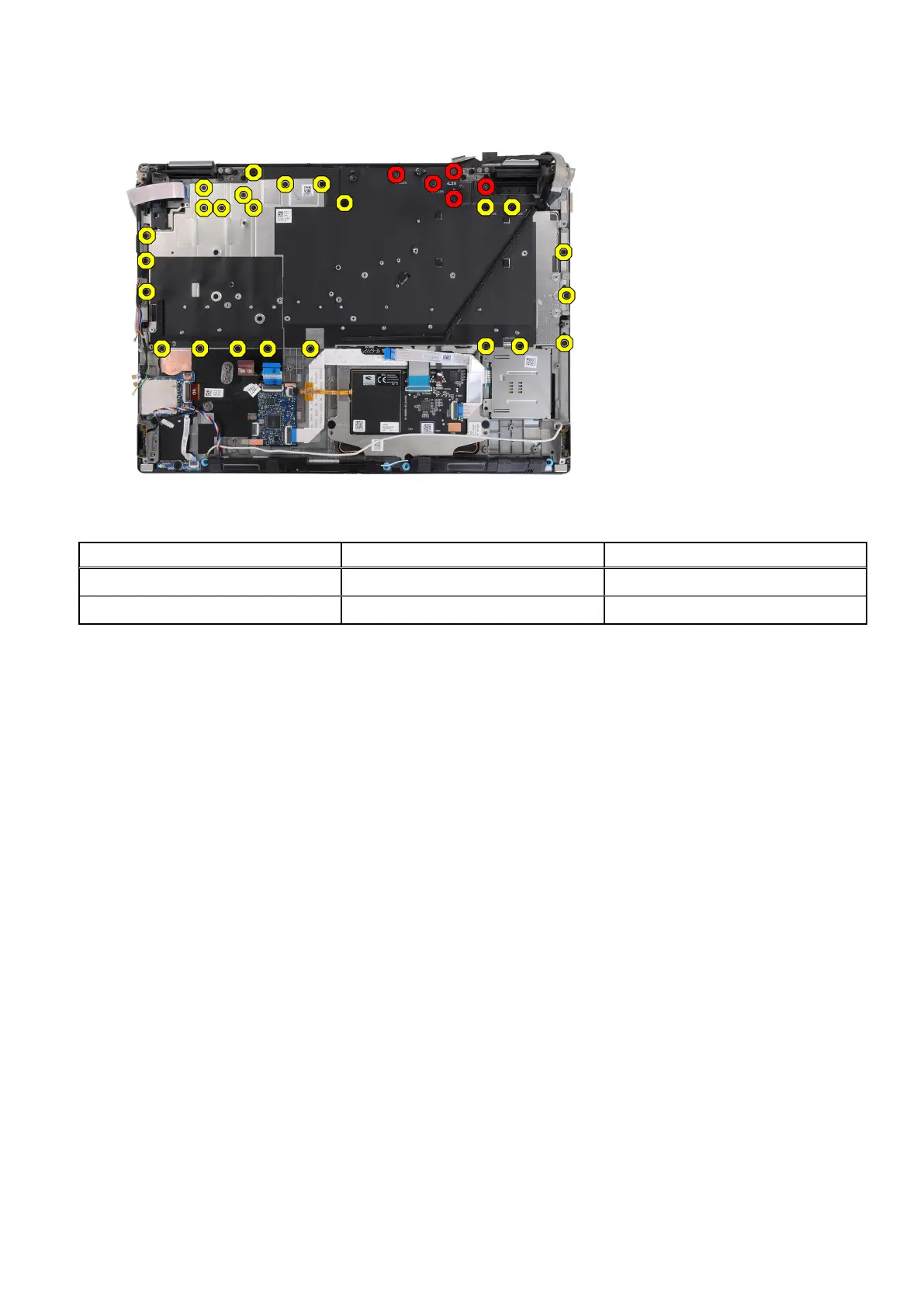
2. Remove the 24 (M2x2.5) and five (M2x3.5) screws that secure the keyboard support place to the palm rest.
Table 5. Keyboard support plate screws
Callout Size Quantity
Yellow M2x2.5 24
Red M2x3.5 5
3. Turn-over and open the system at 90° angle.
4. Remove the keyboard and keyboard support plate from the system.
5. Remove the six (M2x2) screws that secure the keyboard to the computer chassis.
6. Remove the keyboard from the keyboard support plate.
Installing the keyboard
Prerequisites
If you are replacing a component, remove the existing component before performing the installation procedure.
About this task
The figure indicates the location of the keyboard and provides a visual representation of the installation procedure.
84
Removing and installing components















 To Next Page