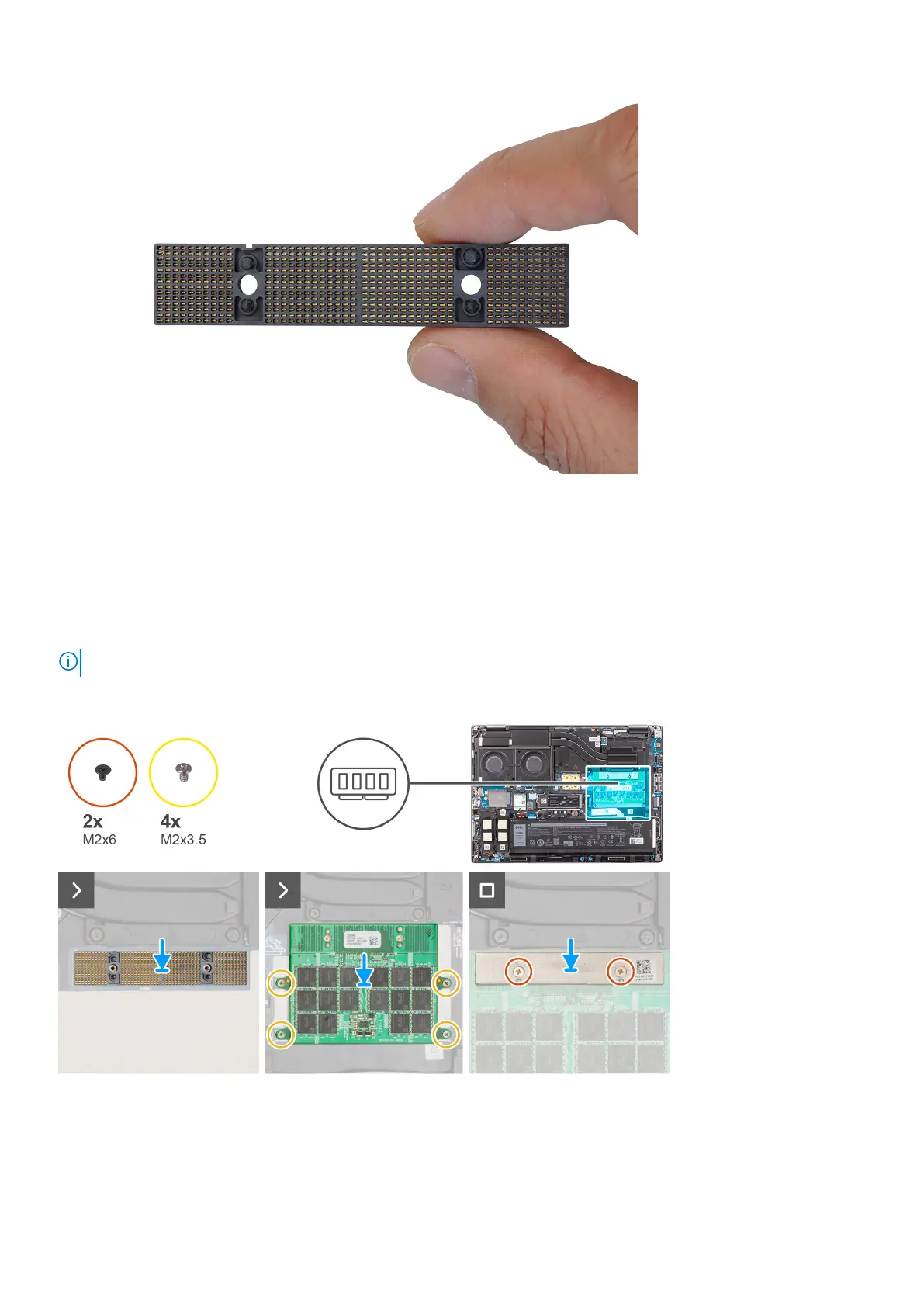
Installing the long Compression Attached Memory (CAMM) module
Prerequisites
If you are replacing a component, remove the existing component before performing the installation procedure.
About this task
NOTE: For models shipped with a long CAMM module
The figure indicates the location of the long CAMM module and provides a visual representation of the installation procedure.
Steps
1. Place the CAMM module into its slot on the system board.
Removing and installing components
31















 To Next Page