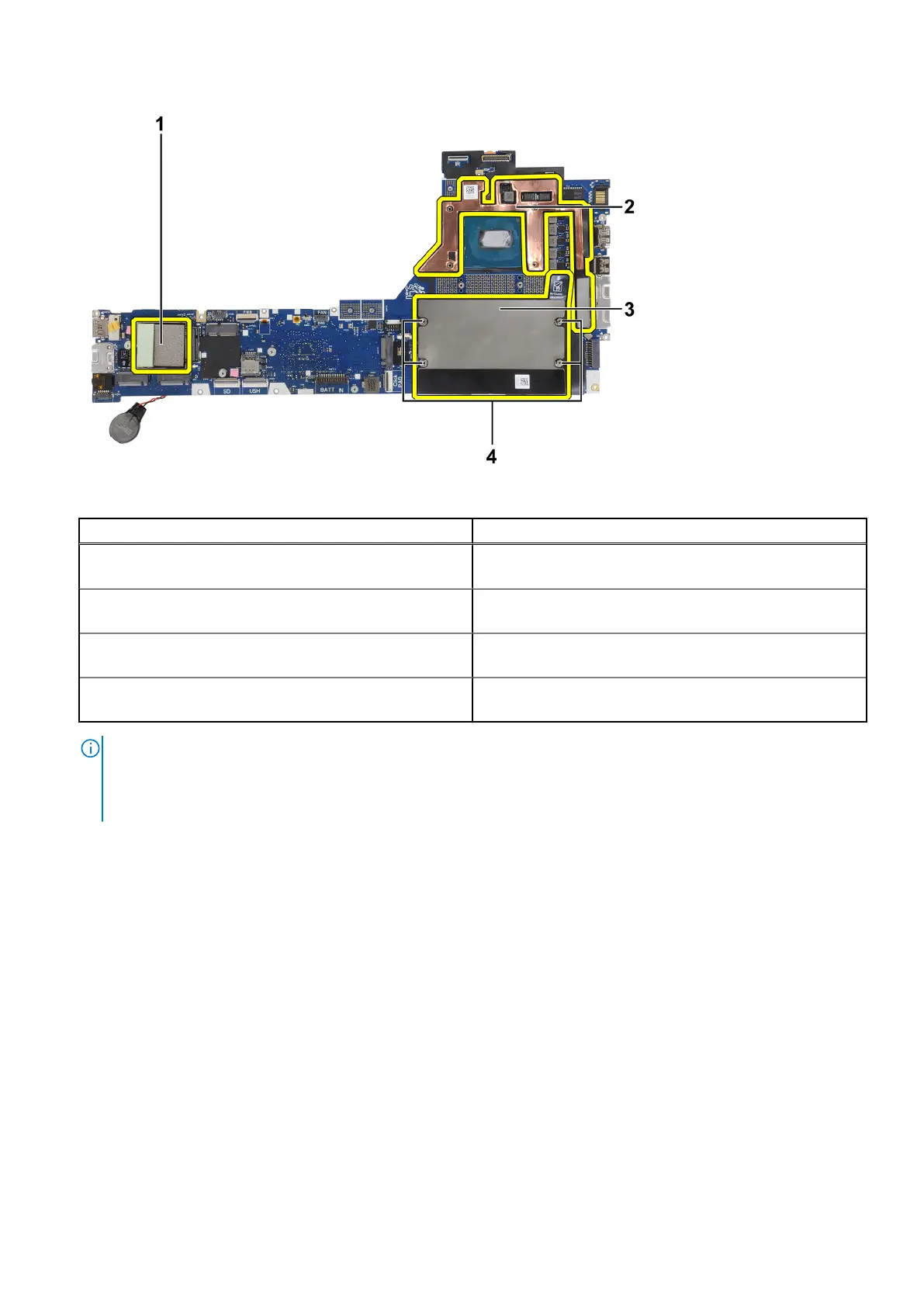
Table 4. System board replacement components
Sl. No Item
1 WWAN card thermal pad (for models shipped with WWAN
antennas)
2 CPU graphite absorber sticker (for models shipped with
WWAN antennas)
3 CAMM memory absorber (for models shipped with a CAMM
module)
4 Hexagonal standoff nuts x4 (for models shipped with a
CAMM module)
NOTE:
● The hexagonal standoff nuts can be removed with a flat-head screwdriver.
● There are no absorbers or standoff nuts to be transferred for models that are shipped with a DIMM memory module
and without WWAN antennas.
Installing the system board
Prerequisites
If you are replacing a component, remove the existing component before performing the installation procedure.
About this task
The figure indicates the location of the system board and provides a visual representation of the installation procedure.
Removing and installing components
69















 To Next Page