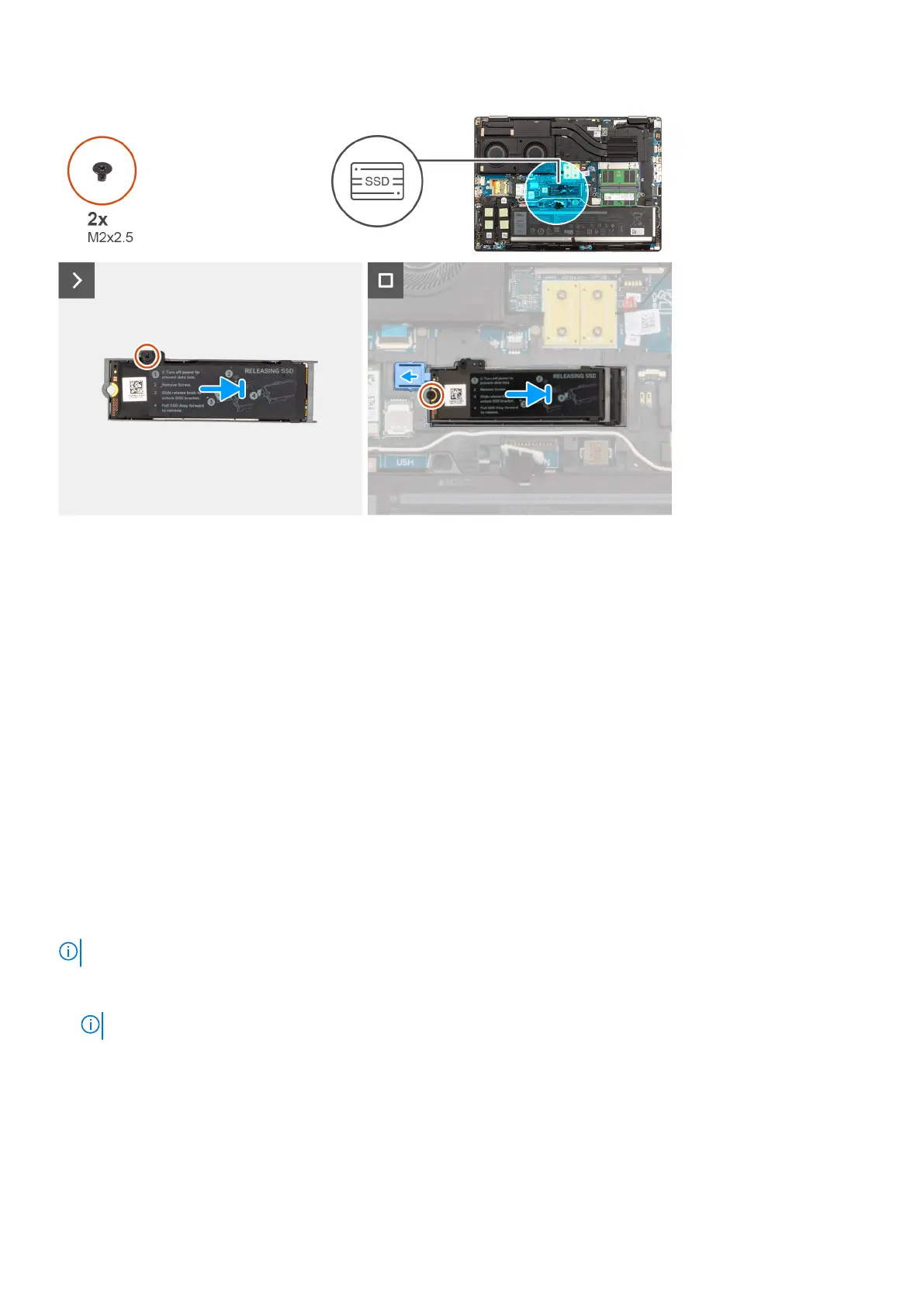
Steps
1. Place the SSD onto its slot on the SSD thermal plate.
2. Replace the (M2x2.5) screw to secure the SSD to the SSD thermal plate.
3. Carefully align and insert the two tabs on the SSD thermal plate into the slots on the inner frame to secure the SSD thermal
plate in place.
4. Replace the (M2x2.5) screw to secure the SSD thermal plate to the system chassis.
5. Slide the SSD release latch into the lock position.
Next steps
1. Install the base cover.
2. Follow the procedure in after working inside your computer.
Secondary M.2 solid-state drive
Removing the secondary M.2 Solid-state drive
Prerequisites
NOTE: For computers shipped with M.2 2280 PCIe Gen4 SSD installed in slot 4.
1. Follow the procedure in before working inside your computer.
2. Remove the base cover.
NOTE: Follow this procedure only if the computer is shipped without SSD door configuration).
About this task
The figure indicates the location of the secondary M.2 SSD and provides a visual representation of the removal procedure.
For computers without SSD door configuration
Slot - 4
44
Removing and installing components















 To Next Page