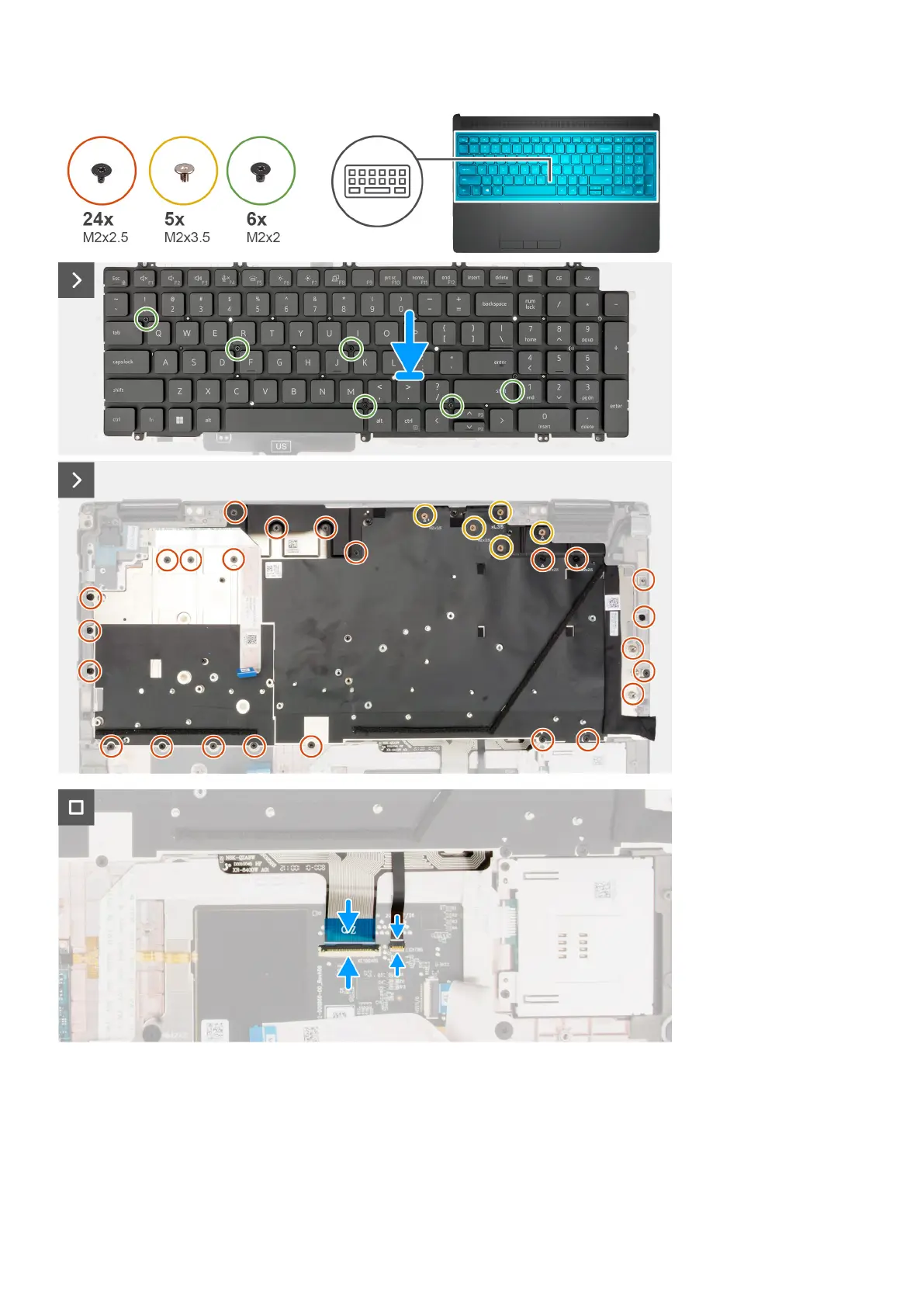
Steps
1. Align the tabs on the keyboard with the tabs on the computer chassis at an angle.
2. Replace the six (M2x2) screws that secure the keyboard to the computer chassis.
3. Replace the 24 (M2x2.5) and five (M2x3.5) screws that secure the keyboard support plate to the palm rest.
4. Turn-over the system at 90° angle to, access the keyboard FPC and the keyboard backlight FPC.
Removing and installing components
85















 To Next Page