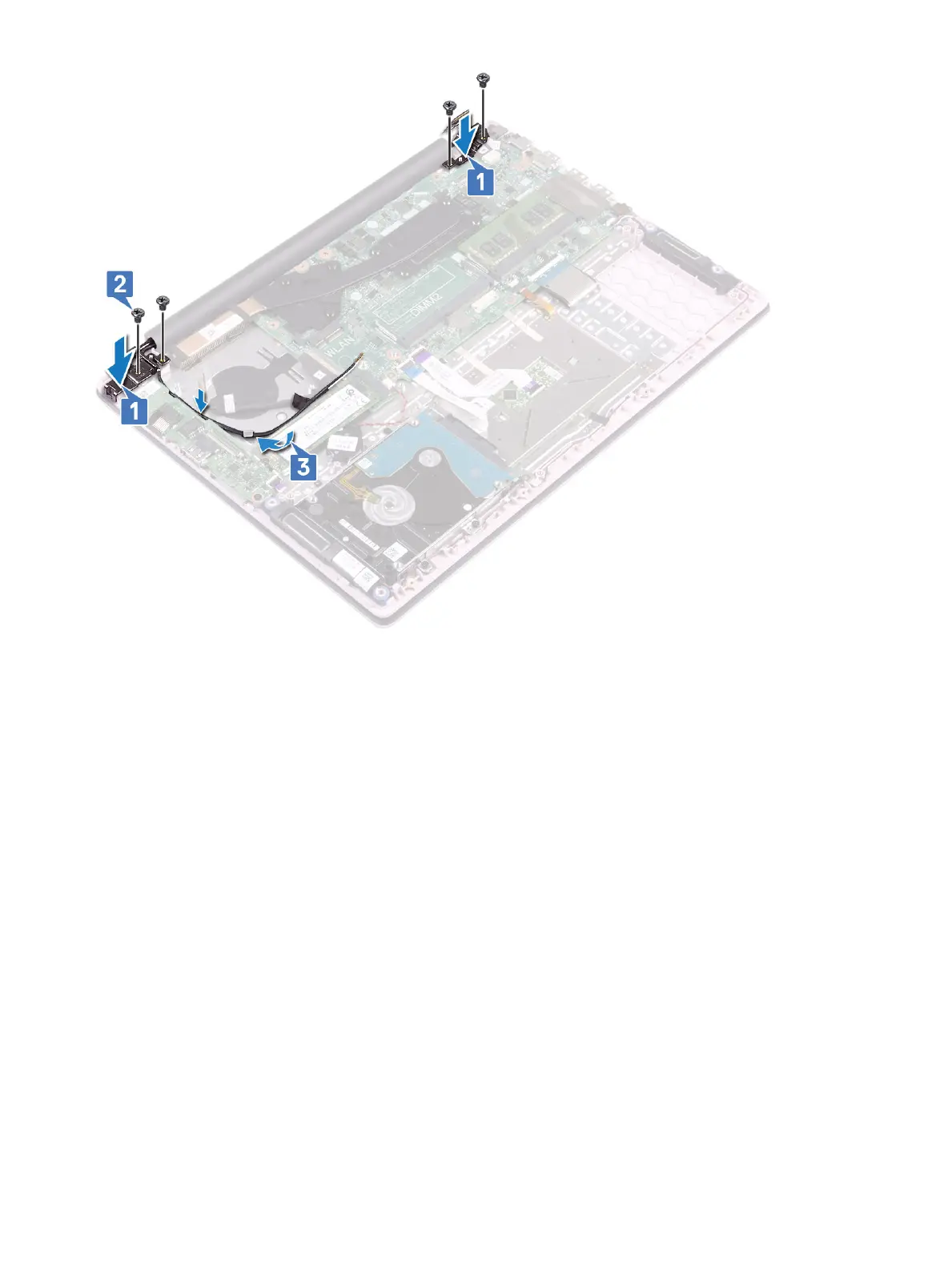
5 Connect the display cable to the connector on the system board and close the display cable connector latch [1].
6 Ax the adhesive tape to secure the display cable to the display cable connector [2].
7 Connect the IO board cable to the connector on the IO board and close the IO board connector latch [3].
8 Ax the adhesive tape to secure the IO board connector [4].
52
Removing and installing components





 To Next Page