Chapter 7 Application Examples
7-17
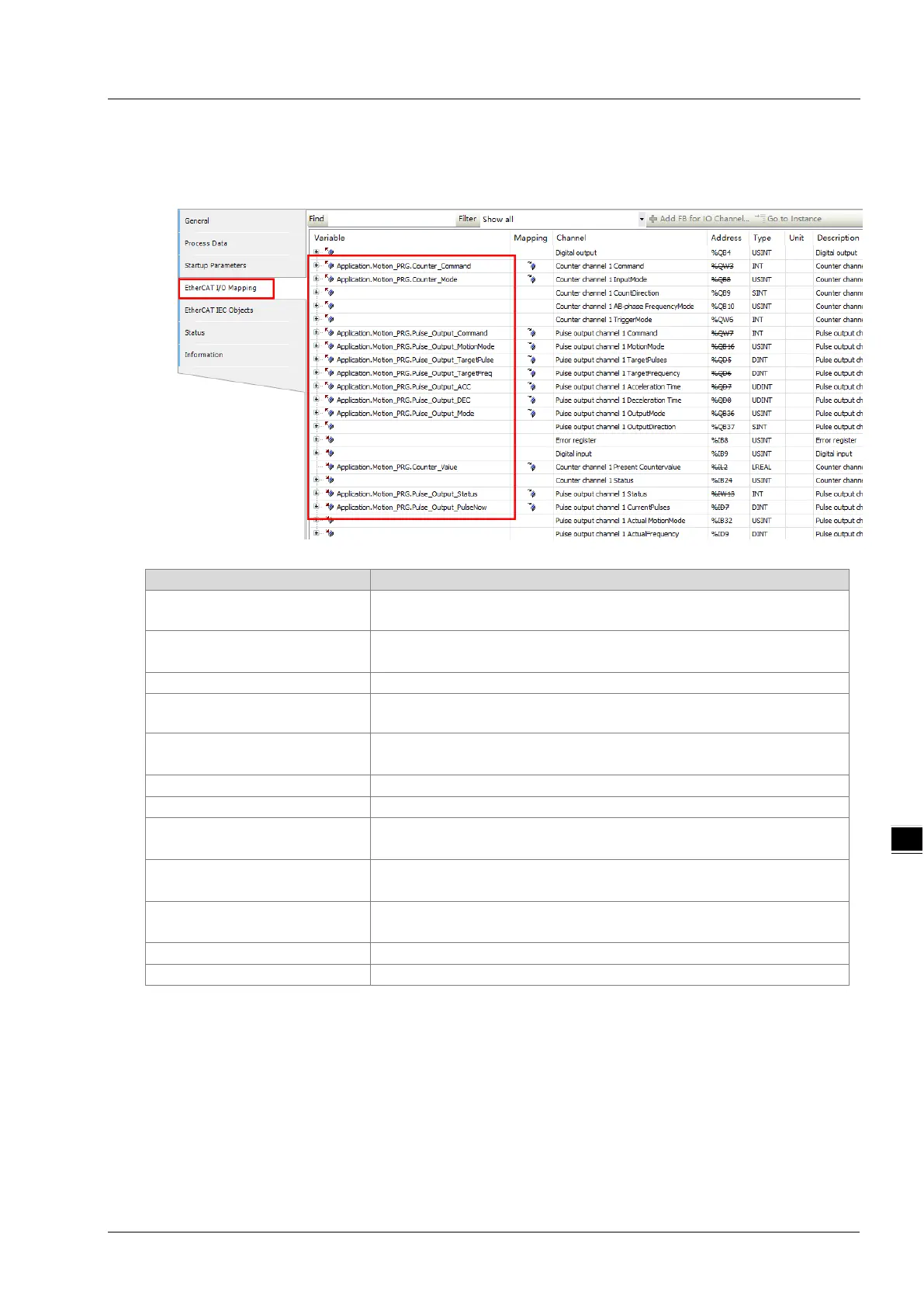
7. Double-click "ASRTU-EC16AP1TA", and then click "EtherCAT I/O Mapping" tab. On the following
"EtherCAT I/O Mapping" page, you can map the parameters to corresponding program variables as
shown in the figure below.
Explanation of the variables in the figure above:
Counter_Command
Counter channel 1 command word for enabling the high-speed
counting function
Counter_Mode
Input mode for counter channel 1;
1: Pulse + direction
Counter value for counter channel 1
Pulse_Output_Command
Pulse output channel 1 command word for enabing the the pulse
output function
Pulse_Output_MotionMode
Motion mode for pulse output channel 1;
4: Position output
Target pulse number for pulse output channel 1
Target frequency for pulse output channel 1
Pulse_Output_ACC
Acceleration time for pulse output channel 1;
Unit: ms
Pulse_Output_DEC
Deceleration time for pulse output channel 1;
Unit: ms
Pulse_Output_Mode
Output mode for pulse output channel 1;
0: Pulse + direction
Current status for pulse output channel 1
Current output pulse number for pulse output channel 1
8. Double-click "Motion_PRG" to start programming. The program content is shown in the figure below.
After editing the program is complete, click the "Login" item of "Online" menu on the menu bar to
download the project to the AX-308E controller.



 To Next Page