Chapter 2 Getting Started the BHT and System Mode
87
PING run-time messages (that will appear in the middle of the LCD)
Message Displays when:
Waiting Setting up PING.
Opening TCP/IP Opening devices.
Routing TCP/IP Connecting to the TCP/IP communications pathway.
PING start Starting PING.
Device error Failed to open a device.
TCP/IP error Failed to connect to the TCP/IP communications pathway.
PING termination messages (that will appear in the bottom of the LCD)
Message Displays when:
PING end PING has ended normally.
PING aborted PING has aborted.
PING error An error has occurred during running of PING.
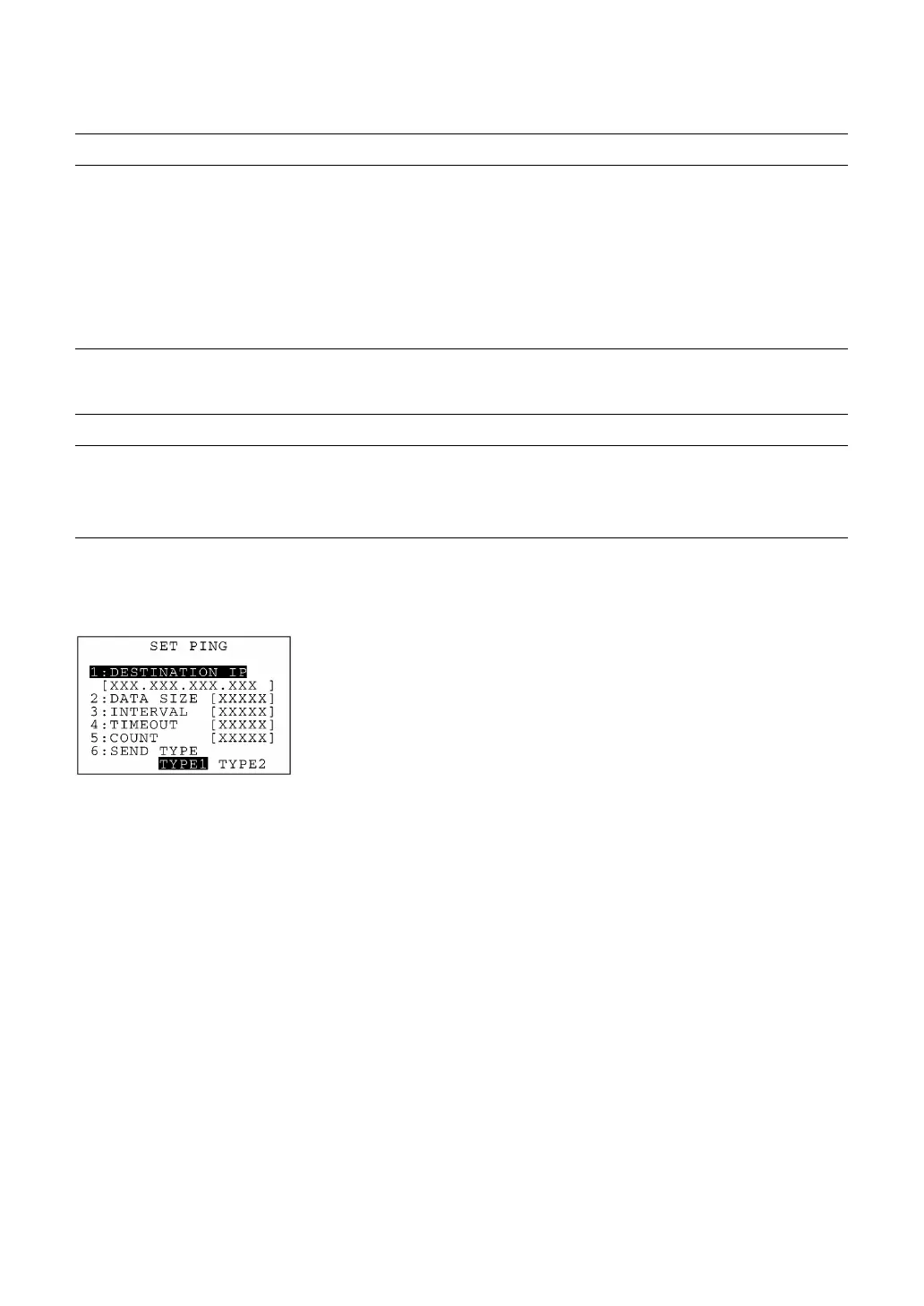
(2) Setting PING parameters
Selecting "2:SET PING" on the TEST PING menu calls up the screen
shown at left where the current settings are displayed.
[1] DESTINATION IP: Specifies the IP address of a host PC that you
want to ping.
[2] DATA SIZE: Specifies the data size of an echo request.
[3] INTERVAL: Specifies the echo request intervals (in units
of 100 ms).
[4] TIMEOUT: Specifies the timeout period (in units of 100
ms) for an echo request.
[5] COUNT: Specifies the number of echo requests to be
sent.
[6] SEND TYPE: Selects the echo request send timing TYPE 1
or TYPE 2. (See page 89.)
The entry range for each of "2:DATA SIZE" through "5:COUNT" items
is listed on the next page.
Select a desired item by using the numerical keys or F5 and F6 keys.



 To Next Page