36
(1) Selecting the memory area to be initialized
Press the PW key while holding down the SF, M1 and 0 keys
together.
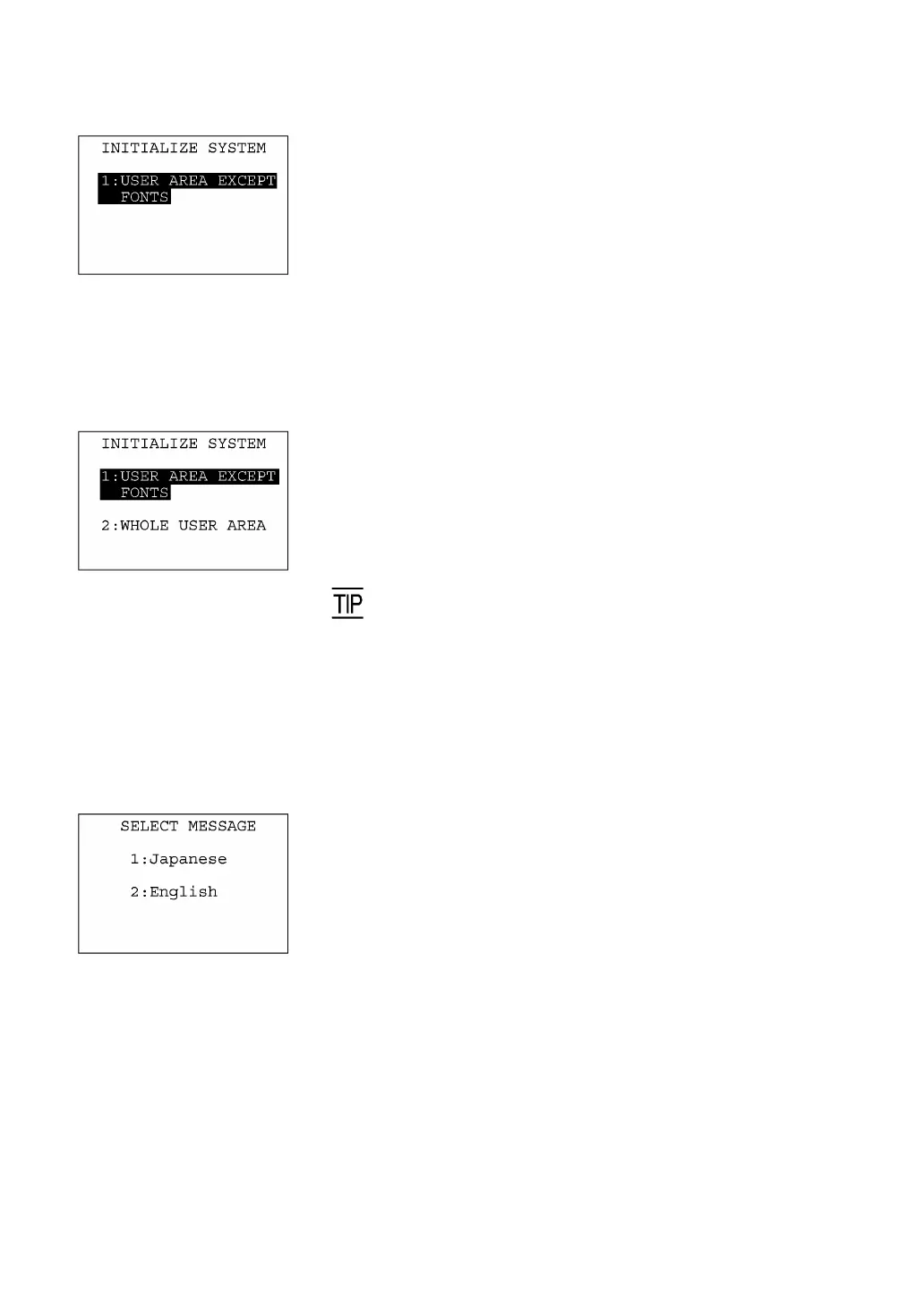
The screen shown at left will appear.
To initialize the user area except for the font file area, press the ENT
key. The screen switches to the confirmation display given in step (3)
below.
To initialize the whole user area including the font file area, press the
2 key while holding down the SF key. The "2:WHOLE USER AREA"
item will appear.
(Area selection screen)
[1] USER AREA EXCEPT FONTS:
Initializes the user area except for the font file area.
[2] WHOLE USER AREA:
Initializes the whole user area including the font file
area.
If the message "Contact your administrator. Note the erro
number. (2XXX)" appears on the LCD, you need to select "2:
WHOLE USER AREA" to initialize the whole user area.
Select an area to be initialized by using the numerical keys, then
press the ENT key. The screen switches to the SELECT
MESSAGE display given in step (2).
(2) Selecting the English or Japanese message version
Preceding the execution of initialization, the message version
selection screen will appear as shown at left.
[1] Japanese: Switches the message version to Japanese.
[2] English: Switches the message version to English.
Select a desired item by using the numerical keys, then press the
ENT key.



 To Next Page