50
Download screens
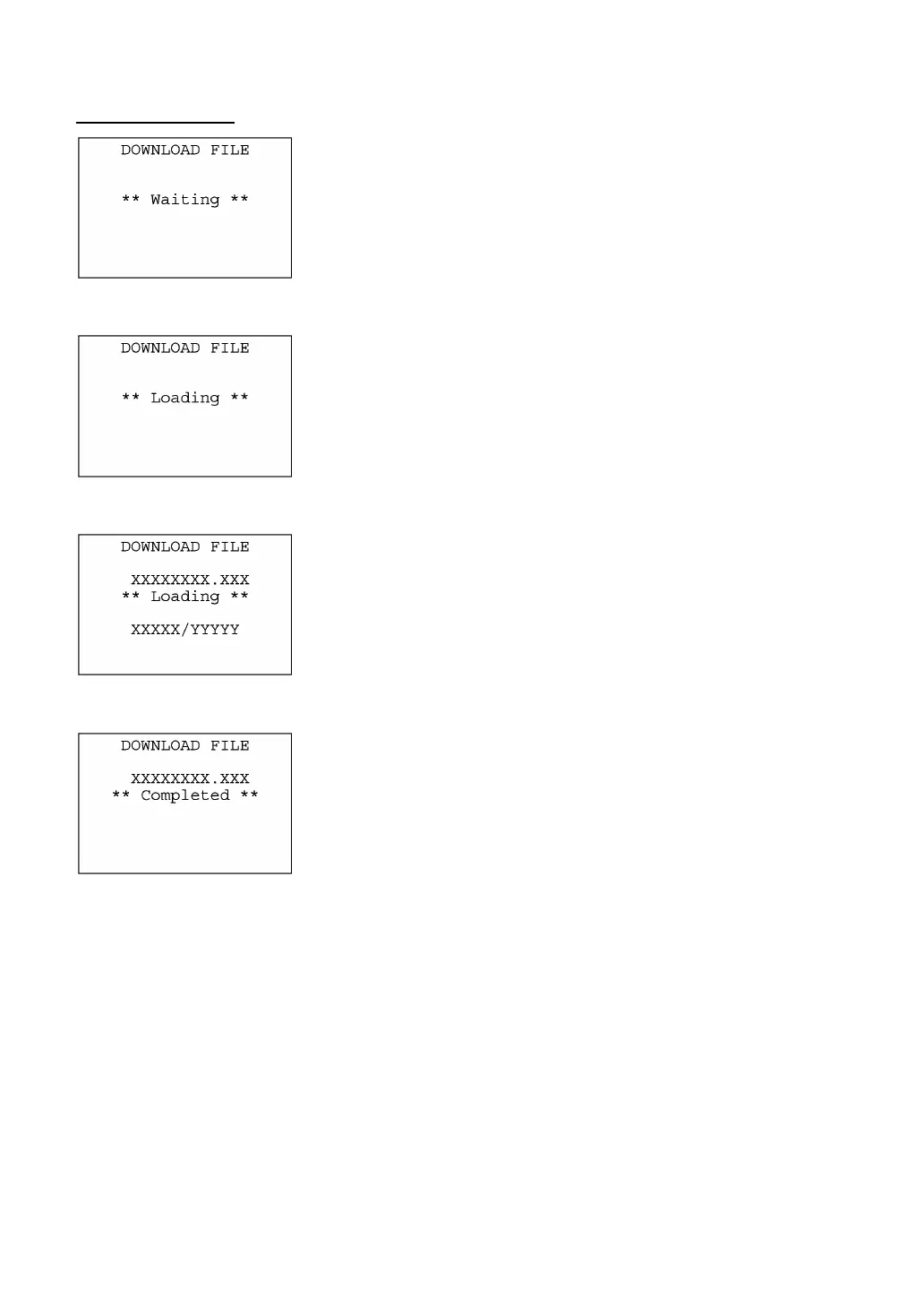
With this screen displayed, the BHT waits for a file to be downloaded.
If you select "2:HT<-->HT" on the DOWNLOAD menu, the
"HT<-->HT" will appear in the center of the 2nd line. If you select
"1:FILE," nothing will appear on the 2nd line.
The screen at left shows that "1:FILE" has been selected.
⇓
Upon start of optional Ir-Transfer Utility C/Ir-Transfer Utility E/Transfe
Utility or equivalent program (upon receipt of an ENQ code from the
host PC), the BHT displays the screen shown at left.
(Refer to the "Ir-Transfer Utility C Guide"/"Ir-Transfer Utility E
Guide"/"Transfer Utility Guide.")
⇓
While the downloading operation is in progress, the screen shown at
left is displayed indicating the file name and the number of received
records/the total number of records.
To abort the downloading operation, press the C key. The screen will
switch back to the DOWNLOAD menu.
⇓
Upon completion of downloading, the number of received records
becomes equal to the total number of records and the beeper beeps
once. Press the C key to return to the DOWNLOAD menu.
If the host PC downloads another new file (if the BHT receives an
ENQ code) when this screen is displayed, the BHT starts receiving it.
(Refer to the "Ir-Transfer Utility C Guide"/"Ir-Transfer Utility E
Guide"/"Transfer Utility Guide.")
If you have selected "2: HT<-->HT COPY" on the DOWNLOAD menu,
a sequence of the above screens will be repeated by the number o
files to be downloaded.



 To Next Page