60
[4.4] Setting the special bar-code scanning parameters
BHT-8000/8100
BHT-8000D
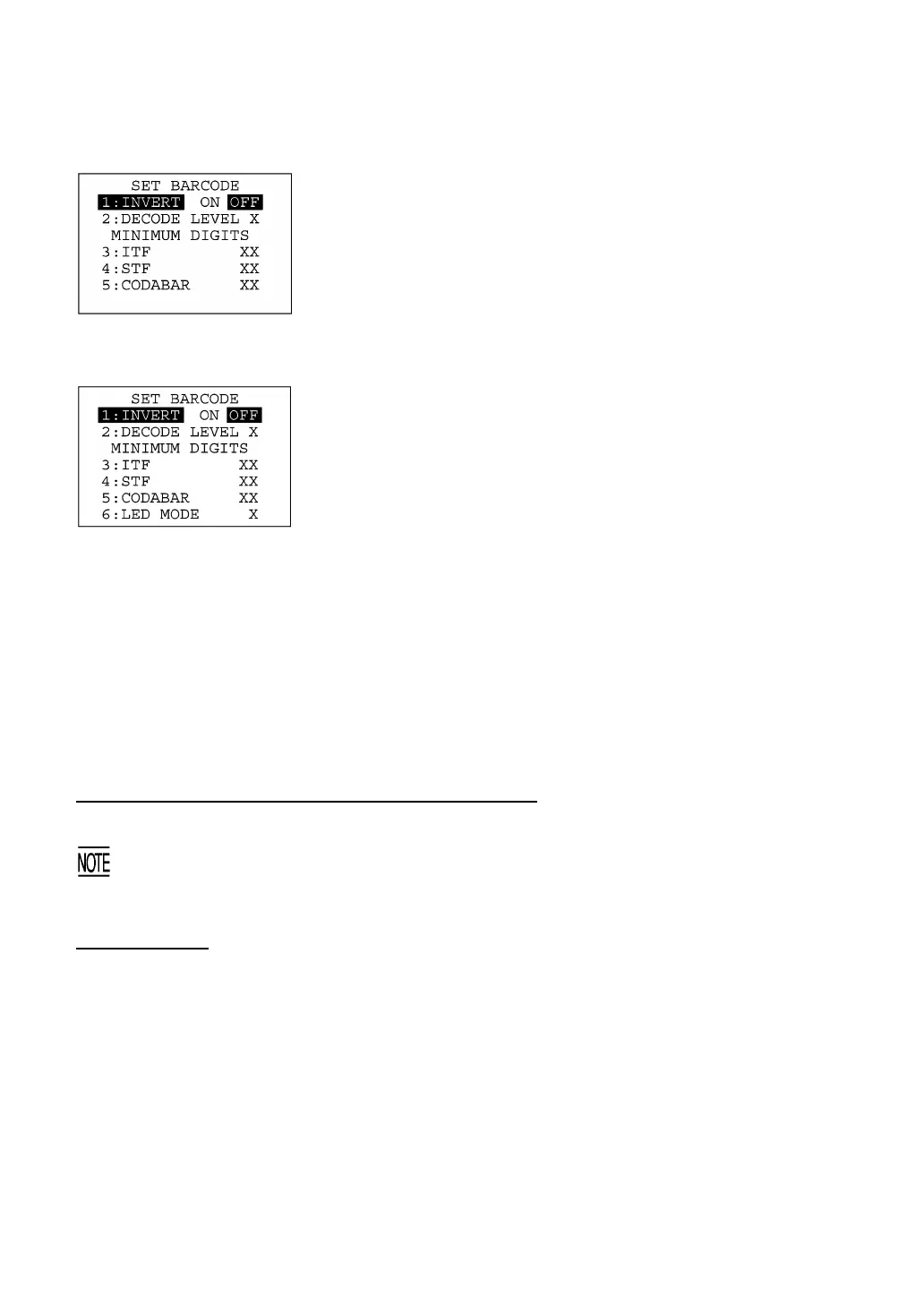
Selecting "4: BARCODE" on the SET SYSTEM menu calls up the
screen shown at left.
Highlighted is the current setting.
[1] INVERT: Activates or deactivates the black-and-white
inverted label reading function.
[2] DECODE LEVEL: Sets the decode level.
[3] ITF: Sets the minimum number of digits to be read
for ITF.
[4] STF: Sets the minimum number of digits to be read
for STF.
[5] CODABAR: Sets the minimum number of digits to be read
for Codabar.
[6] LED MODE Sets the illumination LED ON/OFF mode.
(Only for the BHT-8000D)
Select a desired item by using the numerical keys or F5 and F6 keys,
and then select a desired setting by using the F7 and F8 keys.
To increase the decode level, press the F8 key; to decrease it, press
the F7 key.
To increase the number of digits to be read for ITF, STF or Codabar,
press the F8 key; to decrease it, press the F7 key.
Press the ENT key.
To return to the SET SYSTEM menu, press the C key.
Black-and-white inverted label reading function (INVERT)
This function makes it possible to read white bars on a black background.
Activating this function might increase the frequency of bar-code reading errors. This function can
usually be set to OFF.
DECODE LEVEL
You can set the decode level. Decreasing the level value increases the bar-code reading efficiency, but
the BHT might misread low-quality bar codes (split or stained). To the contrary, increasing the level
value decreases the bar-code reading efficiency, but it will diminish the possibility of misreading.
The entry range of the level value is from 1 to 9 and the default is 4.



 To Next Page