Chapter 2 Getting Started the BHT and System Mode
59
[4.3] Setting the calendar clock
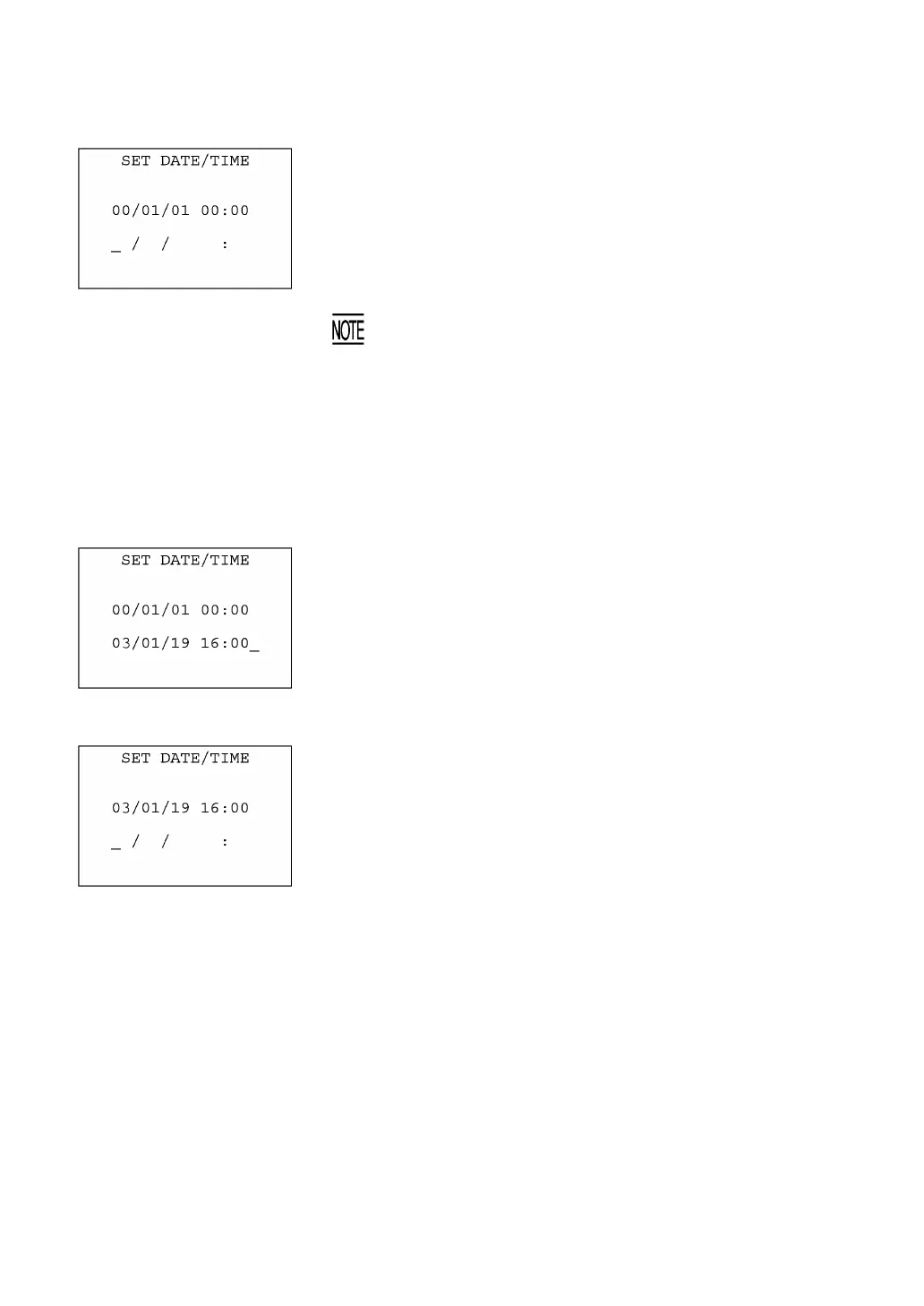
Selecting "3: DATE/TIME" on the SET SYSTEM menu calls up the
screen shown at left.
Use the numerical keys to enter the year (only the last two digits),
month, day, hour, and minute in this order, and then press the EN
key. If the data is in one digit, add a 0 (zero) preceding the data.
For the year, be sure to enter the last two digits of the year. For th
hour, enter it in the 24-hour format.
If any of the year, month, day, hour, and minute is not entered, th
ENT key will be deactivated.
If you make a wrong entry, press the BS key to delete it and then enter
the correct data.
To return to the SET SYSTEM menu, press the C key.
⇓
[Example] To set 2003, January 19, at 4:00 p.m.
Press 0, 3, 0, 1, 1, 9, 1, 6, 0, and 0.
⇓
Press the ENT key to register the above setting.



 To Next Page