58
System Status Indication
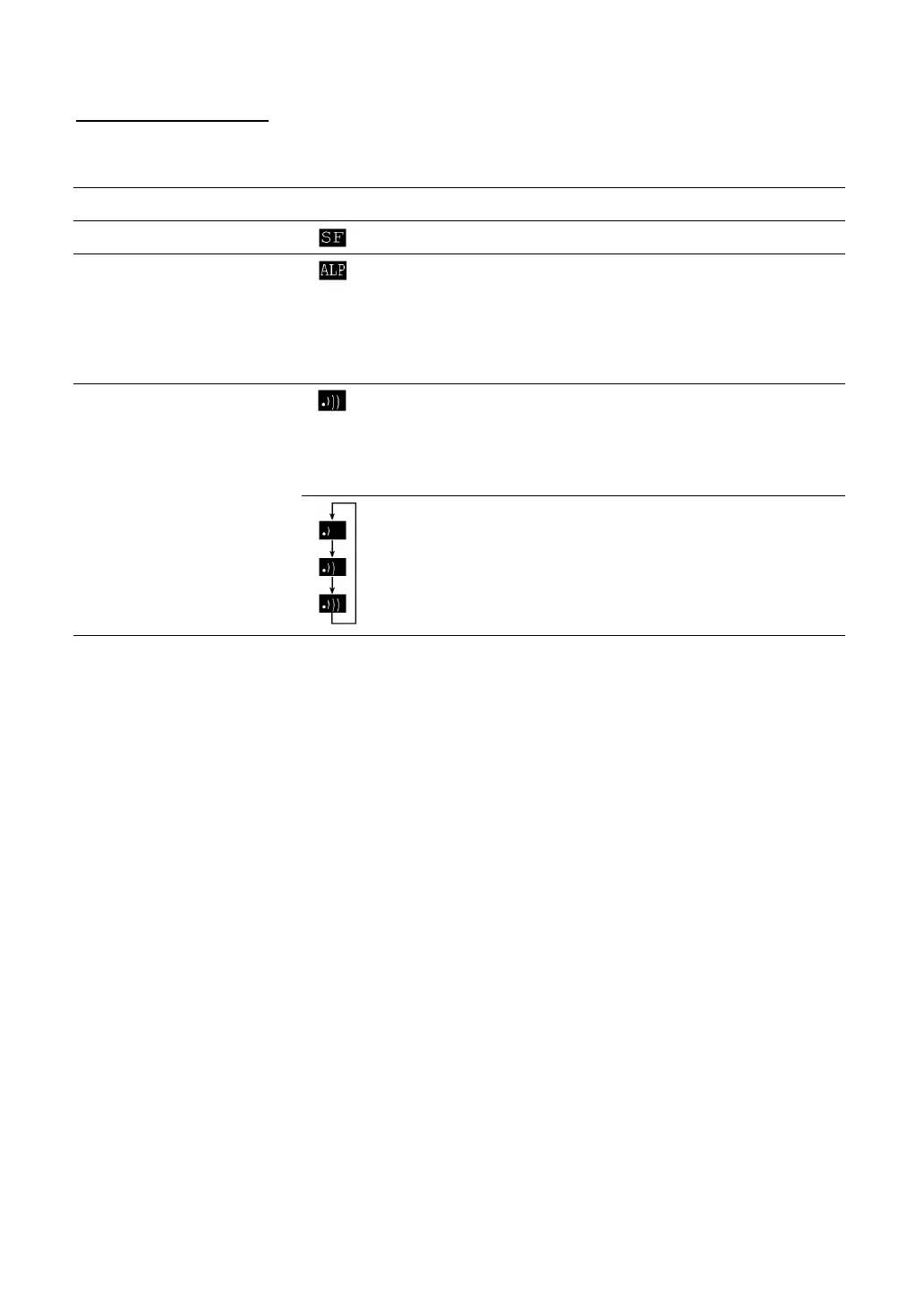
Turning on the system status indication displays the following icons in the bottom line of the LCD:
Indication Icon Description
Shift state of the keys
Appears when the keys on the keypad are shifted.
Alphabet entry mode
Appears when the BHT is placed in the alphabet entry
mode.
(If the alphanumeric entry system has been selected in
user programs, pressing the SF key will switch from the
numeric entry mode to alphabet entry mode.)
Appears when the communications link is established
with the CU-8011.
Flashes when the BHT tries to communicate with the
CU-8011 that has not been linked with the BHT.
Communications link
with the CU-8011
Appear cyclically when the BHT receives no response
from the CU-8011 or when it is waiting for the link to be
established with or released from the CU-8011.



 To Next Page