62
[4.5] Setting the communications environments
After the BHT is initialized, the interface port and communications parameters are set as listed in the
default table below. Do not access them unless necessary.
Interface port Optical (IrDA interface port)
Communications protocol BHT-protocol
Communications parameters
for the IrDA interface port
Defaults
TRANSMIT SPEED 115200 bps
SERIAL No.: ON (Adds serial numbers to data
blocks.)
H. PARITY: ON (Adds a horizontal parity.)
LINKUP TIME: 30 seconds
PROTOCOL (Protocol options)
FIELD SPACE: Ignore (Trim)
Listed below are the default communications parameters for the direct-connect interface.
Communications parameters
for the direct-connect interface port
Defaults
TRANSMIT SPEED 115200 bps
PARITY BIT (Vertical parity) None
DATA BIT (Character length) 8 bits
STOP BIT (Stop bit length) 1 bit
SERIAL No.: ON (Adds serial numbers to data
blocks.)
H. PARITY: ON (Adds a horizontal parity.)
LINKUP TIME: 30 seconds
PROTOCOL (Protocol options)
FIELD SPACE: Ignore (Trim)
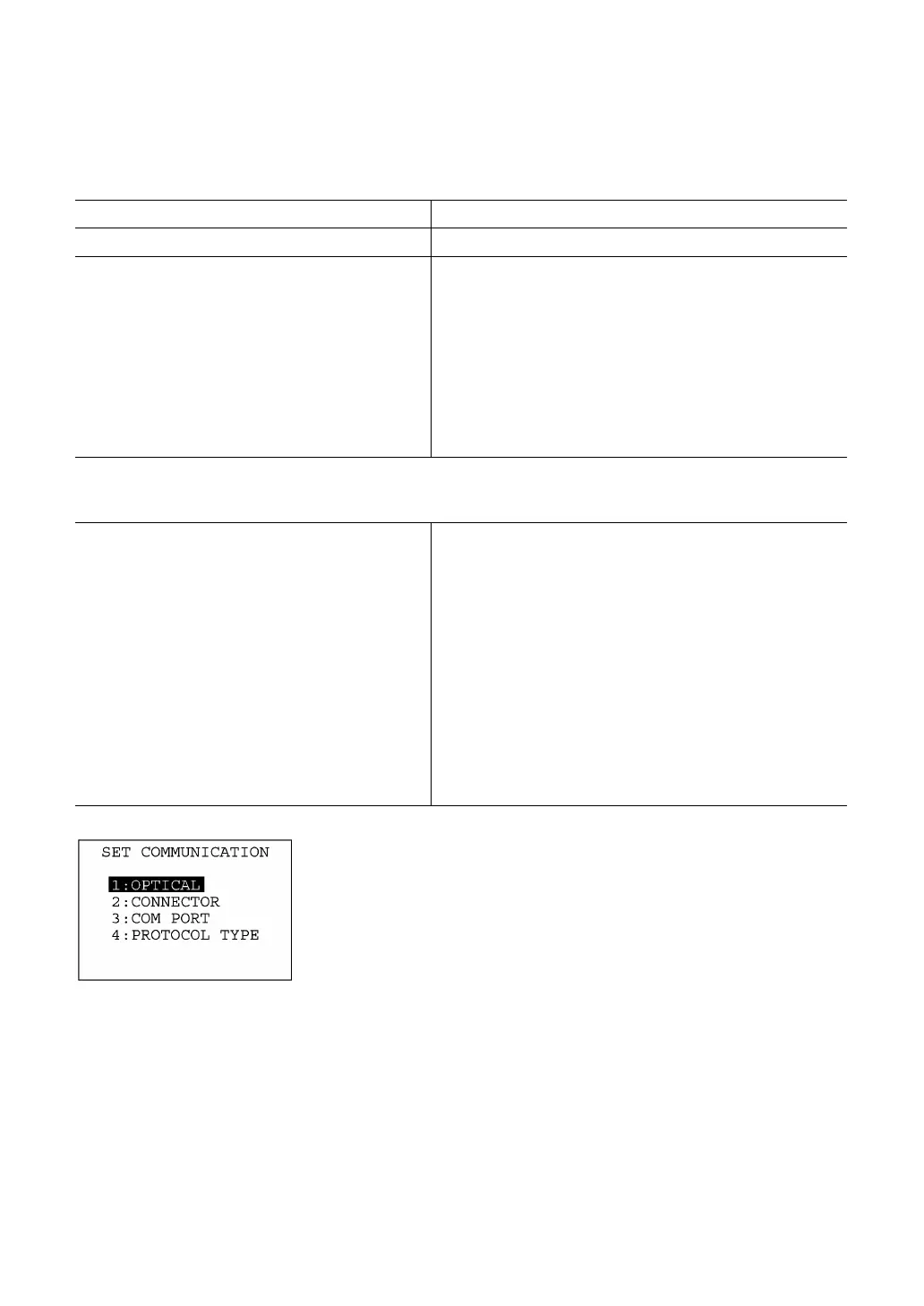
Selecting the "5: COMMUNICATION" on the SET SYSTEM menu
calls up the screen shown at left.
[1] OPTICAL: Switches to the communications parame-
ters setting screen for the IrDA interface.
[2] CONNECTOR: Switches to the communications parame-
ters setting screen for the direct-connect
interface.
[3] COM PORT: Switches to the interface port setting
screen.
[4] PROTOCOL TYPE: Switches to the communications protocol
type setting screen.
Select a desired screen by using the numerical keys or F5 and F6
keys, and then press the ENT key.
To return to the SET SYSTEM menu, press the C key.



 To Next Page