64
Setting the communications parameters for the direct-connect interface
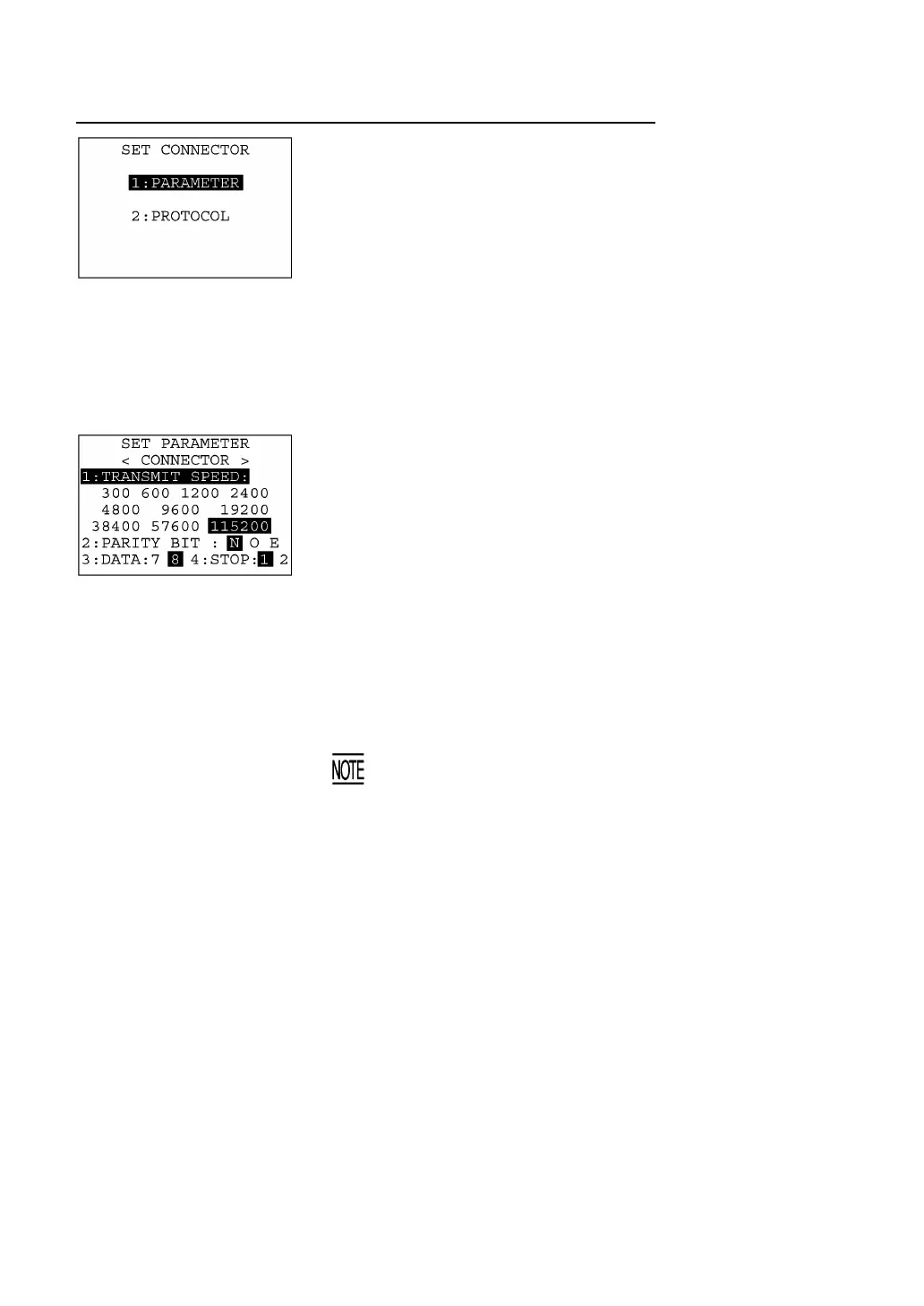
Selecting "2:CONNECTOR" on the SET COMMUNICATION menu
calls up the screen shown at left.
[1] PARAMETER: Switches to the communications parameters
setting screen.
[2] PROTOCOL: Switches to the communications protocol screen.
Select a desired screen by using the numerical keys or F5 and F6
keys, and then press the ENT key.
To return to the SET COMMUNICATION menu, press the C key.
(1) Communications parameters setting screen
Selecting "1:PARAMETER" on the SET CONNECTOR screen calls
up the screen shown at left.
Highlighted is the current setting.
[1] TRANSMIT SPEED: Sets the transmission speed.
[2] PARITY BIT: Sets the vertical parity: none, odd, or even.
[3] DATA: Sets the character length.
[4] STOP: Sets the stop bit length.
Select a desired item by using the numerical keys or F5 and F6 keys.
Then select a desired setting by using the F7 and F8 keys.
To return to the SET CONNECTOR screen, press the C key.
If the BHT-Ir protocol has been selected, the
arity bit, characte
length, and stop bit length settings will be ignored.



 To Next Page