Chapter 2 Getting Started the BHT and System Mode
77
[5.2] Memory test
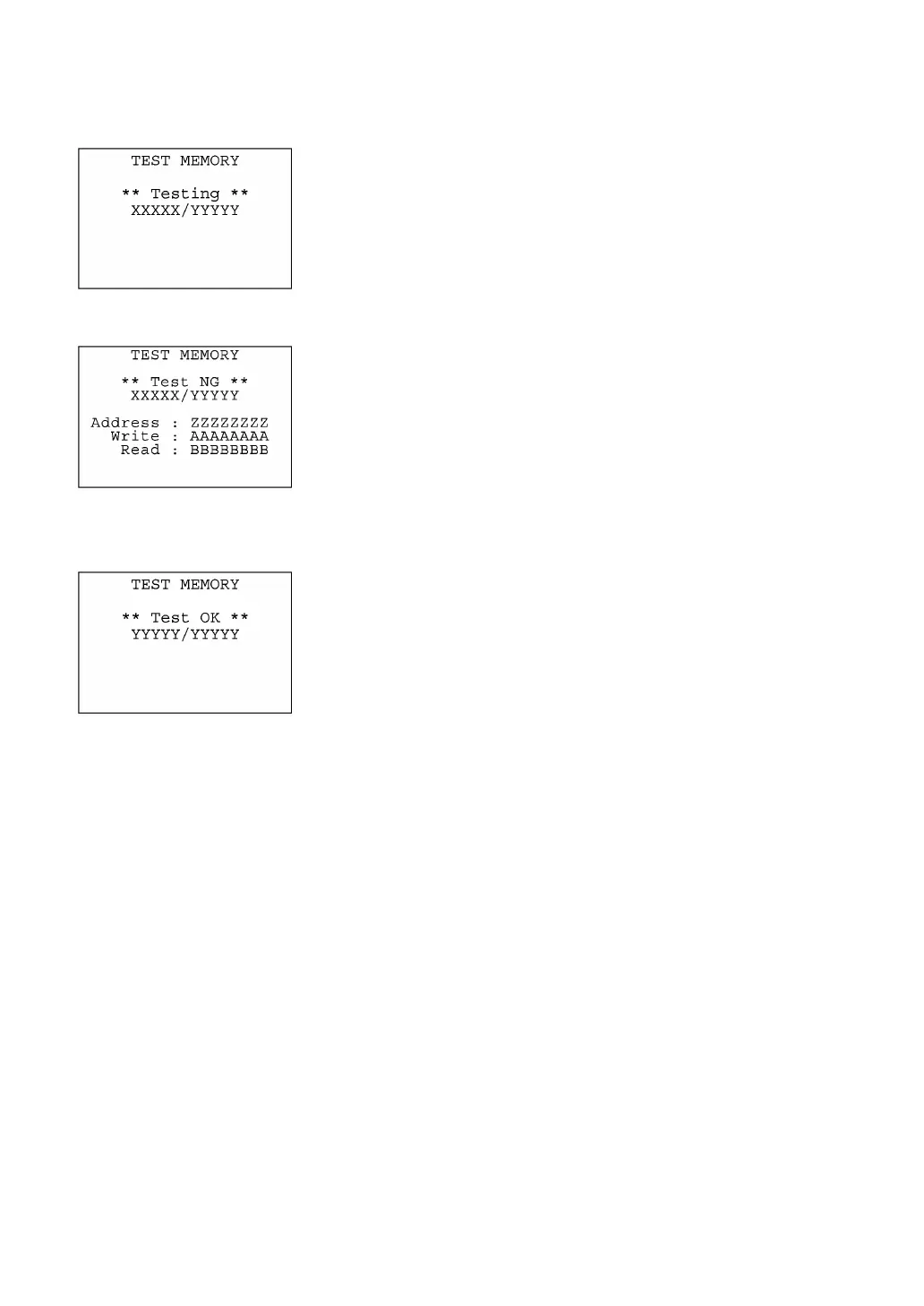
Selecting "2:MEMORY" on the TEST menu calls up the screen shown
at left and starts writing and reading onto/from all areas of the RAM as
well as checking the address.
XXXXX: Tested RAM capacity (unit: kilobytes)
YYYYY: Total RAM capacity (unit: kilobytes)
If any error is detected, the BHT beeps three times, shows the
message as shown at left, and terminates the test.
Where,
ZZZZZZZZ: Address where an error has occurred.
AAAAAAAA: Data to write.
BBBBBBBB: Data read out from the RAM.
To return to the TEST menu, press the C key.
Upon normal completion of the RAM test, the BHT beeps once,
shows the message as shown at left, and returns to the TEST menu.



 To Next Page