33
Configuration Configuring the OpenCom 100
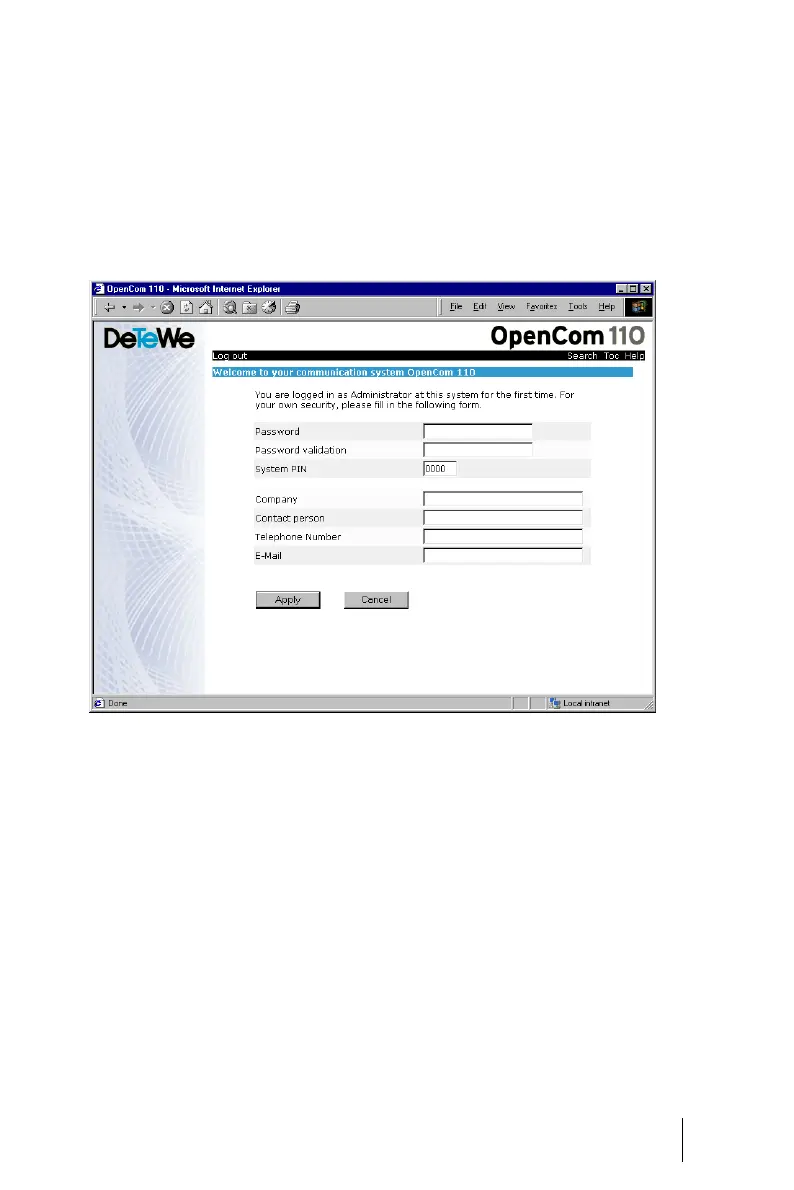
4. The software opens a dialogue
for the initial access. Please de-
termine an administrator pass-
word and enter it in this dia-
logue. This password switches
all connected devices in the
“Guests” user group with unre-
stricted user rights. You thus
prevent e.g. external interna-
tional calls being made from the
terminals while you are config-
uring the OpenCom 100 and cre-
ating users.
OpenCom 110: Dialogue for the initial access
5. On the homepage, click on the
Configurator button.
You will find notes on using the Con-
figurator in the online Help. Click on
Help in the menu bar or use the
Help index to activate an overview
of help topics. The OpenCom 100 is
delivered with an English online
help.
You can load other language
versions into the Web console
(Configurator, SYS Configuration:
Components menu). You will find
other language versions on the
Setup CD delivered with the Open-
Com 100 or on the World Wide Web
at http://www.detewe.de.





 To Next Page