51
Team Functions Application Examples
Executive/Secretary
Tea m
In this example, the executive/secre-
tary team comprises two members:
the executive and the secretary. The
secretary has one OpenPhone 63
system telephone, and the executive
has two, one of which is used as a
parallel telephone by a sofa suite.
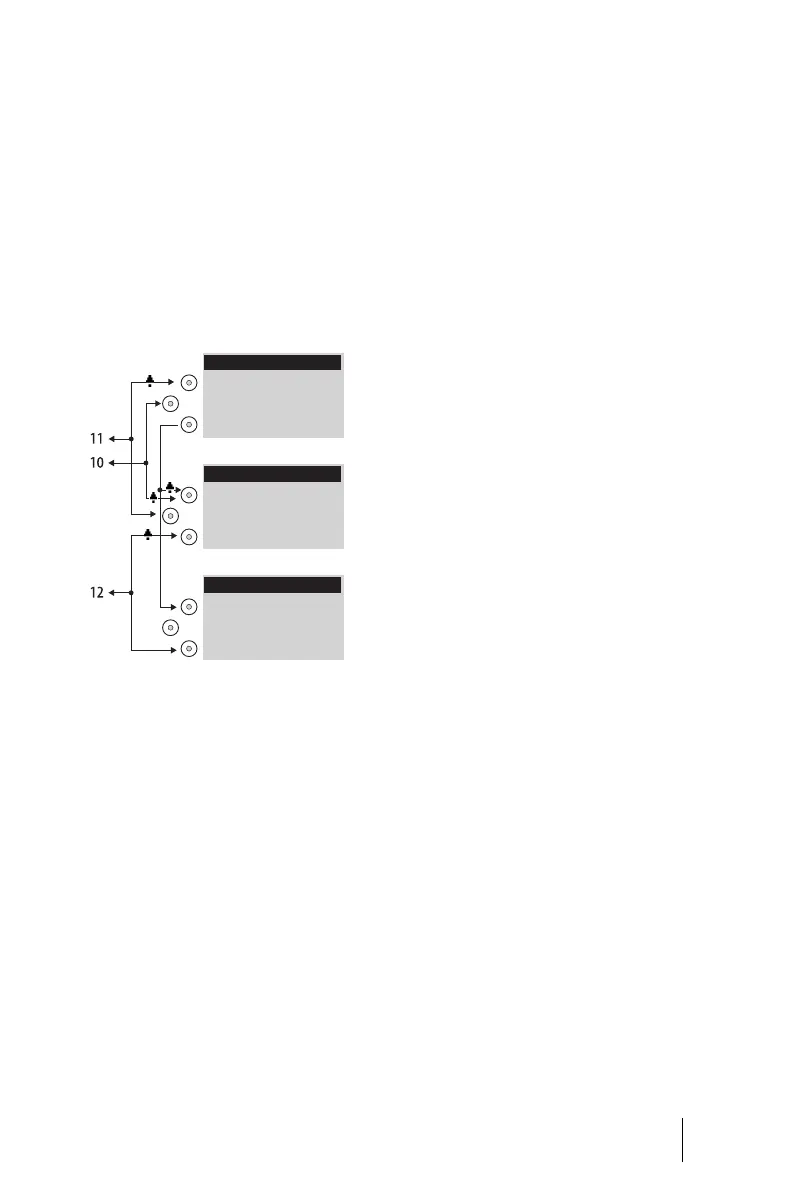
Example: Executive/secretary team
Line Seizure
The secretary can be reached on the
call number 11 (trunk key TrK 11:
Secretary’s office).
The executive can be reached on the
call number 10 (trunk key TrK 10: Ex-
ecutive’s office). He can also answer
calls from his parallel telephone. In
addition, a private line has been con-
figured for both of the executive’s
telephones (trunk key TrK 12: pri-
vate).
Call numbers 11 and 10 are both
configured as a trunk key on the ex-
ecutive’s and the secretary’s terminal
respectively. Thus the executive and
the secretary can use either call
number (for answering as well as
making calls). Each can act as a sub-
stitute for the other.
The secretary’s terminal also has the
executive’s call number configured
as a direct call number (DK 10: Exec-
utive’s office). The secretary can
therefore reach the executive and
put through calls even if the execu-
tive has programmed a substitute.
Line Busy Indication
If a line is busy, e.g. TrK 11 Secre-
tary’s office, the other terminal will
indicate this. The executive’s private
calls via TrK 12 are not indicated on
the secretary’s terminal since no ap-
propriate trunk key has been config-
ured on the latter’s telephone.
Call Signalling
In this configuration example, calls
to one’s own call number are sig-
nalled acoustically on the following
telephones:
■ Call number 11 on the secre-
tary’s telephone
■ Call numbers 10 and 12 on the
executive’s telephone.
Calls for the other team member’s
call number are indicated by an opti-
Executive
Executive´s Parallel
Secretary
TrK 11: Secretary
TrK 10: Executive
DK 10: Executive
TrK 10: Executive
TrK 11: Secretary
TrK 12: Private
TrK 10: Executive
TrK 12: Private





 To Next Page