64
General/Hardware Frequently Asked Questions
Frequently Asked Questions
This chapter provides tips and infor-
mation on how to deal with any mal-
functions or faults you may experi-
ence with the OpenCom 100.
Attention! Repair work on the
OpenCom 100 may be carried out by
qualified personnel only.
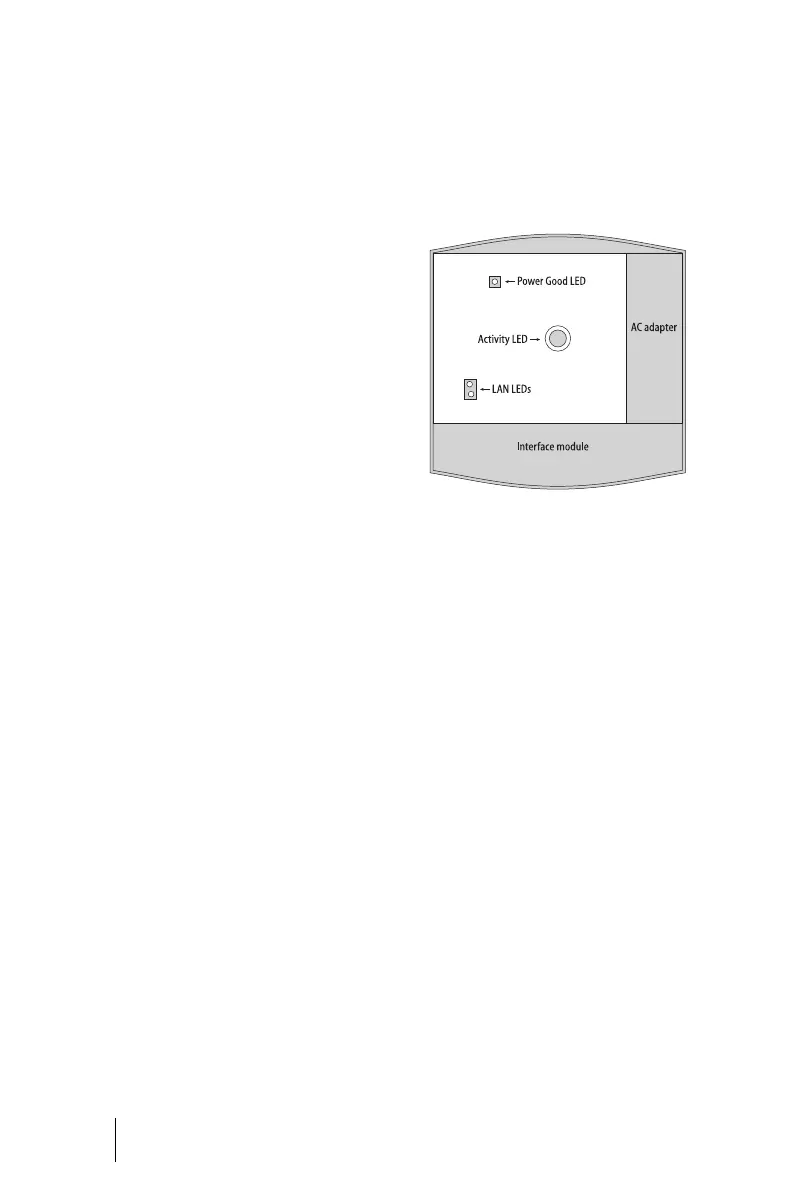
The following LEDs indicate that the
OpenCom 100 is ready for operation:
Positions of LEDs on the OpenCom 100
General/Hardware
The OpenCom 100 is not function-
ing.
Make sure the mains plug is properly
connected.
Plug another device into the mains
socket to check whether there is any
voltage.
The mains plug is connected, the
mains socket is supplying output,
but the OpenCom 100 is still not
functioning.
Take the housing cover off. Is the Power
Good LED at the top left lit up? If not,
please contact your Service Centre or an
authorised dealer. The AC adapter plug
of the OpenCom 100 may be defective.





 To Next Page