Field Service Ver. 1.0 Apr. 2005 10. Service Mode
91
ineo 161
ineo 210
Adjustment / Setting
B. PRN SUB REGIST
Function Test Copy Adjust
Purpose/Use To adjust by varying the starting position of image writing in the sub scanning direction.
✽ When the image on the copy deviates in the FD direction
✽ When the PH Unit has been replaced
Setting/
Procedure
Press the Start key to start a test copy
cycle.
Setting range: 84 to 116 (1 step: 0.37 mm)
Adjustment
Procedure
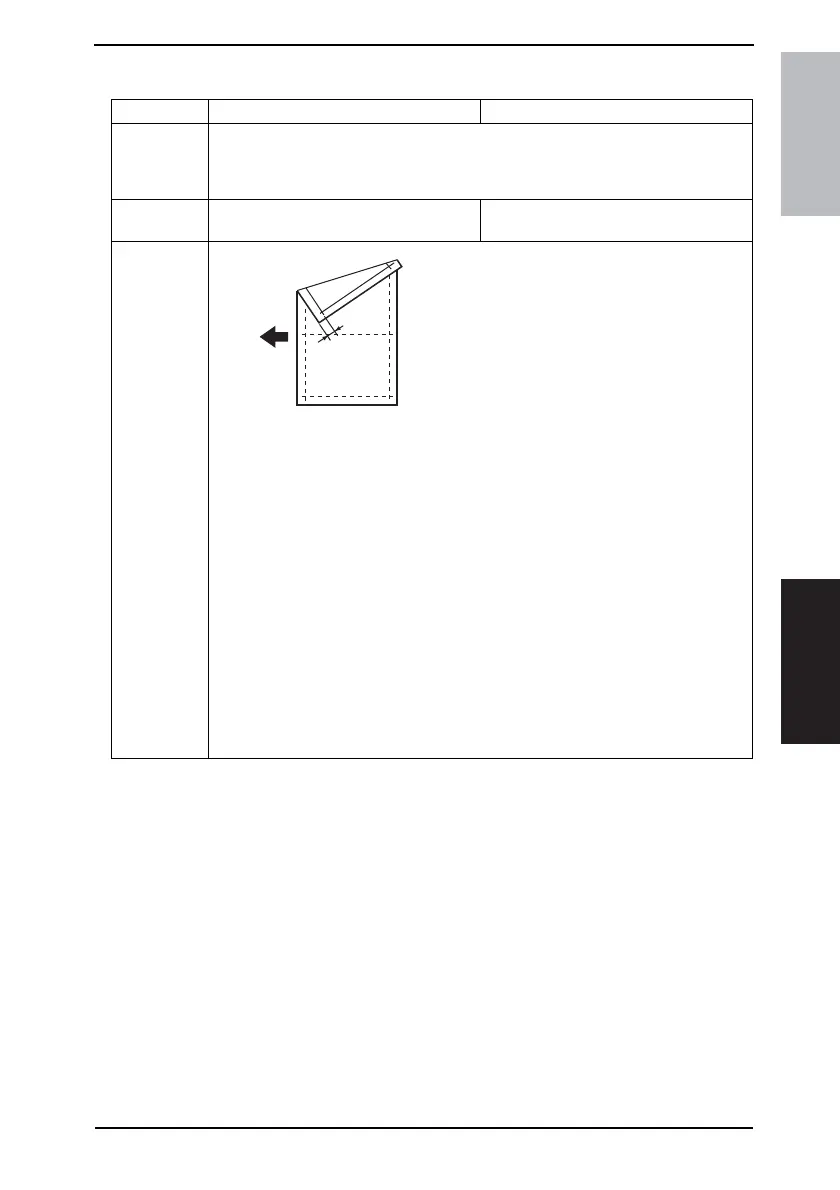
Adjust so that width B on the test pattern pro-
duced falls within the specified range.
Specifications
10 ± 1.5 mm
1. Load the Paper Feed Tray/1 with A4 crosswise paper.
2. Enter Function of the Service mode.
3. Select “Print Test Pattern” and then “Test Pattern1.” Then, press the Start key.
✽ This will produce a test pattern.
4. Check to see if width B on the test pattern falls within the specified range.
If width B falls outside the specified range, perform the following steps to make an
adjustment.
5. Select “Adjust” of “PRN Sub Regist.”
6. Using [ ▲ / ▼ ] key, select the appropriate setting value.
7. Press the [Yes] key to validate the setting value selected in step 6.
Adjustment Instructions
If width B on the test pattern is longer than the specifications, decrease the setting
value.
If width B on the test pattern is shorter than the specifications, increase the setting
value.
If a single adjustment procedure does not successfully bring width B into the speci-
fied range, repeat steps 5 through 7.
4035D520AA
B










 To Next Page