Field Service Ver. 1.0 Apr. 2005 3. Periodical check
19
ineo 161
ineo 210
Maintenance
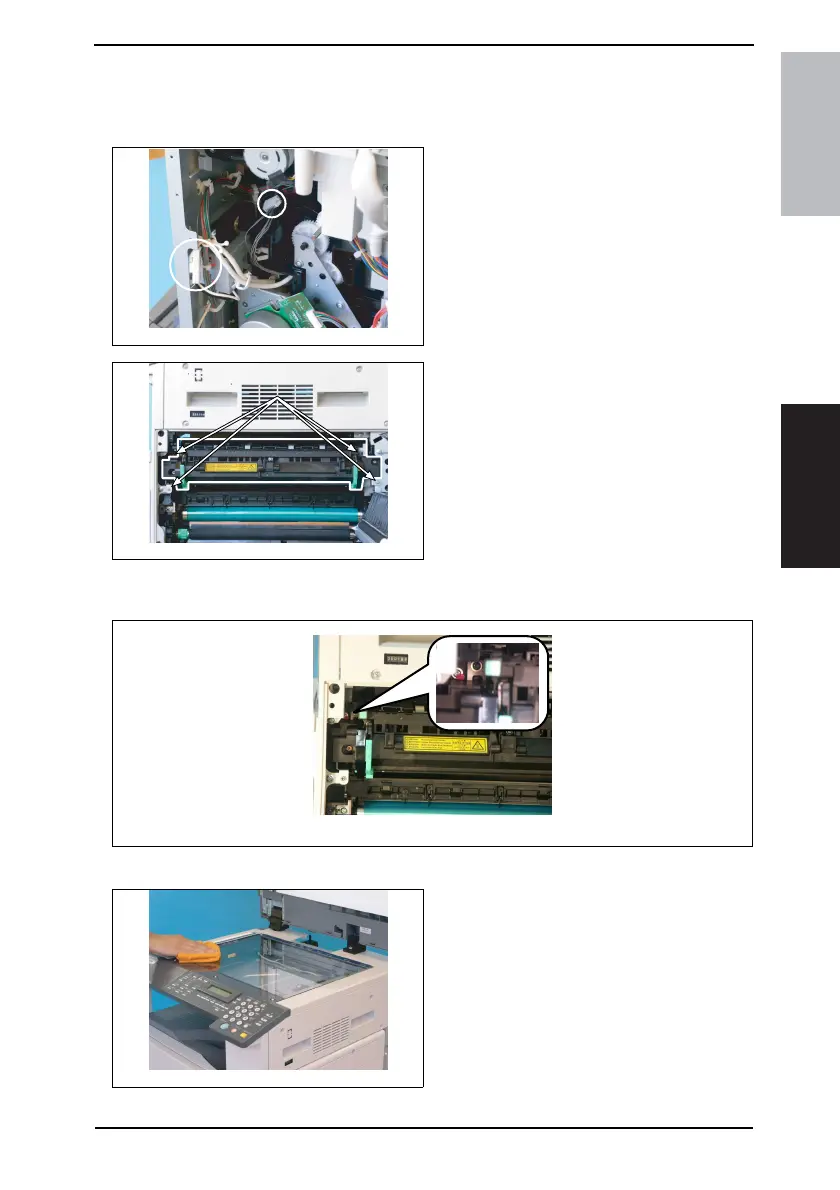
3.3.17 Replacing the Fusing Unit
1. Remove the Rear Cover and Rear Right Cover.
☞ 31
2. Unplug two connectors of the Fusing
Unit.
3. Open the Right Door.
4. Remove four screws and the Fusing
Unit.
NOTE
When removing the Fusing Unit, make
sure of the correct type of screws that
must be removed.
NOTE
When removing the Fusing Unit, take care not to confuse the types of screw.
3.3.18 Cleaning of the Original Glass and Original Scanning Glass
1. Using a soft cloth dampened with
alcohol, wipe the Original Glass and
Original Scanning Glass clean of
dirt.
4035D045AA
4035D046AA
4035D144AA
4035D013AA










 To Next Page