10. Service Mode Field Service Ver. 1.0 Apr. 2005
96
ineo 161
ineo 210
Adjustment / Setting
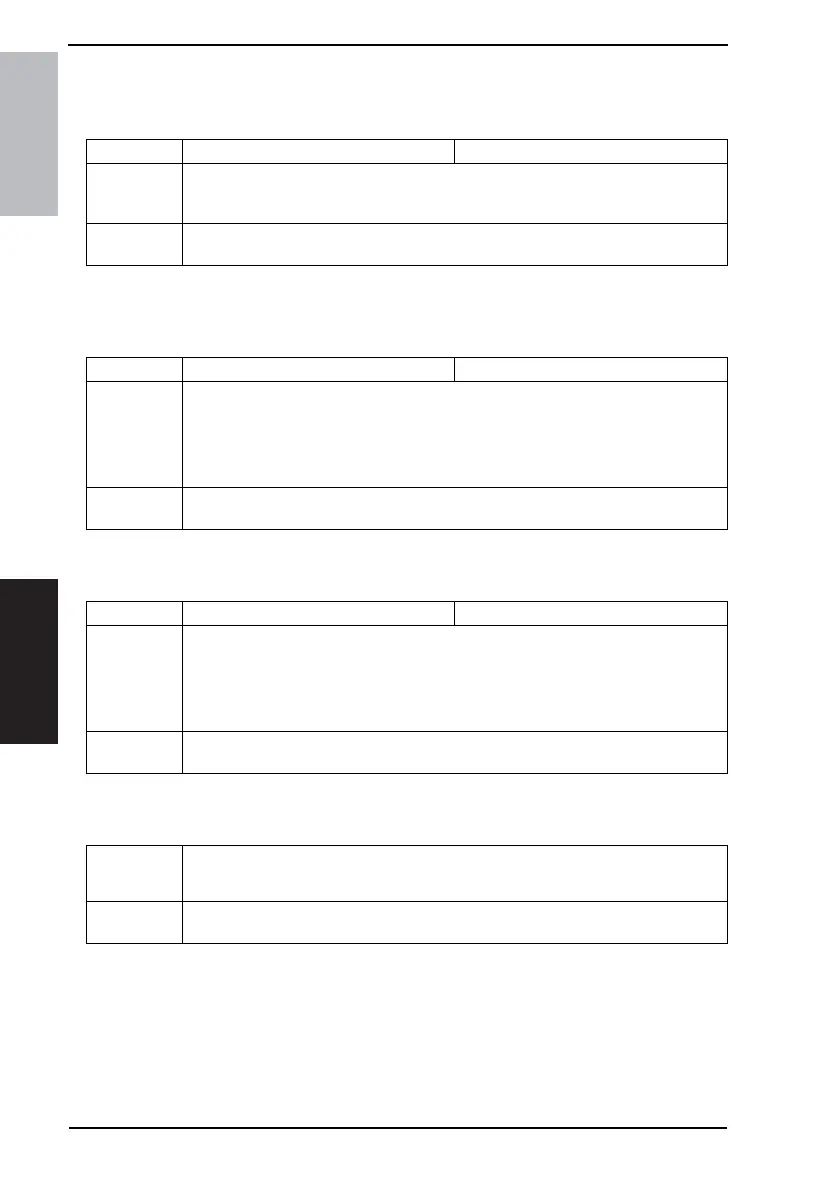
H. ADF MAIN REGIST
✽ appears only when the Automatic Document Feeder (DF-502) or Duplexing Document
Feeder (DF-605: ineo 210 only) is installed
I. ADF SUB REGIST1
✽ appears only when the Automatic Document Feeder (DF-502) or Duplexing Document
Feeder (DF-605: ineo 210 only) is installed
J. ADF SUB REGIST2
✽ appears only when the Duplexing Document Feeder (DF-605: ineo 210 only) is installed
K. ADF REG. LOOP1
✽ appears only when the Duplexing Document Feeder (DF-605: ineo 210 only) is installed
Function Test Copy Adjust
Purpose/Use To adjust variations in machining and installation accuracy of different parts by varying
the scanning start position in the main scanning direction when the Automatic Docu-
ment Feeder is used.
Setting/
Procedure
✽ Refer to the option service manual (DF-502, DF-605) for details.
Function Test Copy Adjust
Purpose/Use To adjust variations in machining and installation accuracy of different parts by varying
the scanning start position in the sub scanning direction when the Automatic Document
Feeder is used.
NOTE
• This adjustment should be made after the ADF Sub Zoom adjustment.
Setting/
Procedure
✽ Refer to the option service manual (DF-502, DF-605) for details.
Function Test Copy Adjust
Purpose/Use To adjust variations in machining and installation accuracy of different parts by varying
the scanning start position in the sub scanning direction when the Automatic Document
Feeder is used.
NOTE
• This adjustment should be made after the ADF Sub Zoom adjustment.
Setting/
Procedure
✽ Refer to the option service manual (DF-605) for details.
Purpose/Use To adjust the length of loop formed in the original before the Registration Roller.
✽ When a skew feed, fold, or misfeed of the original occurs
Setting/
Procedure
✽ Refer to the option service manual (DF-605) for details.










 To Next Page