DEVO-7 Page 19 of 170
10.0 Customized fixed ID
This setting will bind the transmitter with its receiver in a unique corresponding
relationship. It will greatly speed up the time of automatic binding.
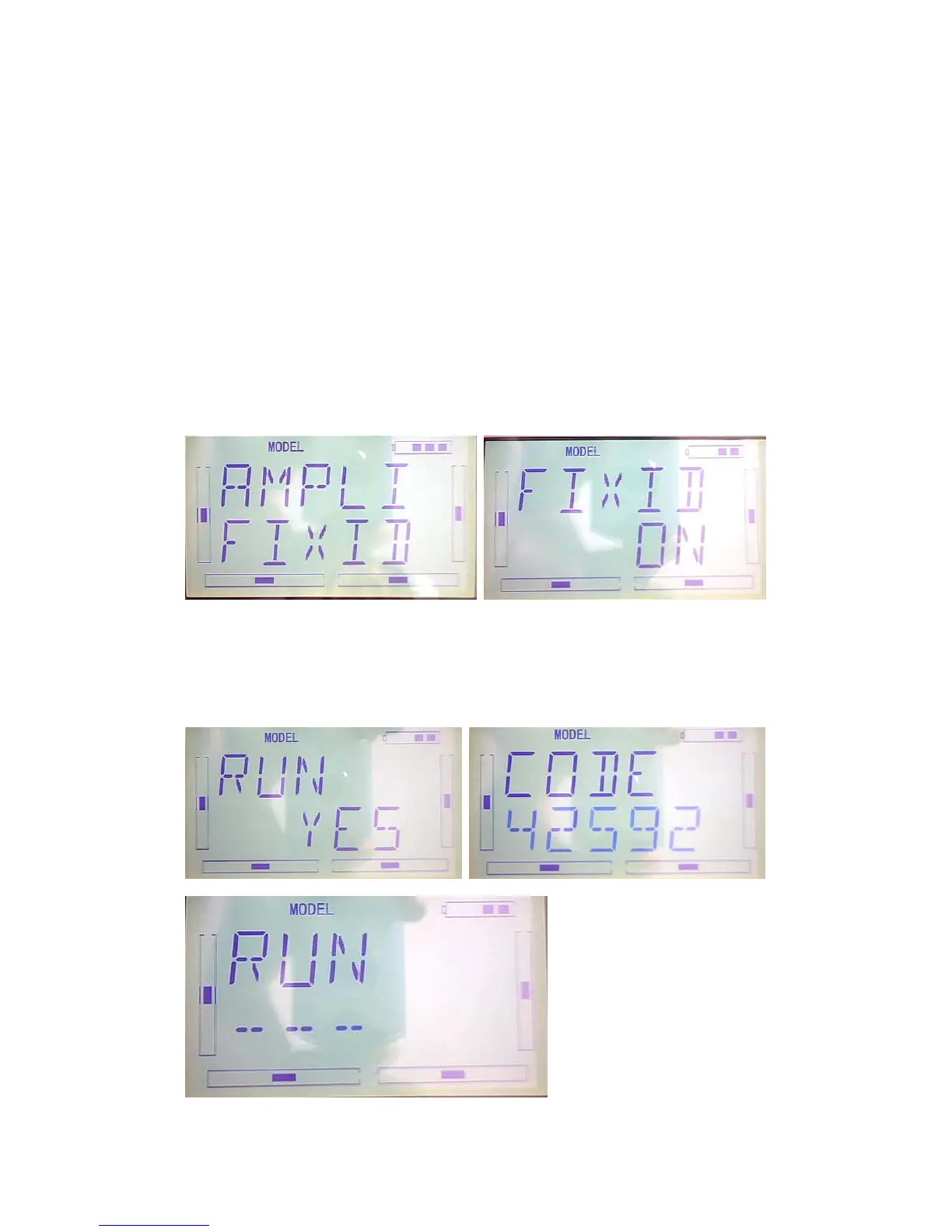
1) Setting for fixed ID
The setting for fixed ID should be under the status that automatic ID binding is
successfully finished. Below is the setting method.
Press the “ENT” on the main surface, it will come out the flashing main menu, press
UP or DN, come out the flashing “MODEL”, press “ENT” to enter Model menu;Press
UP or DN, it come out the flashing “FIXID” menu, Press “ENT” to enter the Switch
status Choose. Press R or L, choose “ON”, press DN to enter fixed ID setting.
Press ENT to change the data, press R or L to change the data; Press DN to move the
next data. After setting, press ENT, it will come out “RUN” interface. Press R or L to
change ON to YES,press ENT to make ID binding, it will automatically back to model
menu after accomplishment.



 To Next Page