DEVO-7 Page 40 of 170
2.12 Fixed ID
This setting will bind DEVO-7 and its receiver in a unique corresponding relationship.
It will greatly speed up the time of automatic binding when DEVO-8 powered on.
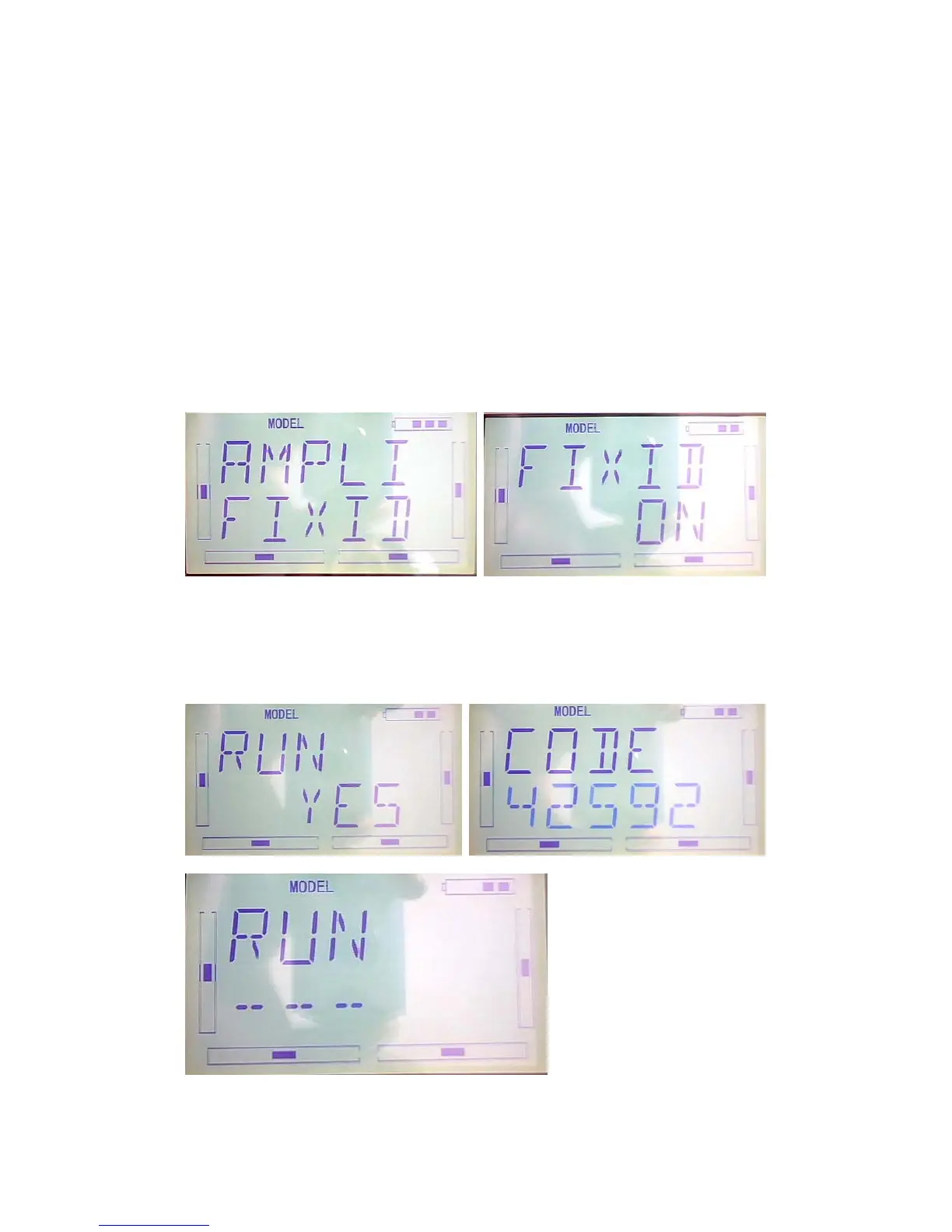
1) Setting for fixed ID
The setting for fixed ID should be under the status that automatic ID binding is
successfully finished. Below is the setting method.
Press ENT,the flash main menu will be shown. Press UP or DN until the flash
“MODEL”shown and then press ENT to enter MODEL menu. Press UP or DN until
the “FIXED” flash.Press ENT to enter the status ON or OFF. Press R or L to choose
ON and press DN to enter the fixed ID setting interface.
Press ENT, the digit can be modified will be flash.Press R or L to modify the
digit.Press DN can modify the next digit. The RUN interface will be shown after press
ENT.Press R or L to change the ON to YES and press ENT to enter the binding
process. After binding, it will return to model menu automatically.



 To Next Page