DEVO-7 Page 36 of 170
2.8 Device select
This setting can help you configure various functional switches, or adjust levers. It
includes Flight Mode Switch, Stunt Trim Select, Throttle Hold Switch.
Press “ENT” key to enter Main Menu, press UP or DN until “MODEL” flash , and then
Press “ENT” key to enter Model Menu; Press UP or DN button until“INPUT”becomes
flash. There are different options including Flight Mode Main Switch, Stunt Trim Select,
Throttle Hold Switch after press ENT.
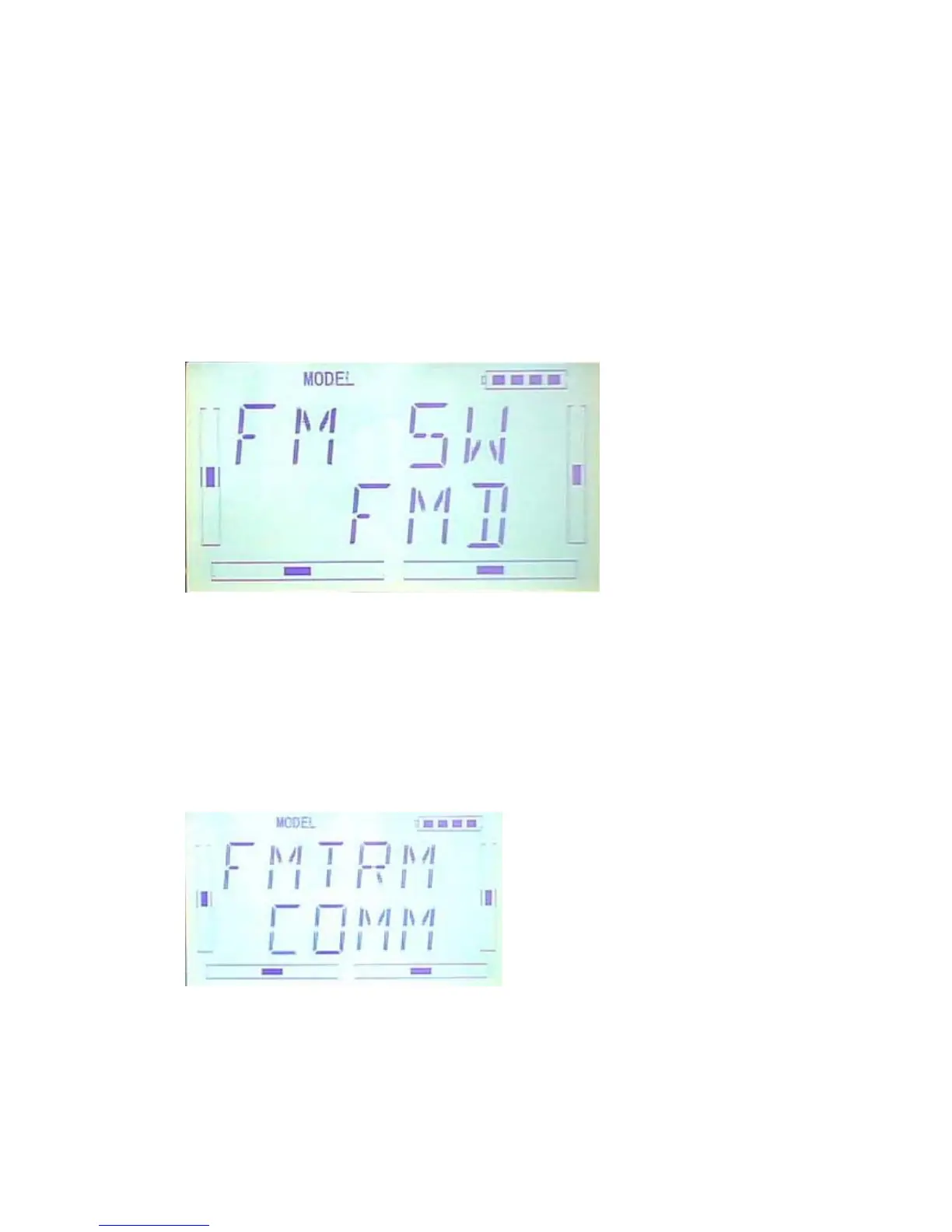
1) Flight Mode Switch:Press R or L to choose FMD or MIX switches. factory default
setting is FMD .
2)Stunt Trim Select:There are two modes: Common and Flight Mode. In Common
mode all the trim values, which various sticks are corresponding to, put equally effects
on all the flight modes.
In Flight Mode, the trim value, which each stick is corresponding to, puts
independently effect on the corresponding stick. The factory default is Common.
Setting:After the setting 2),below interface will be shown after press DN.Press R or L
to choose Common(COMM) and Flight Mode(FMOD).
3)Throttle Hold Switch
Throttle Hold switch including Gear Switch,hold Switch,D/R switch,MIX2,MIX12,
FMD2,FMD12.Factory default setting is HOLD switch.



 To Next Page