3 • Set up your Dexcom ONE+ | Dexcom ONE+ User Guide
16
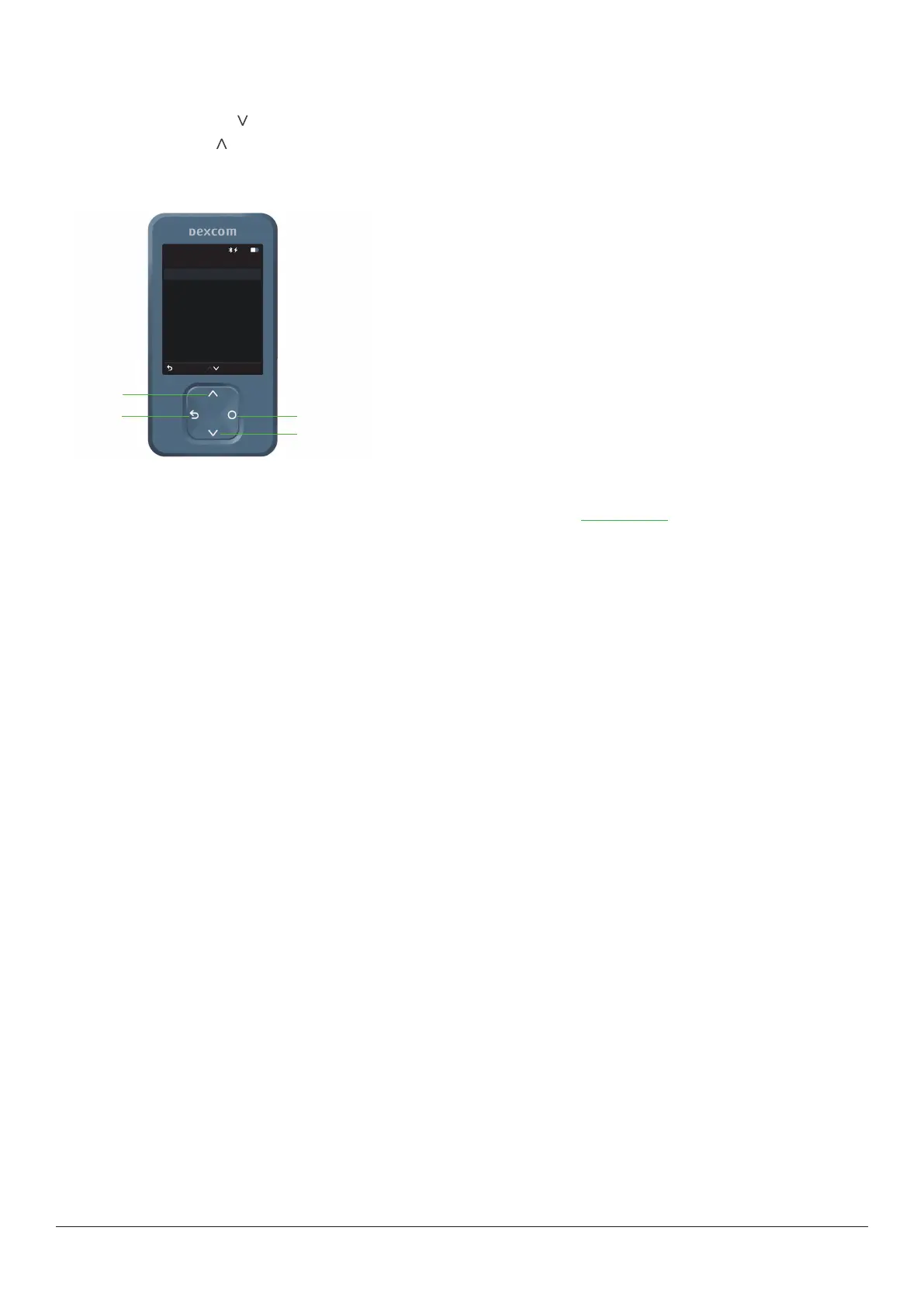
Receiver navigation
Navigate using the four buttons at the bottom of the receiver.
l
Press the down arrow to scroll down the screen.
l
Press the up arrow to scroll up the screen.
l
To scroll faster, press and hold an arrow button.
l
To move to the next field, use the Select button.
Menu
Back
10:30 50%
Reports
Events
Settings
Information
Power off
Help
Replace sensor
Stop sensor session
Scroll down
Scroll up
Select
Go back
Your sensor session
To learn more about using your Dexcom ONE+, read the rest of this guide, or go to dexcom.com, where you’ll find answers to
frequently asked questions and more.



 To Next Page