7 • App connections | Dexcom ONE+ User Guide
42
Dexcom Follow app
Followers get the email inviting them to follow you. Using a smartphone or tablet, the Follower should:
1. Download the Dexcom Follow app.
2. Open the Dexcom Share email and tap Accept Invitation.
Follower access
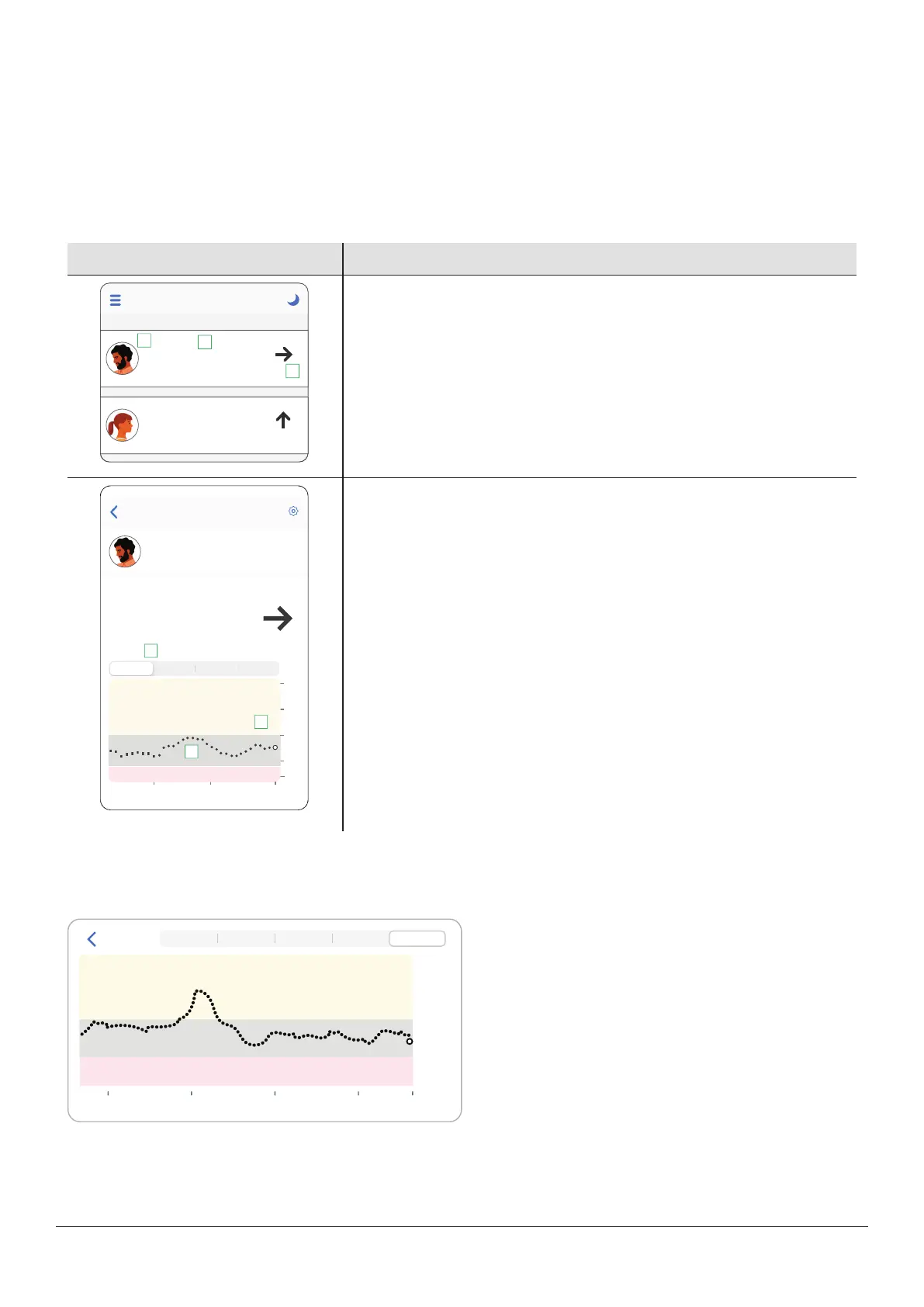
Followers see only the information you choose to share.
What Followers see
Information shared
Follow
Jake
3m ago
9.8
2.5
Jane
3m ago
1
2
3
mmol/L
mmol/L
Sensor reading and trend arrow
1. Sharer's name and picture
2. Number: This is your most recent sensor reading
3. Trend arrow: Shows where your glucose is heading based on the last few
readings
Jake
2.2
98
Now
5.5
22.2
11.1
16.6
Jake
Sensor reading, trend arrow, and trend graph
The above fields plus:
1. 3Hours, 6, 12, 24: Change the number of hours shown on the trend
graph.
2. Trend graph: The bigger dot on the right is the most recent sensor
reading. The smaller dots show past readings.
3. Target range (shaded rectangle inside graph): 3.9–10.0mmol/L is the
international consensus for recommended target range.
Followers can set their own levels for the notifications. They can get
notifications for Low, High, or No Data.
A Follower can see up to the last 24hours of the Sharer's sensor readings when they turn the smart device to landscape.
Touch and hold the trend graph to see more details.
- 2.2
12
- 5.6
- 11.1
- 16.7
- 22.2
18 0 6 Now
Back
1 3 6 12 24



 To Next Page