4 • Display device screens | Dexcom ONE+ User Guide
23
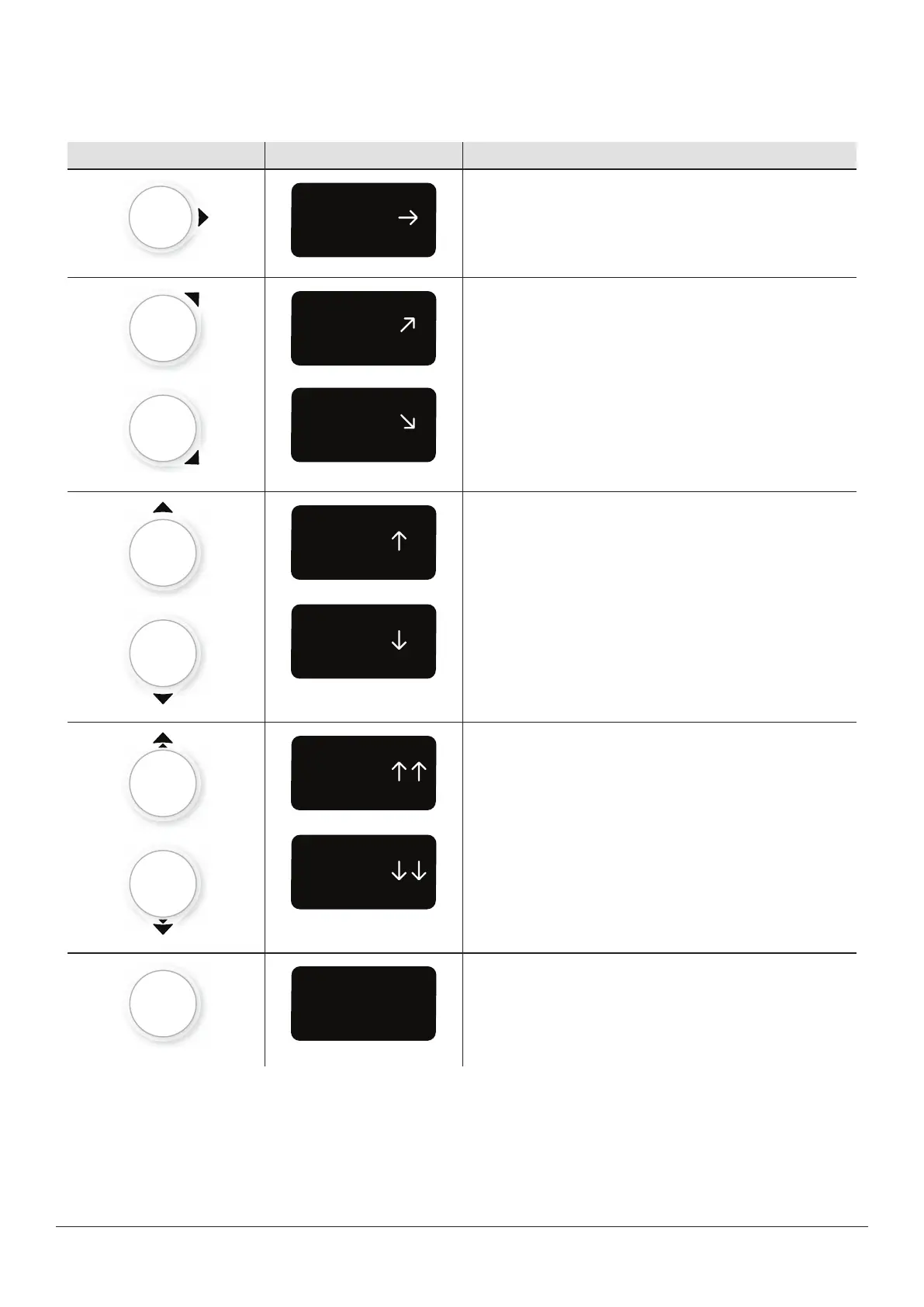
Where your glucose is heading
To know where your glucose is heading, look at your trend arrows. Trend arrows help you predict where your glucose will be
within the next 30 minutes. Use them to be proactive in managing your diabetes.
App Receiver What it means
Steady:
Changing less than 1.7mmol/L in 30minutes
Slowly rising or falling:
Changing 1.7–3.3mmol/L in 30minutes
Rising or falling:
Changing 3.3–5.0mmol/L in 30minutes
Rapidly rising or falling:
Changing more than 5.0mmol/L in 30minutes
No arrow:Can't determine trend; use BG meter for
treatment decisions



 To Next Page