33
DiGiCo SD12
2-33
2.2.2 Sharing Racks with MADI DMI...............................................
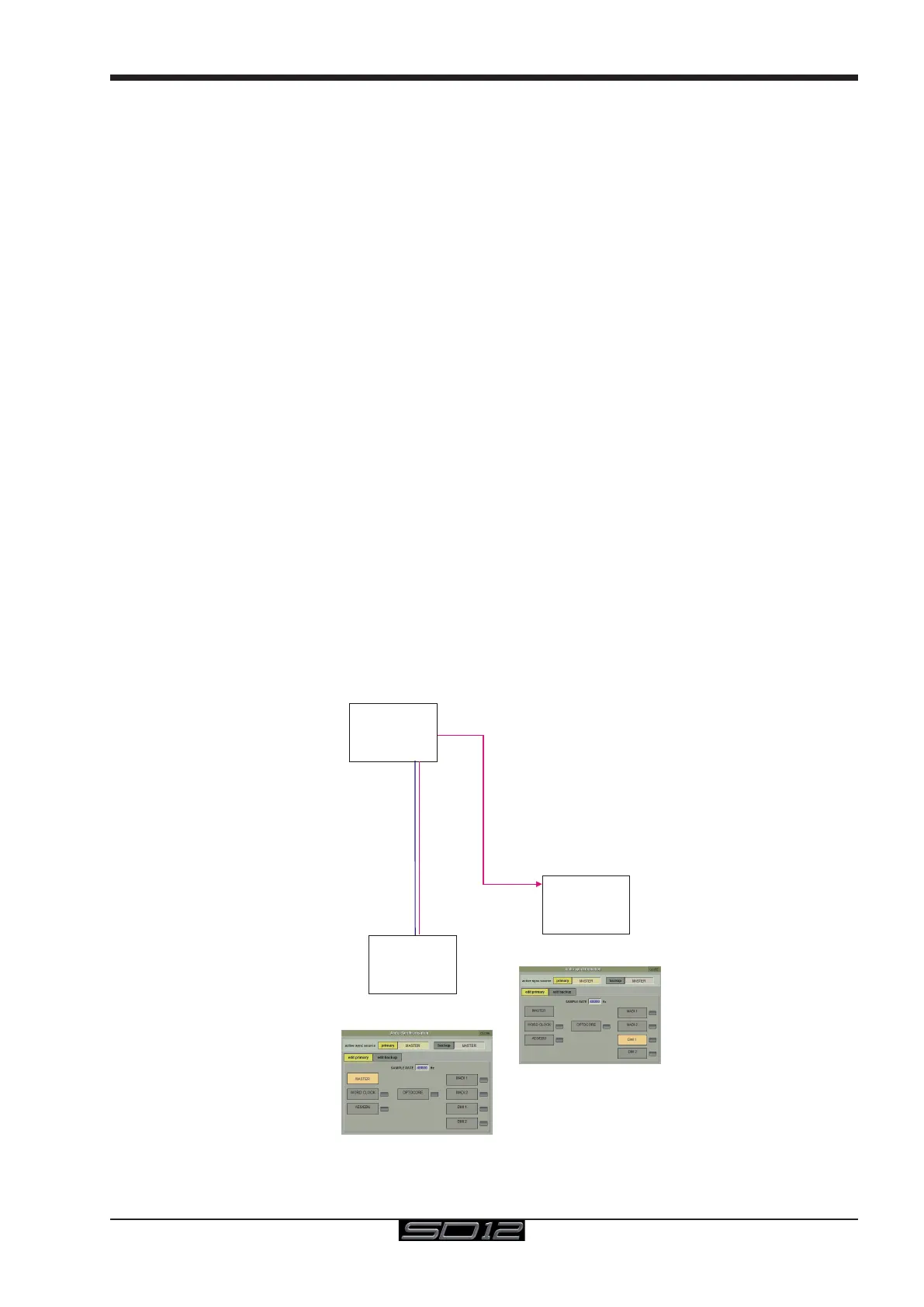
If the system is running at a sample rate of 48KHz a D2-Rack, SD-Rack or SD-MINIRack can be shared between 2 consoles (Two
SD12s or an SD12 and another S or SD-Series console) with the connection system shown below.
In this setup:
1) All inputs can be shared by the two consoles but only one console controls the rack analogue gains (the "Master" console)
2) The console which is not controlling the gains (the "Slave" console) can automatically adjust its digital trims to compensate for the
gain changes using a system known as "Gain Tracking" (see below)
3) Only the "Master" console can use the outputs of the shared rack
The recommended connection between the Monitor (Slave) console and Stage Rack is a single MADI OUT from the Shared Rack's AUX
MADI connected to the console's MADI A IN
The FOH (Master console) is connected via MADI A IN and OUT to the stage rack.
A similar method can be used if the Monitor console requires gain control and the FOH console will track the gain changes.
MADI OUT from the Shared Rack's AUX MADI connected to the FOH console's MADI A IN.
The Monitor (Master console) is connected via MADI A IN and OUT to the stage rack.
Note: The "Master" console should be set to provide "Master Sync" (Setup>Audio Sync menu - see diagram below) to
the Shared rack
The "Slave" console should be set to receive its Audio Sync from the MADI DMI slot that is connected to the Shared
Rack.
1) The operators should agree on and set a level of analogue gain that provides enough headroom for the required application.
2) The second console should connect to the Shared rack in Receive Only mode (only MADI Input cable connected)
3) Gain Tracking (the GT ON/OFF button at the top of the Input channel setup view) can be switched on for the console that is in
"Receive Only" mode for all the channels that are being shared.
4) When an analogue gain control is changed on the "Master" console, the "Slave" console's analogue gain should reect the changes
and the digital trim control should compensate for this change by moving by the same amount in the opposite direction.
IMPORTANT Note: If Gain Tracking is active on a channel, the digital trim control will still respond to the local gain
adjustment by compensating locally for the displayed gain change.
If the "Slave" console loads a session where the Analogue Gain and +48V settings do not match the current state of the
racks, the Master console should then reload its session to update the state of these controls on the "Slave" console
Shared Rack
FOH & MONITORS WITH SHARED RACK at 48KHz USING MADI
MONITORS
Audio Sync = DMI MADI IN
Uni-Directional Gain Tracking
FOH has control of the Analogue Gains
and Monitors can track this
AUX MADI
OUT
DMI MADI PORT A
IN/OUT
DMI MADI
PORT A IN
MAIN MADI
IN/OUT
Connection can be:
A single Cat5e cable for DMI MADI C
OR
2 BNC cables for DMI MADI B
Connection can be:
A single Cat5e cable for DMI MADI C
OR
1 BNC cable for DMI MADI B
FOH
Audio Sync = MASTER
Console 1
Console 2



 To Next Page