AIR_Manual_506a_ENG_rev_1.pdf Page 15/96
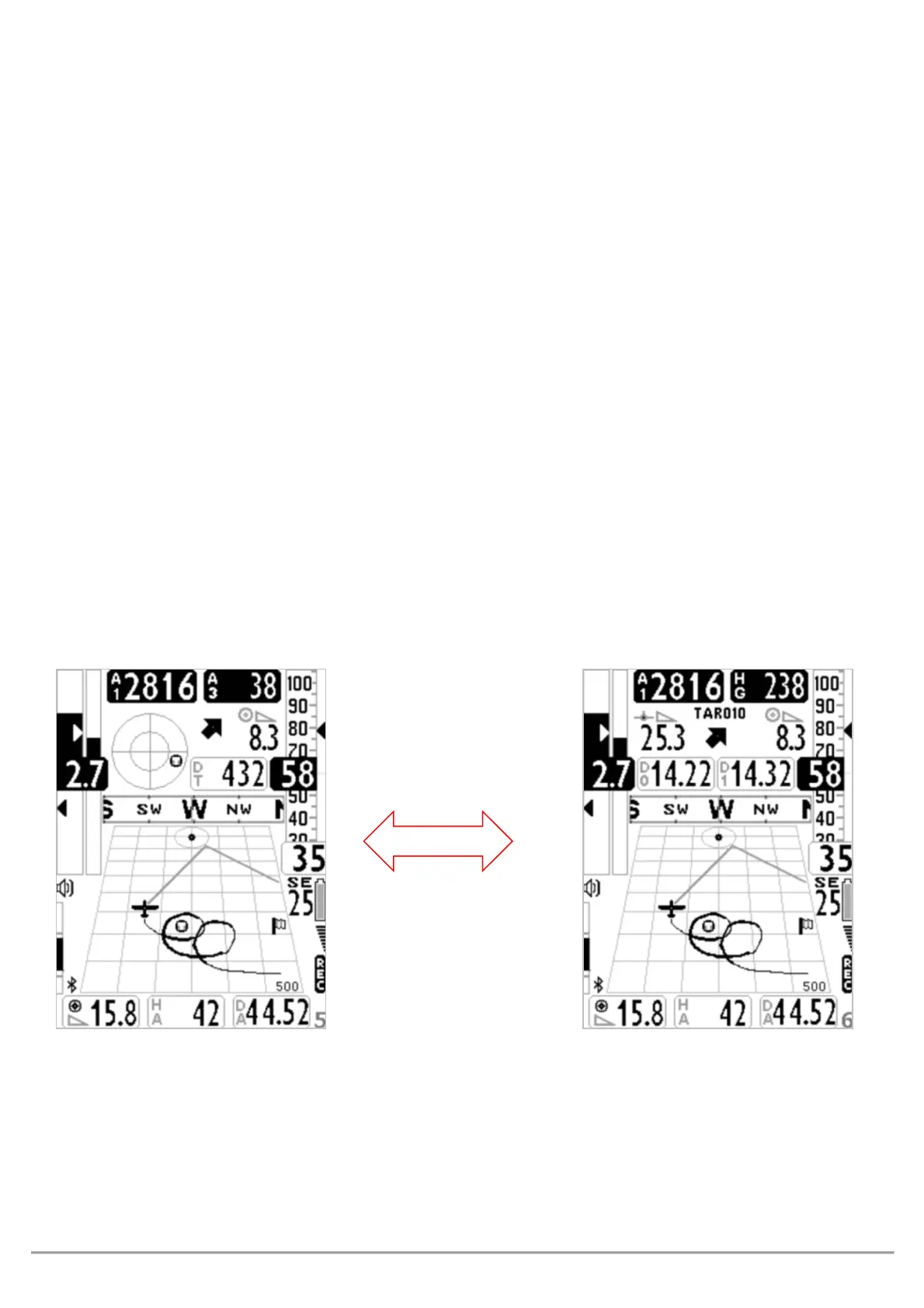
PAGE 5 COMP GOAL (THERMAL) AND PAGE 6 COMP GOAL (GLIDE)
Pages 5 and 6 provide information regarding navigation towards the arrival waypoint (GOAL) of your route:
o Current waypoint’s name
o Flight direction towards the optimized point of the current waypoint’s cylinder (
)
o Required glide ration to reach the optimized point on the current waypoint’s cylinder
o Shortest distance to the nearest point on the current waypoint’s cylinder (
)
o Distance to the optimized point on the current waypoint’s cylinder (
)
o Required glide to reach the cylinder of the route’s last waypoint (GOAL)
o Estimated arrival height over the cylinder of the route’s last waypoint (GOAL) (
)
o Distance to the cylinder of the route’s last waypoint (GOAL) (
)
When the Digifly recognizes a thermal and you make a turn to fly into it, the Digifly will automatically switch to
PG05
PAGINA 5 COMP GOAL (THERMAL),
which besides the navigation information, will also display the
instruments for thermal flying:
will help you center the thermal’s core better, (DT) will show you
the distance to the thermal’s core and the A3 Altimeter which will show you the altitude difference as you
thermal and will automatically reset (go to zero) when you enter the thermal.
When you fly “on a straight line for a period of time greater than the value set on the
VARIOMETER SETUP\ n. 16
CRUT
parameter (default 15sec) the instrument will automatically switch to PG06
PAGE 5 COMP GOAL THERMAL PAGE 6 COMP GOAL GLIDE



 To Next Page