EasyManua.ls Logo

Digifly AIR-BT - Page 9 Compass

Digifly AIR-BT
96 pages
Print Icon
To Next Page IconTo Next Page
To Previous Page IconTo Previous Page
Loading...
AIR_Manual_506a_ENG_rev_1.pdf Page 19/96
3.5
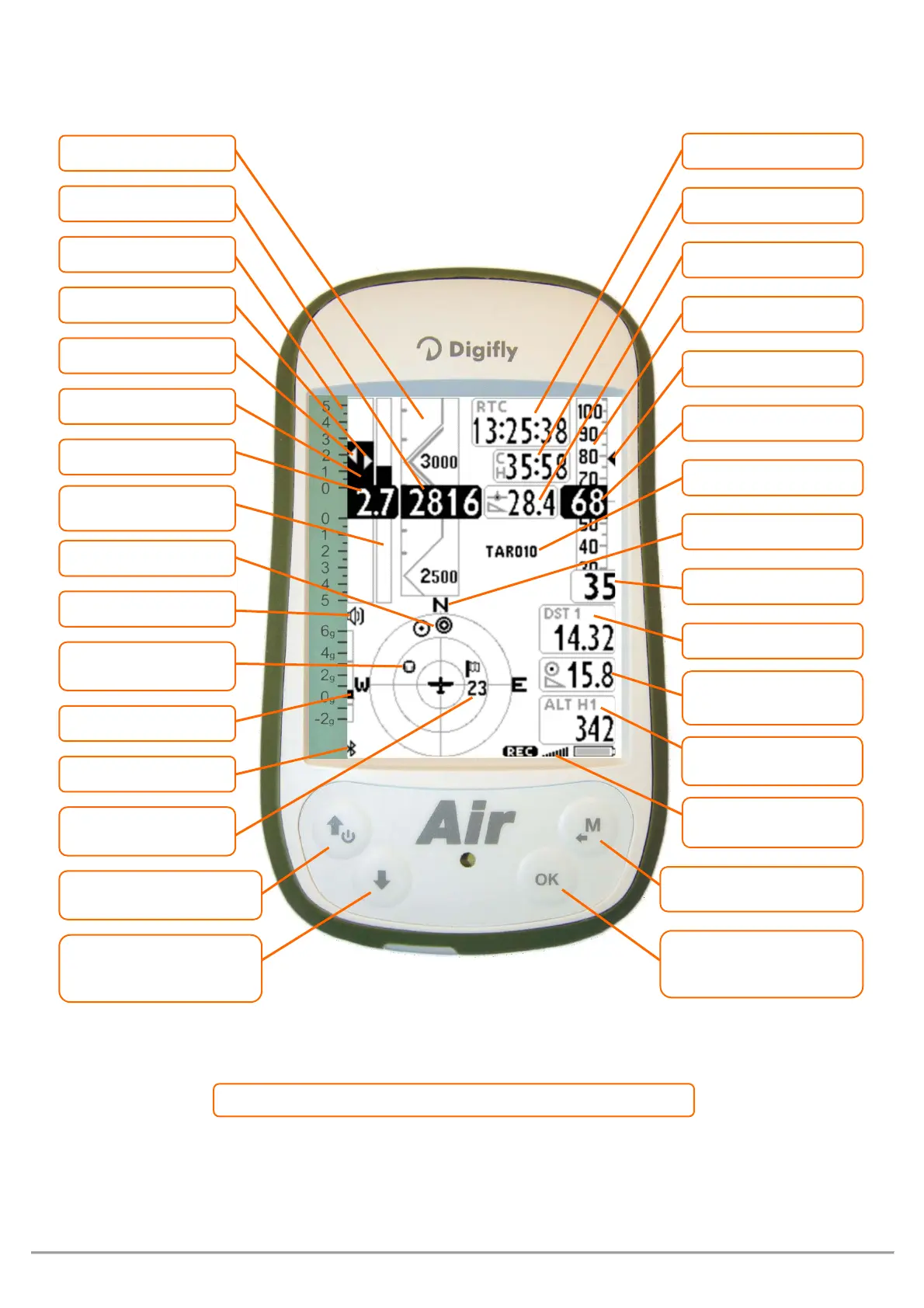
PAGE 9 COMPASS
= Normal key pressure ● ● = Long key pressure (2 seconds)
System icons:
Recorder, GPS, Battery
GPS Ground Speed
Chronometer
Optimal speed to fly STF
Distance to WP cylinder
Required glide ratio to
WP cylinder
Estimated arrival height
over the WP cylinder
Analogical Airspeed
Clock
Digital Airspeed
WP name
Current glide ratio
Menu / Return
Change Page fwd.
● ● Reset Altimeter A2 /
SKWP fwd
Compass main points
McCready equivalent
Digital Vario
Analogical A1 Altimeter
Digital A1 Altimeter
McCready
Volume level
Analogical vario scale
Analogical Average Vario
/ Net Vario
Direction to WP icons
Synch A1 with GPS
● ●
Instrument On/Off
Change Page back
● ●
Volume level 1-2-Off /
SKPW back
Position of last thermal
Bluetooth ON
Wind Speed and
Direction (from where it’s
coming )
Analogical G-meter
Analogical Vario

Table of Contents

Other manuals for Digifly AIR-BT

Related product manuals