AIR_Manual_506a_ENG_rev_1.pdf Page 43/96
FAI-TRANGLE ASSISTANT (third layer)
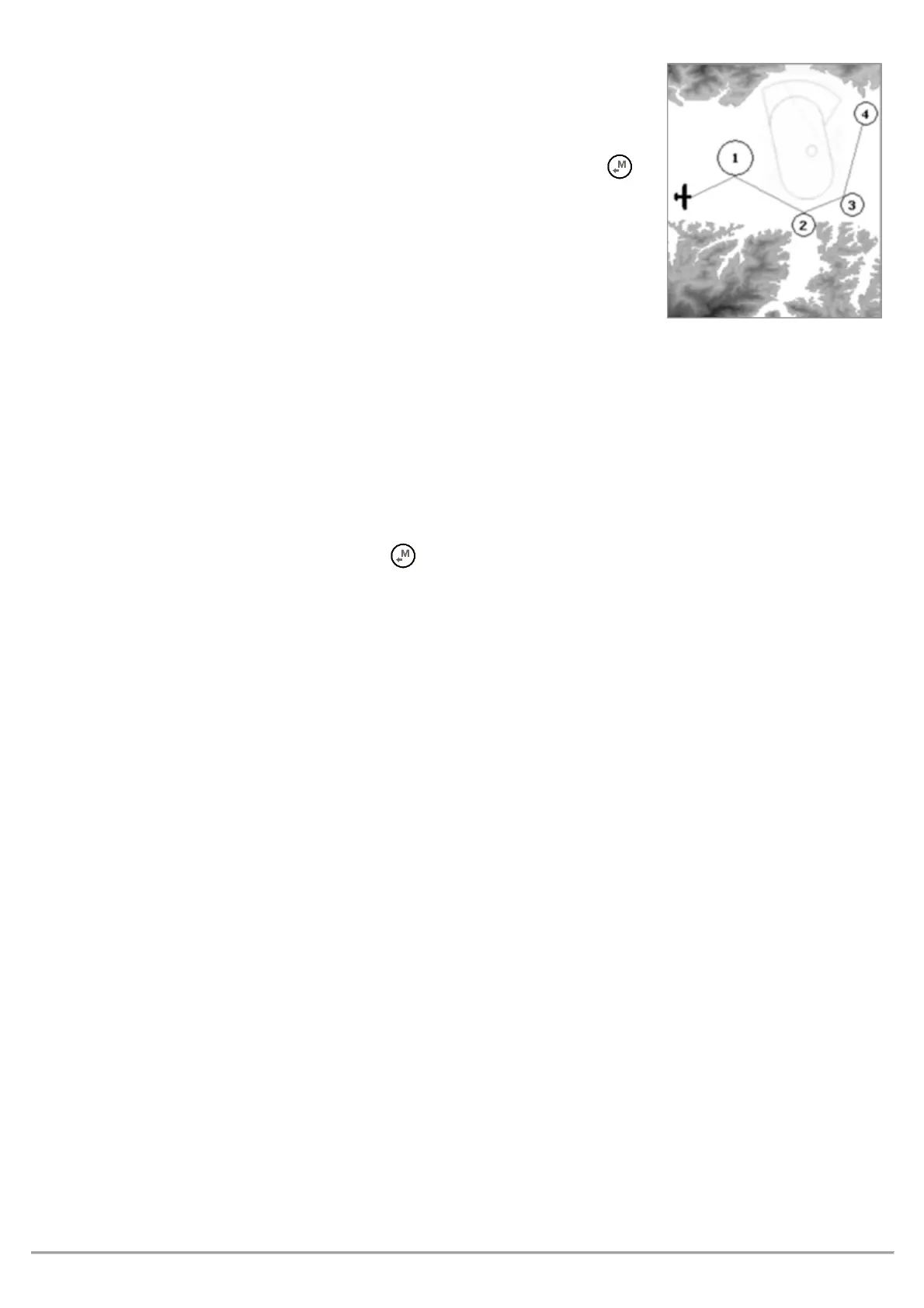
The FAI-Triangle Assistant is enabled setting “ON” the parameter
“FAI-Triangle Assistant” (default OFF)
Note: If you have a map on the current page (see the standard Pg.12) and the
FAIT is “ON”, and have the GPS fix, the function of LONG PRESSING the
button changes and now opens a FAI-Triangle popup with choice window and
timeout of approx. 4sec:
o "
": it inverts the possible FAI-Triangle area over the
task legs
o "
": memorizes the current position (fix) on
vertices 1 and 2 according to the following logic:
- if vertex 1 has not yet been memorized, it will be set with the current fix (note: vertex 1 will be set
automatically with the fix from take-off)
- if vertex 1 is valid and vertex 2 has not yet been memorized, then I will set vertex 2 with the current fix
- if both vertices 1 and 2 have been memorized, then I will overwrite the vertex closest to my current
position with the current fix.
o "
": memorizes the current fix on vertex 3, if and only if both vertices 1 and 2 are valid.
o “
": by pressing the button, you will go back to the previous screen without any
modifications.
On take-off, the FAI triangle will be re-set and vertex 1 will be automatically memorized using the position of
take-off
The possible FAI-Triangle area is drawn if and only if the distance of the base (vertex 1, vertex 2) is at least 2km
(1.2mi)
FAI SIZE distance indicator
The FAI-Triangle size distance is displayed as a numeric value, in real time, on the “
” “
” instrument.
This instrument has been included in the standard Pg.12
Display logic:
o Up until you take off, you will see only dashes (both vertices 1 and 2 are not yet valid)
o on take-off, vertex 1 will be automatically set with the fix
o after take-off, it will display the distance from take-off (vertex 1) until you manually set vertex 2
o after setting vertex 2 using “Press DOWN to set V1-2”, it will display the distance of the base (from
vertex 1 to vertex 2) + the distance between vertex 2 and the fix
o after setting vertex 3 using "Press OK to set V3", it will display the distance of the base (from vertex 1 to
vertex 2) + the distance between vertex 2 and vertex 3 + the distance between vertex 3 and the fix
Note: When the FAI-Triangle assistant is disabled, then the FAI SIZE instrument will always indicate the distance
to the take-off



 To Next Page