AIR_Manual_506a_ENG_rev_1.pdf Page 25/96
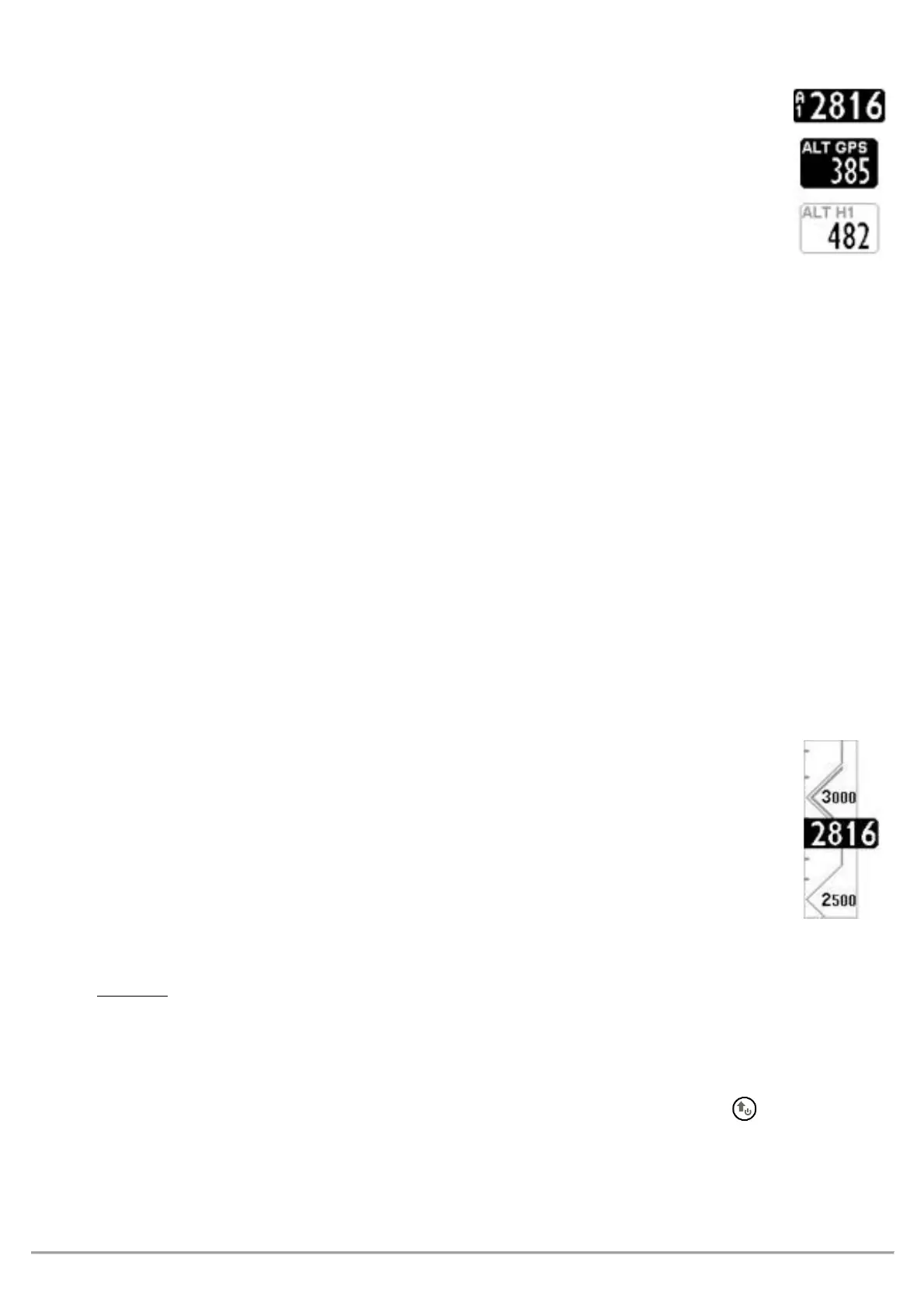
The Digifly AIR features 9 different altimeters: ALT 1, ALT 2, ALT 3, ALT QNE, ALT FL, ALT GPS,
ALT H1, ALT HA, and ALT AGL.
-
: Barometric altimeter
-
: A2 Altimeter
-
: Gain during the current thermal
-
: QNE Standard Pressure Altitude. Barometric height recorded in your tracklog.
-
: Flight Level Height Barometric Altimeter referring to the standard pressure in flight levels
(hundreds of feet).
-
: GPS Altimeter
-
: Estimated height over the cylinder of the current WP
-
: Estimated height relative to goal cylinder, line, etc.
-
: Height above ground level with map (see 4.1.1 and 6.17.1)
The
altimeter, shows the height above ground,
bove
round
evel).
To activate the
altimeter, you must have a microSD card with the *.dgm map files of the area you will be
flying -created using AirTools- in your Digifly and that the “Elevation Mode” parameter (
, is set to either 1, 2 or 3. A detailed description on how to create a map and how to set the map
parameters see section 6.17.1.
: digital value of A1 altimeter is integrated with the graphic scrolling altimeter.
With a friendly scale and numeric indications every 500 mt/ft embedded into an angular graphic
view making the numbers more readable.
There is also a simple graduated scale for meters in the hundreds.
Go to the
menu and select which altimeter you want to adjust (A1 or A2).
: while the recorder is activated is not possible to adjust the A1 Altimeter.
Synchronizing the A1 Altimeter with the altitude provided by GPS data:
If the “A1-GPS sync.” is enabled, (
default= ON), you are not yet moving (in flight) and
have not manually set the A1 altimeter, this altimeter will automatically synchronize with the GPS data.
To manually synchronize the A1 altimeter with the altitude data from the GPS, press the button. This may
only be done when the instrument has acquired GPS coverage, if you are not moving and if the A1SY
parameter is set to ON. Once the flight recorder has started, this synchronization is no longer possible.



 To Next Page