AIR_Manual_506a_ENG_rev_1.pdf Page 59/96
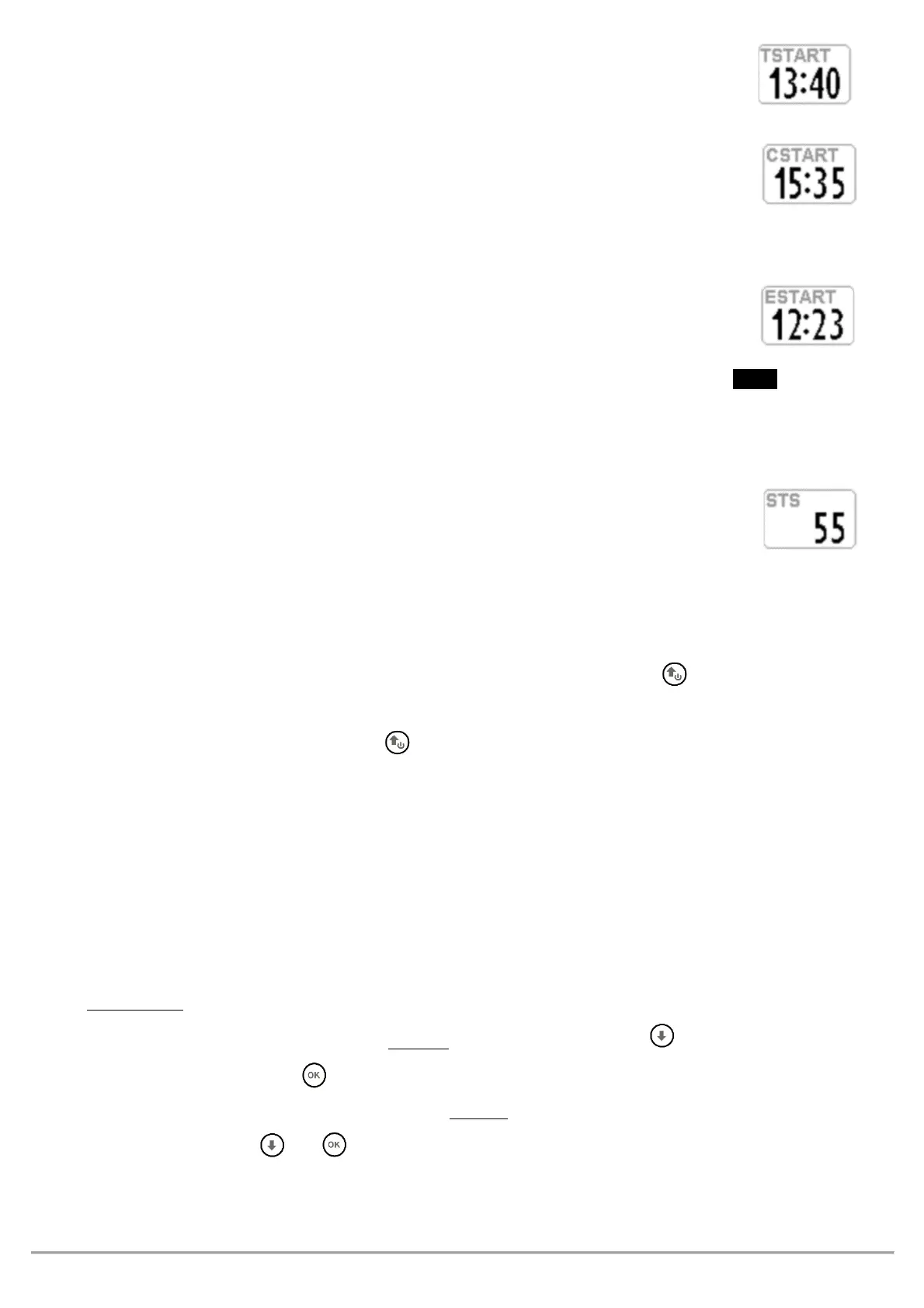
: Shows the start gate time.
To choose a different start gate time, see section 10.5.5 below.
REMAINING TIME TO START (CSTART)
: shows time remaining (countdown) until the start gate opens
To choose a different start gate time, see section 10.5.5 below.
EXPECTED ARRIVAL TIME TO START LINE (ESTART)
: Shows the estimated arrival time to the edge of start cylinder, based on the
average speed relative to the countdown. If the instrument indicates “
" (black on
white), it means the pilot will get to the start line with a delay of 10 seconds; if its written “
" in reverse
mode (white on black), it means the pilot will get to the start line 15 seconds ahead of time (penalty).
REQUIRED SPEED TO START THE CYLINDER LINE (STS)
: shows the required speed to get to the start cylinder line in time for gate opening.
CHOOSING A DIFFERENT START GATE TIME IN A COMPETITION ROUTE
Once the route is activated, all these parameters refer to the first start gate time. If you decide to take a
different start (when there are multiple start gates), you need to short press the button once -on any of the
navigation pages (it won’t work from the “INFO GPS” page)- in order for the values to update to the new start
gate time. Every time you short press the button, you will move one clock forward and, if you are on the last
one, you will jump back to the first one.
The “Skip Waypoint” function of a route (no shortcut - from “Info GPS” page) is explained on paragraph 3.9.8
The Digifly AIR also has a shortcut for this function, from any of the navigation pages. In order to activate it, the
"
"
parameter
SKPW)
needs to be set to ON.
that this will change the functions of some buttons:
With the parameter set to
= Shortcut disabled (default),
the button changes the volume
level and
of the button sets the A2 altimeter to zero.
However, with the parameter set to
= Shortcut enabled and, when a route is activated both for competition
or XC,
the and buttons, will respectively work as skipping a waypoint back and forward
buttons, without having to go to the Info GPS page first.



 To Next Page