AIR_Manual_506a_ENG_rev_1.pdf Page 65/96
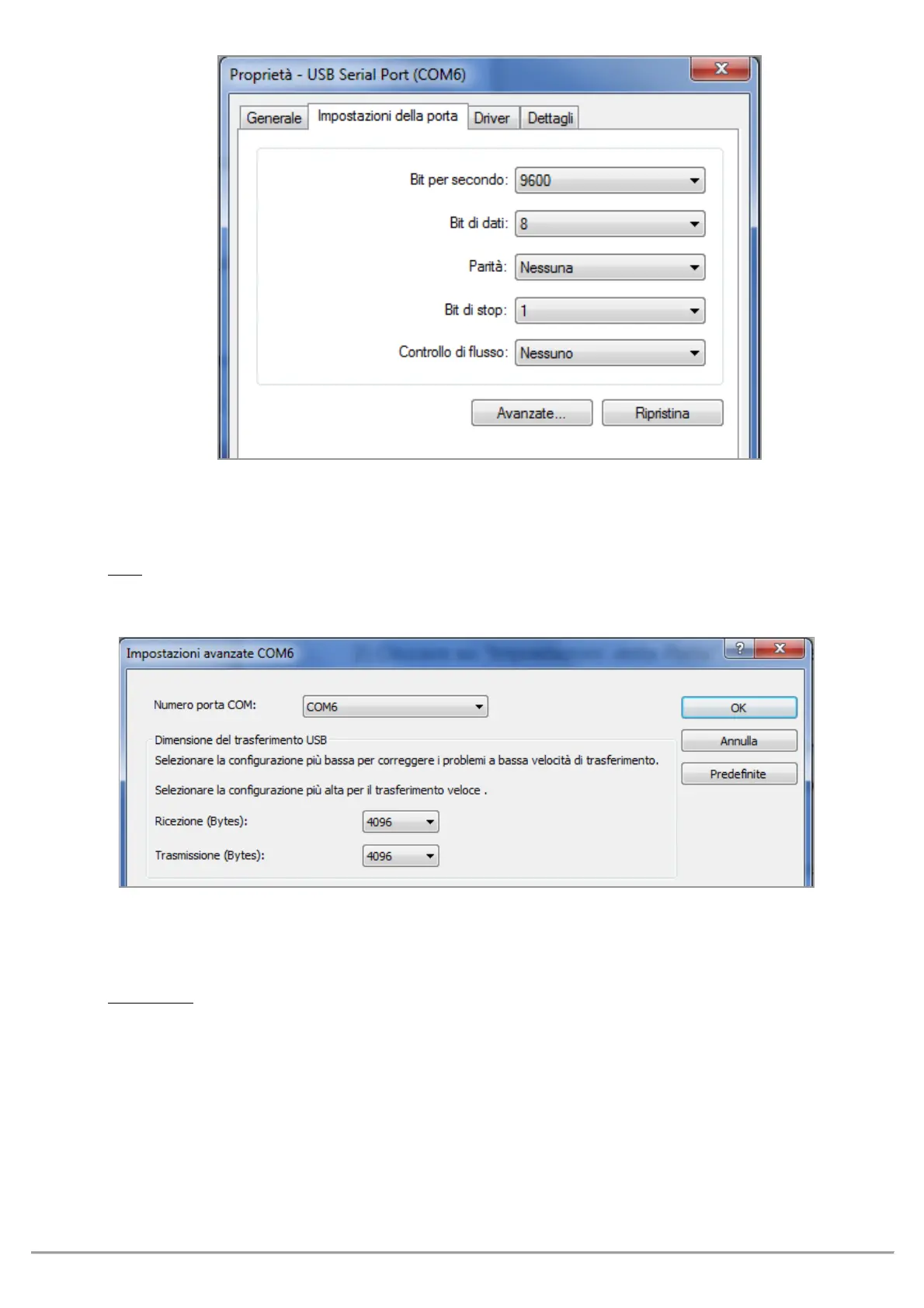
o Click on "Port settings" then click on “Advanced”
o In the "Advanced Settings" window, set the "COM Port Number" with the lowest number (from 1 to 9) among
the ports that aren’t already in use, then click "OK"
: If the value displayed on the "Device Manager" window is still the old one, refresh the display value by
closing and reopening this window
o Take note of the COM port number, to be used later on to manually set the correct port number of third-party
software (e.g. GpsDump).
that all Digifly software has automatic COM port number detection (Auto-search) and therefore it
does not need this setting.



 To Next Page